Signing in to the dashboard
The web dashboard is gated behind a login screen. Testers: there is no
built-in password. admin / Admin@321 will not work.
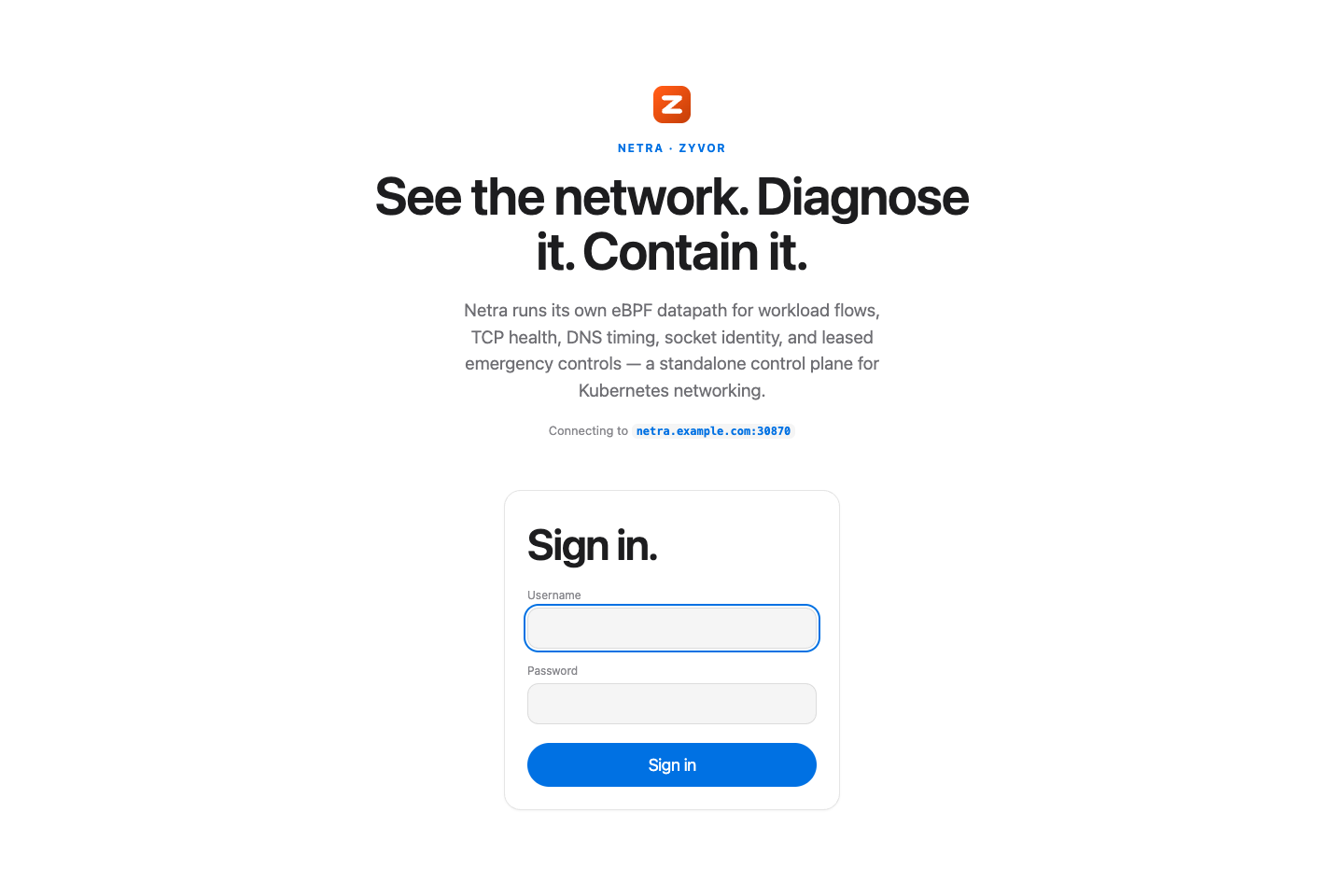
How to sign in (copy this)
- Open
https://<controller-host>:30870/(port/TLS: HTTPS default). Accept the browser's self-signed cert warning if needed. - Enter:
| Field | Value |
|---|---|
| Username | admin (always — it is cosmetic, not a real user account) |
| Password | the controller API key (NETRA_API_KEY / Helm auth.apiKey) |
- Get the password (API key) from the host or cluster:
# Preferred after deploy-remote / local install:
cat ~/.netra/api-key
# Same value is also in:
grep '^NETRA_API_KEY=' ~/.netra/env

# If you only have kubectl access:
kubectl -n netra-system get secret netra-auth \
  -o jsonpath='{.data.api-key}' | base64 -d; echo
scripts/deploy-remote.sh mints a new random key on each deploy unless you
export NETRA_API_KEY yourself. It writes the key to ~/.netra/api-key (mode
600) and ~/.netra/env so netractl status works without hand-exporting —
see netractl.md. Paste that string into the password field.
The login screen shows "Connecting to <host>" so you can confirm the target.
The UI probes /api/v1/fleet with the bearer before opening the dashboard, so
a wrong key fails on the login screen instead of flashing an empty console.
What the login actually does
Netra's controller has one shared bearer secret (NETRA_API_KEY, see
Safety and persistence) — there is no
per-user account system in netrad today. The login screen is a frontend
convenience gate: the password you type is sent as that one bearer
token. The browser sends the bearer once to POST /api/v1/session,
and the controller answers with an HttpOnly session cookie (an expiry and an
HMAC, not the token itself). Later dashboard calls authenticate with that
cookie. The bearer is not stored in localStorage or sessionStorage. It
does not add a new server-side access-control layer — anyone who
can reach the controller's port can already load the unauthenticated static
UI shell (only the /api/v1/* calls require the bearer token) — it only
removes the friction of copy-pasting the token into the UI by hand.
Logging out (the exit-arrow icon button next to the theme toggle in the top nav) clears the session cookie
and returns you to the login screen. If the controller ever rejects a request
with 401 (e.g. the API key was rotated on the controller since you signed
in), the dashboard automatically clears the cookie and returns you to
the login screen instead of showing a dead page.
Session details
- The cookie is
netra_session:HttpOnly,SameSite=Strict,Path=/, andSecurewhenever the request arrived over TLS or withX-Forwarded-Proto: https. Its value is an expiry time plus an HMAC keyed by the controller's API key, never the key itself. - A session lasts 12 hours. Rotating
NETRA_API_KEYinvalidates every open session, because the HMAC no longer verifies; the dashboard then returns to the login screen. - The dashboard's WebSocket connections are same-origin and rely on the cookie sent with the handshake; the token is no longer put in the URL.
- A browser that still holds a
netra-tokenfrom an older dashboard is migrated once: the token is exchanged for a session and removed fromlocalStorage. - Scripts and
netractlkeep usingAuthorization: Bearer <key>; only the browser flow changed.
Changing the key
Set NETRA_API_KEY (see Standalone Helm install /
scripts/deploy-remote.sh) or the Helm chart's auth.apiKey value and redeploy. The
login form has nothing to keep in sync: the password you type is the key. Rotating the
key invalidates every open session. Treat the key with the same care as any admin secret,
and never leave a published or well-known value in place on a reachable controller.
Netra is a Zyvor project
The dashboard carries Zyvor's branding in two places: the top nav uses Zyvor's bare orange "Z" logomark (matching the mark in Zyvor's own site header), while the login screen and browser favicon use Zyvor's filled gradient tile mark. Netra is Zyvor's eBPF network observability product (Zyvor product page).