
Zyvor AI Labs · Retail
Every store. Every detail. One place.
Sell at the counter, count the shelf, pay the supplier and close the books from one calm console. Built for a company that runs several stores.
- Runs with no packages
- Keyboard-first
- Self-hosted
- Light and dark
- Pilot release 0.10.0
- Synthetic data only
- Not a certified tax system
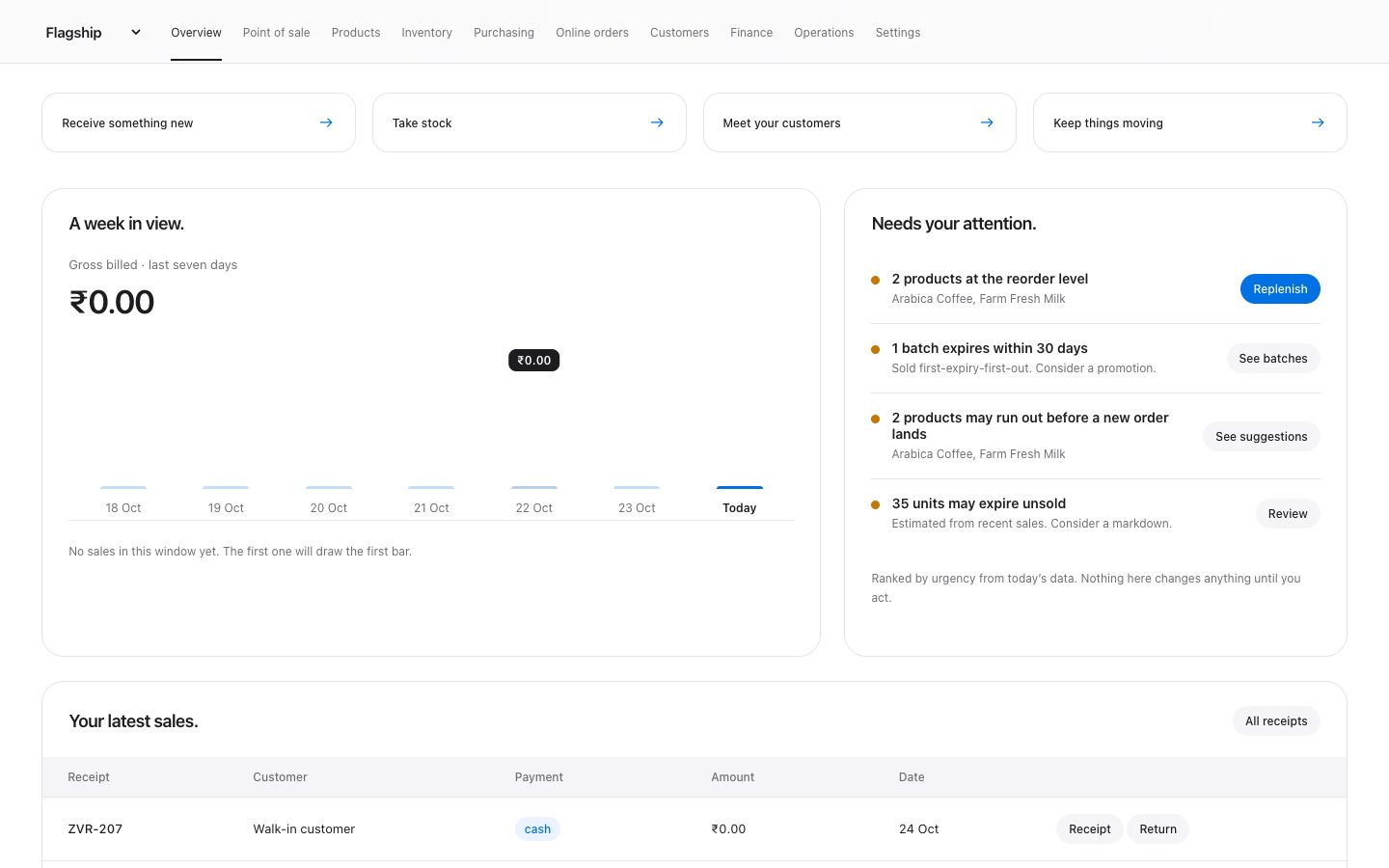
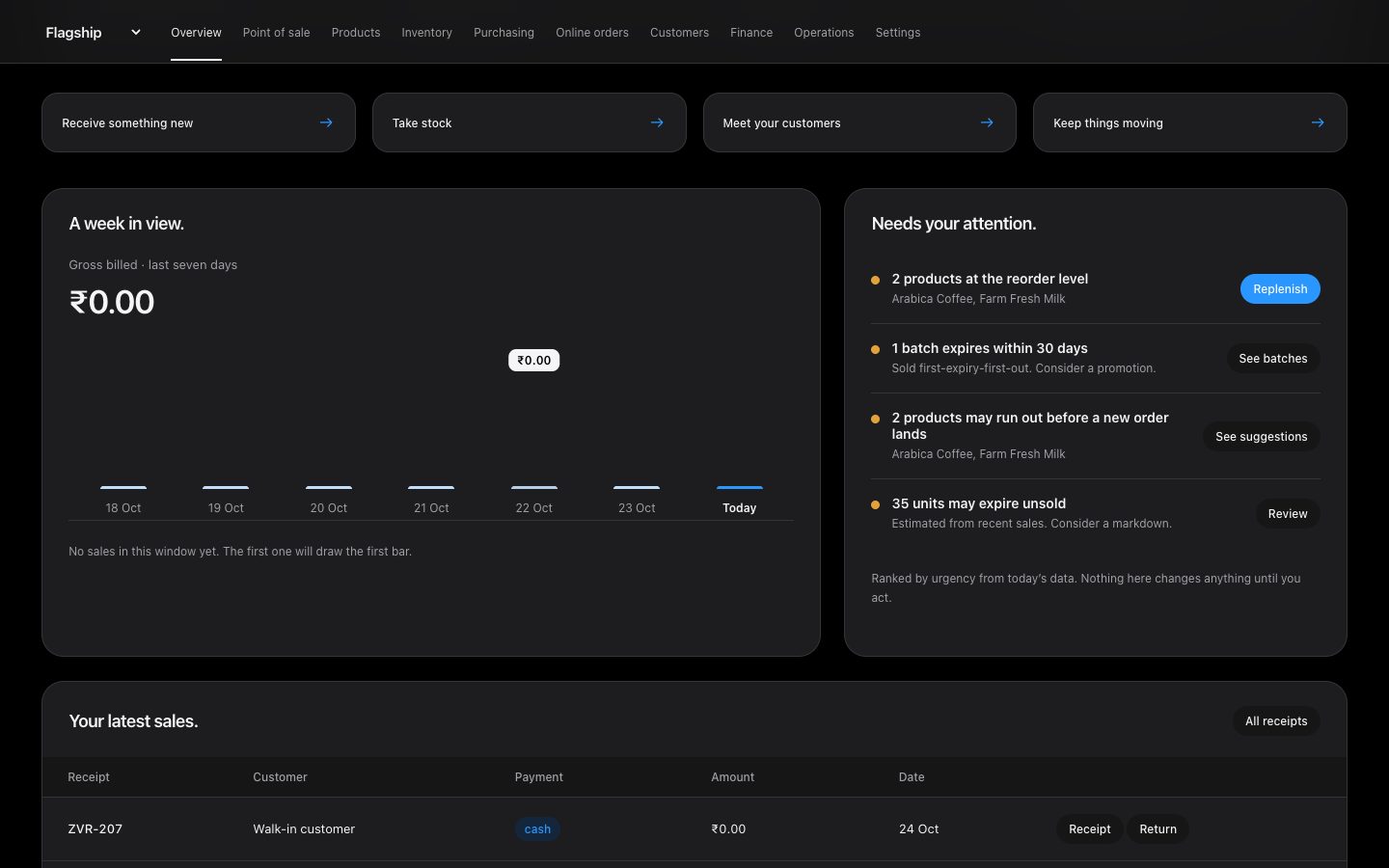
Screenshot of the running application with a fictional catalogue.
Counts come from the source repository: the workspace list, the role model, pyproject.toml and the test suite.
Watch it
A trading day in thirty-four seconds.
Sign in, read the overview, open a product and a batch, ring up a sale with change due, then browse the pickup storefront. Recorded on the running app. Fictional data, no sound.
What happens in the video
- The login page, then the overview with a seven-day chart and the exact figure for one day.
- A product opens in a drawer with its batches and recent movements.
- A batch opens in a drawer with days to expiry, units and stock value.
- Two items go into a sale, cash is entered, and the sale-complete screen shows change due.
- The public storefront opens a product sheet, picks a quantity and adds it to the bag.
Built for the whole shop
One place for everyone who touches a sale.
At the counter
Scan or search, pick a customer, take cash, card or UPI, print the receipt. Partial returns reverse the original sale exactly, with the right batch.
In the back room
Receive against a purchase order, capture batch and expiry, count the shelf, transfer between stores. Expired stock is blocked and sold first-expiry-first-out.
In the office
Every movement posts to a double-entry ledger. Trial balance, margin, supplier balances, shifts and tasks, and CSV exports your accountant can open.
Made for speed
Built to be used all day.
Small things that add up at the counter and in the back room.
Tells you what to do next
The overview ranks what needs attention: expired stock, low stock, pickup requests, due tasks. One clear action per item. Or just ask: “What should I reorder?”
Keyboard first
Scan a barcode and it is in the bag. Press / to search, + and − to change quantity, ⌘K to find anything, ? for every shortcut.
Change due, instantly
Type the cash received and see the change, or how much is short. Cash, card and UPI are one tap apart.
Tables that sort
Click any column to sort, switch to compact rows, and open a product, customer, batch or receipt for the full story, without leaving the page.
Links that work
Every workspace and tab has its own address. Share it, bookmark it, press Back. Refresh keeps your place.
Calm when things go wrong
Offline or a failed refresh shows a clear banner with the time of the last good data. Pending sales wait safely.
See it
Real screens. Real ledger underneath.
Captured from the running application. The catalogue, prices and stock shown are fictional.
Modules
What a trading day needs.
Each row is implemented and covered by the repository's tests. The limits are on this page too, in Honest limits.
Point of sale
Barcode keyboard input, product search, customers, manager discounts, promotion codes, cash, card and UPI tender recording, printable receipts, shifts with counted-versus-expected cash.
Catalogue
SKU and barcode uniqueness, packs, categories, prices, tax rates, reorder levels, and CSV import from the browser or the command line.
Inventory
Batches, expiry blocking, FEFO selling, adjustments at actual batch cost, transfers between stores, stock-count sessions that detect conflicts, and reorder and expiry suggestions that show their arithmetic.
Purchasing
Suppliers, multi-line purchase orders, partial receipts, unique invoice numbers, replenishment drafts, and supplier returns against credits.
Pickup storefront
A public catalogue with product sheets, a bag that counts, and a pickup request that ends in a clear timeline. Staff mark orders ready or cancelled; collection links atomically to the sale.
Customers and loyalty
One company-wide directory with a consent flag, and one point earned per ₹100, reversed if the sale is returned.
The books
Stock and money cannot disagree.
A sale, a receipt, a write-off and a return each write to the stock ledger and to the double-entry journal in the same transaction. There is no end-of-day sync to forget.
One commit, two ledgers
Quoted prices and discounts are checked again at commit. A retried checkout is idempotent and never consumes a promotion twice.
Answers, not exports
Revenue, margin, inventory value, supplier balances, trial balance and date-range profit, plus stock and sales CSVs with formula-injection protection.
Not statutory GST
It is a sound management ledger, not e-invoicing or a certified accounting system. Statutory workflows are listed under honest limits.
Security
Boring, careful defaults.
Sign-in
Hashed passwords, opaque HttpOnly sessions, CSRF protection, persistent throttle counters, and session revocation. Optional single sign-on with Zyvor Haven or any OpenID Connect provider, with PKCE, and only for people you have already added.
Access
Five roles with branch scope, checked on the server. Staff can be disabled and passwords changed by admins or by the person themselves.
Network edge
An Envoy edge with HTTPS, HTTP redirects, token buckets, body and header limits, timeouts, and private routes for backup and metrics.
No independent security review has been done yet. See honest limits.
Deploy
From a laptop to a cluster.
The same application, three ways to run it.
Local
Python 3.12 with SQLite. One command, no packages, no build step, nothing leaves your machine.
Compose with HTTPS
A standalone stack with Envoy terminating TLS, redirects, rate limits and private operations routes.
Kubernetes
Non-root pods, probes, default-deny network policies, data and backup volumes, an edge-only autoscaler and a scheduled verified backup.
Live demo
Try it for real.
A running copy with a fictional store: four weeks of sales, low stock, a pickup request and an expiring batch are already there, so the reorder suggestions have something to work from. Look around, ring up a sale, open the shortcuts with ?.
No login needed
Browse the catalogue, search, add to the bag and send a pickup request, just as a shopper would. Nothing is charged online.
Login on request
The console needs a login, so we send one on request. It is a cashier account: ring up sales, scan, look at stock, customers and orders.
Shared and fictional
Every visitor shares the same data, so you may see other people's test sales. Nothing here is a real store, a real customer or real money.
Sixty seconds
What to click
1. Read the overview
See what needs attention, ranked, with one clear action at the top.
2. Sell something
Open your shift, press /, type a product, press Enter, then enter the cash received to see the change due.
3. Dig into stock
Open Products, click a column to sort it, then click a row to see its batches and movements.
Shared demo on a test machine, not for real customer data.
Run it
Two minutes, one command.
The source is private. Ask for access and you receive a ZIP; unpack it, then:
export RETAIL_ADMIN_EMAIL=owner@zyvor.local
read -s -p 'Initial admin password (12+ characters): ' RETAIL_ADMIN_PASSWORD; printf '\n'
export RETAIL_ADMIN_PASSWORD
python3 -m retail.server --demo
Open http://127.0.0.1:8080 and sign in with the account you chose. The public pickup storefront is at /shop. The --demo flag seeds a fictional catalogue and stock on an empty database. Choose your own password; never commit it.
Honest limits
What Zyvor Retail is not, yet.
Taken from the product's own release scope. A long feature list does not prove a commercial launch.
| Area | Where it stands |
|---|---|
| Maturity | A pilot release with a working core. Start with a controlled pilot whose workflows match the implemented scope. |
| Tax and statutory | No statutory GST, e-invoicing, purchase input tax, period close or year-end. Not a certified accounting system. |
| Payments and hardware | Tenders are recorded, not initiated. No payment gateway, split tenders, credit sales, calibrated scales or fiscal printer drivers. |
| Offline | A loaded tab keeps a pending checkout for manual retry. It is not a full offline POS: no service worker and no reloadable offline catalogue. |
| Ask your store | Read-only questions answered from your own records, with the records used shown. Built-in rules understand a limited set of questions; a language model you connect (off by default) handles free wording but can still be wrong, so every answer shows its data and flags figures it cannot find there. No customer details are ever sent, and it cannot change anything. |
| Suggestions | Statistical estimates from your own sales, not a trained model. They need about three weeks of history, do not know about promotions or festivals, and use one lead time for the whole store. Nothing is ordered or marked down unless a person submits it. |
| Storefront | Pickup only: no online payment, accounts, delivery, reserved stock, order tracking or verified phone ownership. |
| Security | No independent review, no MFA of its own, no audit signing, no encrypted application fields. |
| Single sign-on | Optional and off by default. Only people already set up in Retail can sign in: it does not create users or set roles from the provider, and there is no single sign-out. Tested with Keycloak (what Haven runs), not yet with Entra ID, Okta or Google. Passwords still work alongside it. |
| Zyntra feed | An optional, read-only feed of stock, bills, settlements, supplier lead times, queue waits and open shifts for Zyvor Zyntra, on its own access token and with no customer details. Zyntra’s approved requests (a markdown, an undo, a purchase-order cancel) arrive as tasks for a manager: Retail never changes a price or an order by itself. Queue waits only exist if staff log them, targets start from a general shop’s and should be set from your own history, and it covers one branch at a time. Tested with a Zyntra build from October 2026. |
| Scale | One application instance on SQLite. No application high availability and no PostgreSQL migration yet; container and cluster validation is still to be run in your environment. |
| Not built yet | Variants, serial numbers, bins, recalls, RFQs, PO approval chains, three-way matching, payroll, rostering, franchise royalties, forecasting. |
Questions
Straight answers.
Can I run my real shop on it today?
Treat it as a pilot. The core trading, stock and ledger flows work and are tested, but statutory tax, payment and hardware integrations are not there. Pilot it alongside your existing process first.
Is there AI in it?
Two features. Suggestions is a statistical forecast, not a trained model: it turns your sales history into reorder and expiry advice that shows its arithmetic. Ask your store answers plain-language questions from your own records. By default it uses built-in rules and makes no network call. If you point it at a language model you run or choose (any OpenAI-compatible endpoint, such as Zyvor Nuvora or a local Ollama), the model only picks from a fixed set of read-only report functions and writes up the result. It is off until you set it up, it never sees customer names or phone numbers, and it cannot change anything.
Can staff sign in with our identity provider?
Yes, if you turn it on. Retail supports OpenID Connect, built for Zyvor Haven (Keycloak) and standards-based, so a “Sign in with…” button appears on the sign-in page. Your provider proves who someone is; Retail still decides their role and store, and only people already added in Retail can sign in. Passwords keep working, and the hosted demo does not use it.
Does it work with Zyvor Zyntra?
Yes, if you turn it on. Retail can give Zyntra a read-only feed of your stock, sales, settlements, supplier lead times, queue waits and open shifts, with a ready-made Zyntra pack that shows which numbers miss target and ranks what to do about it. It can also suggest targets from your own sales history. When Zyntra proposes something and a person approves it there, the request lands in Retail as a task for a manager; nothing changes in Retail until a person acts on it.
Does it need the internet or a cloud account?
No. It runs on your own machine or server with Python and SQLite, and the interface uses system fonts and original vector art. No CDN, analytics or external service is called.
How many stores does it support?
Several under one company: per-branch records, a shared customer directory and catalogue, admin branch switching, and immediate transfers. Consolidation across legal entities or currencies is not built.
Where does the data live?
In a SQLite database on infrastructure you run, with a verified backup job in the Kubernetes deployment. Existing databases upgrade through numbered transactional migrations.
Can I see the source?
The source repository is private. Ask us what we can share with evaluators.
Ready for a pilot?
Tell us about your stores. We will walk you through it with a fictional catalogue first.