Zorvia Web Console & HTTP API
The Fabric-compatible SPA (web/) and Axum API (zorvia api api-serve) manage KubeVirt VMs from the browser. Lab front door is Kubernetes in-pod HTTPS on NodePort 30152.
Lab access
UI:      https://<HOST>:30152/
Sign-in: https://<HOST>:30152/sign-in
Health:  https://<HOST>:30152/api/v1/health
Default lab bootstrap (only when ZORVIA_LAB_MODE=1): historically
admin / Admin@321. Fresh remote deploys that create zorvia-auth now mint
random admin passwords (printed once in deploy logs) — read them from the
Secret if needed:
kubectl -n zorvia-system get secret zorvia-auth -o jsonpath='{.data.admin-password}' | base64 -d; echo
Outside lab mode the API refuses known lab defaults — create credentials with
./scripts/create-auth-secret.sh before applying manifests. The user database
(ZORVIA_AUTH_DB, sqlite) lives on a PersistentVolumeClaim (zorvia-auth-data
in deploy/k8s.yaml), so accounts created after bootstrap survive pod restarts
and redeploys.
OIDC (Beta) is opt-in — see OIDC.md. Without ZORVIA_OIDC_ENABLED=1,
/api/v1/auth/providers is empty and password login remains the only path.
Feature maturity — GET /api/v1/features lists GA / Beta / Experimental /
Model-only capabilities (FEATURE_MATURITY.md). Phase 5
enterprise plan APIs are documented in PHASE5_ENTERPRISE.md.
Deploy:
./scripts/deploy-remote.sh <host> sus --quick
# or (fills in ZORVIA_EXPOSE_HOST/HOST for you; applying k8s.yaml directly
# leaves the __ZORVIA_EXPOSE_HOST__ placeholder -- substitute it first)
kubectl apply -f deploy/k8s.yaml
Useful env on the API pod:
| Variable | Purpose |
|---|---|
ZORVIA_EXPOSE_HOST / HOST | Public host shown for NodePort SSH/VNC hints |
ZORVIA_WEB_DIR | SPA static root (default /usr/share/zorvia/web) |
ZORVIA_JWT_SECRET | JWT signing secret, 32+ bytes outside lab mode |
ZORVIA_ADMIN_USER / ZORVIA_ADMIN_PASSWORD | Bootstrap admin |
ZORVIA_AUTH_DB | Path to the sqlite user database (default /data/auth.db in the deploy manifest, backed by a PVC) |
ZORVIA_DATABASE_URL | postgres://...: keep users, tokens, operations, audit and JSON documents in PostgreSQL instead (ZORVIA_DATABASE_IMPORT=1 copies existing SQLite data once) — POSTGRES.md |
ZORVIA_LAB_MODE | 1 to allow lab defaults / shared API key. Off in the shipped manifests; throwaway labs only |
ZORVIA_OIDC_* | Opt-in SSO — see OIDC.md |
ZORVIA_EXPERIMENTAL / ZORVIA_FEATURE_* | Phase 5 plan APIs — see PHASE5_ENTERPRISE.md |
SPA routes (Core)
| Path | Page |
|---|---|
/app | Dashboard |
/app/vms | VM list |
/app/vms/:name | VM details (power, network/port-forwards, cloud-init, snapshots, devices, guest agent) |
/app/vms/:name/console | Serial + VNC + SSH tabs |
/app/create | Create VM wizard (Linux or Windows/Kryton) |
/app/favorites | Favorites |
/app/snapshots | Snapshots |
/app/migrations | Live migration: start, list, cancel |
/app/storage | Rook-Ceph: cluster status, pools, filesystems, object stores, StorageClass/VolumeSnapshotClass creation |
/app/windows | Kryton Windows machine inventory (when KRYTON_URL is set) |
/app/access-control | User & role management (admin-only — see below) |
/app/pods | Every pod in the cluster: Terminal.app-style live logs, shell, events, YAML, restart/delete (admin-only — see Pods) |
/app/pods/:ns/:name/logs | Full-window logs for one pod (opened in a new tab from the Pods panel) |
/app/disk-images | Image catalog rendered as a black Terminal.app listing (see Disk Images) |
/app/events | Live VM event stream in a black Terminal.app window |
Top nav: Dashboard · Virtual Machines · Pods (admin) as direct links, then the
Compute · Storage · Networking · Ops · Automation · Secure · Insights mega-menus.
Items marked admin-only (Pods, Access Control) are hidden for user / viewer
roles in both the direct links and the menus.
Auth is JWT (login) or API key. WebSockets pass ?token= because browsers cannot set Authorization on upgrades.
Create VM
Wizard supports:
- Guest OS: Linux | Windows
- Linux cloud-init: hostname, username, password, SSH authorized keys, optional
#cloud-configYAML - Windows: routed entirely through Kryton — picks a golden image from the live Kryton catalog and calls
POST /api/v1/kryton/machinesinstead of/api/vms; no cloud-init, no KubeVirt-specific fields apply. RequiresKRYTON_URL(see KRYTON_INTEGRATION.md). - Images: blank disks, PVC name (
pvc:…), containerdisk refs (quay.io/…), or a downloaded golden image (datavolume:…, see below) - Advanced options (Linux, optional/collapsible): firmware (BIOS/UEFI/secure boot), CPU model + dedicated placement + isolate-emulator-thread, memory hugepages, machine type, TPM/RNG devices, HyperV/ACPI/APIC feature toggles
- Additional disks / NICs (Linux, optional): the primary disk (from the Image field) and primary NIC (from the network mode toggle) cover the common case with zero extra steps; "Additional disks" (after the Root disk field) and "Additional NICs" (inside Advanced Options) let you add more of either — each extra disk picks a source type (blank / PVC / containerdisk / dataVolume), each extra NIC picks a network type (pod / bridge / multus / sriov). Sent as
POST /api/vms'sdisks[]/interfaces[]arrays, with the primary disk/NIC synthesized as the first array entry so it isn't silently dropped - Expose: SSH (22), VNC (5900, Windows create path), RDP (3389) as Kubernetes NodePort Services
- Auto-start after create (default)
Catalog (GET /api/images) returns blank sizes plus major Linux containerdisks. GET /api/images/cloud lists unique containerdisk images sourced from the 43 OS templates. POST /api/images/cloud/download genuinely imports the image — it applies a real CDI DataVolume + stable DataSource to the cluster (same manifests as zorvia guest image-bundle, see GOLDEN_IMAGES.md) and returns a datavolume:<name> reference usable directly as a Create VM disk image.
Disk Images
/app/disk-images shows the GET /api/images catalog inside a black macOS
Terminal.app window, styled as the output of the real zorvia template images CLI command
(same catalog, shared disk_image_catalog() in src/kube/catalog.rs;
zorvia template images -o json|yaml for scripts):
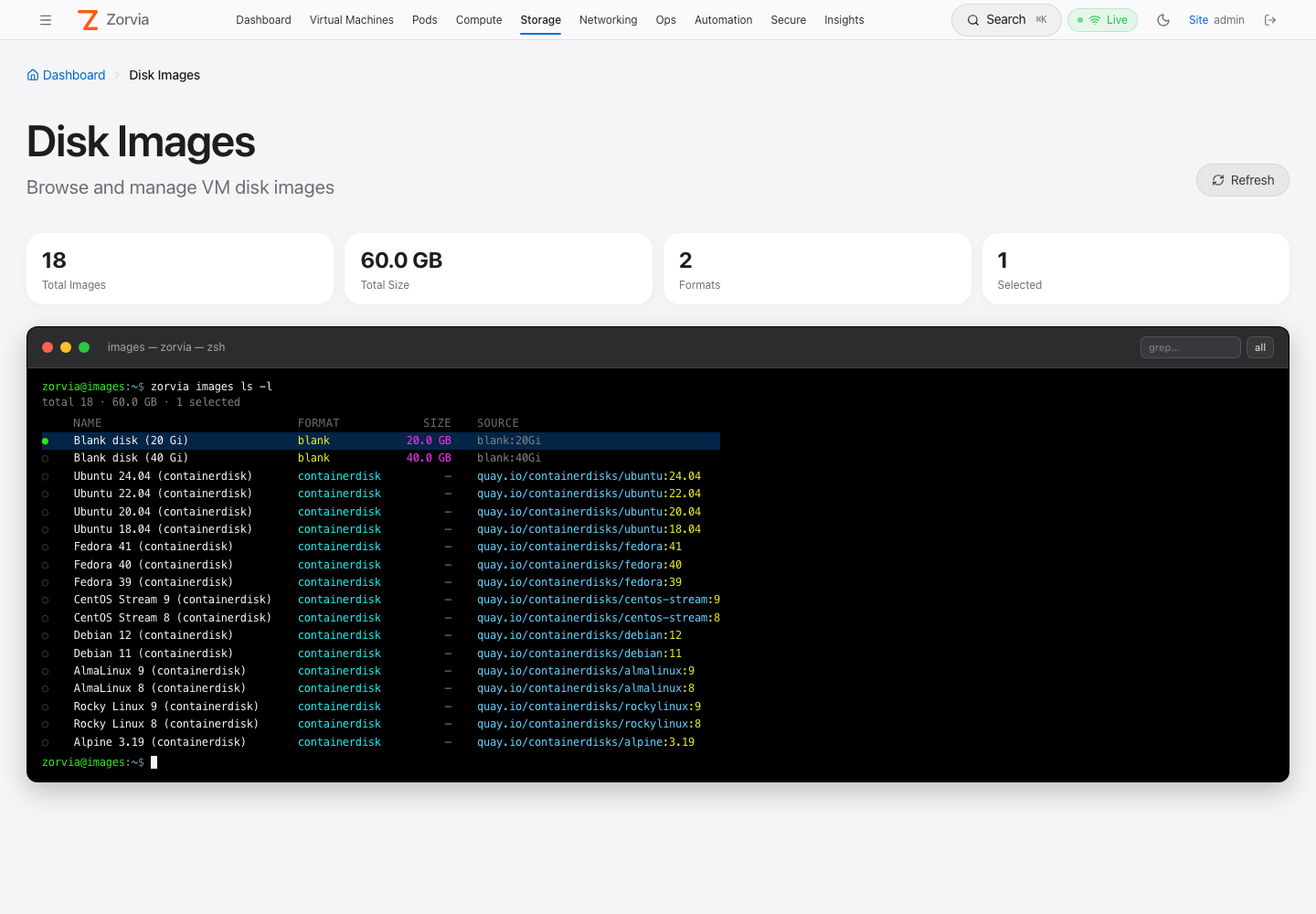
| Element | Rendering |
|---|---|
| Prompt | zorvia@images:~$ zorvia template images, then total N · <size> (and · K selected) |
| NAME | Bold white |
| FORMAT | blank yellow · containerdisk cyan · qcow2 magenta · raw orange · iso green · vmdk/vhd(x) blue |
| SIZE | Magenta, right-aligned; — for containerdisks (size unknown until pulled, API reports 0) |
| SOURCE | Registry refs / URLs blue with the :tag in yellow; blank:20Gi grey; local paths green |
- grep… box in the title bar filters by name, format, or path and echoes
| grep -i "<query>"on the prompt line. - Click a row (or focus it and press Space / Enter) to select it — green
●and a blue highlight; all / none toggles every visible row. The Selected stat card tracks the count. - Stat cards above the terminal: Total Images, Total Size, Formats, Selected.
Event Stream
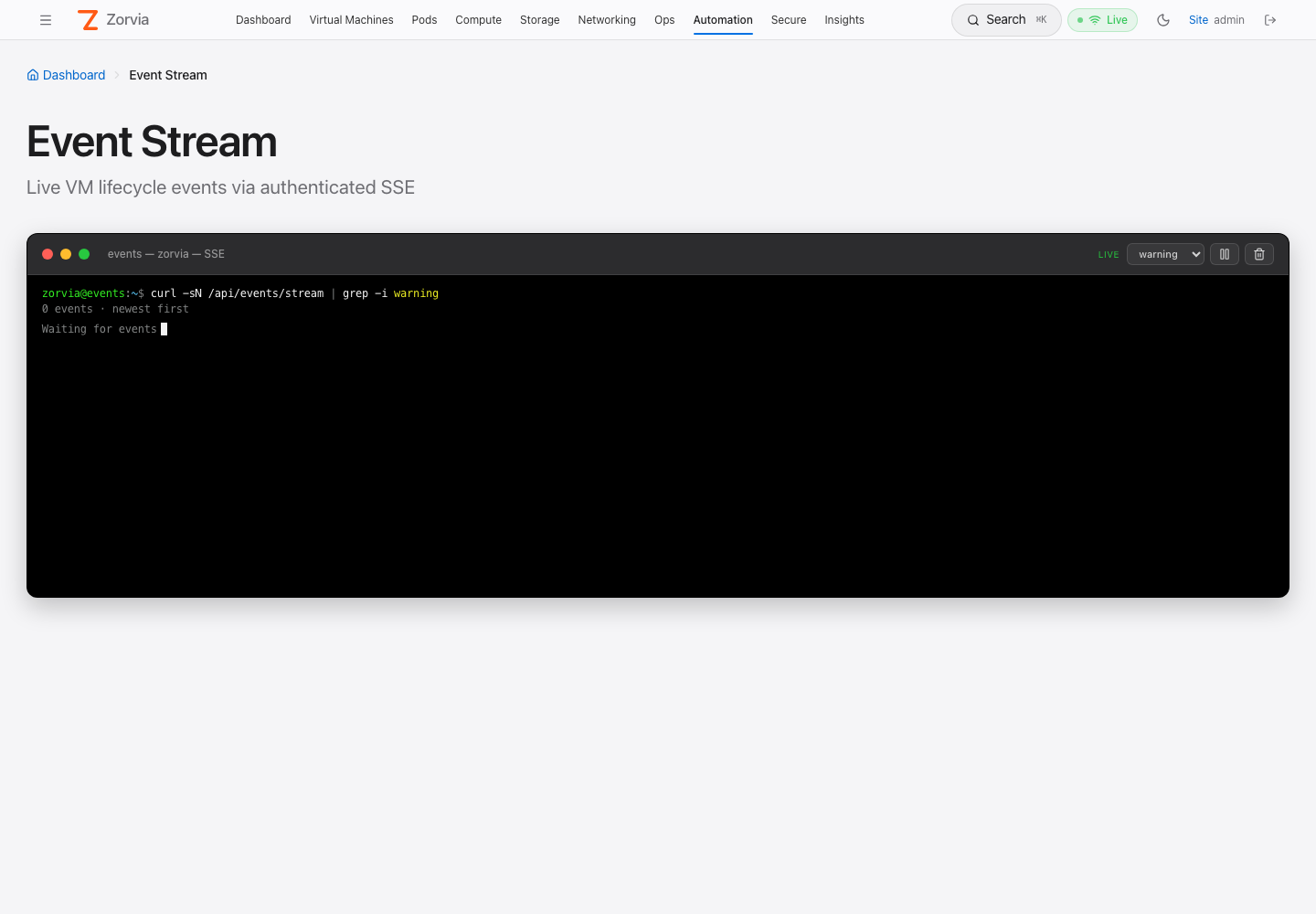
/app/events shows live VM lifecycle events from the authenticated SSE feed
(GET /api/events/stream) in a black Terminal.app window. The prompt line reads
curl -sN /api/events/stream (plus | grep -i <level> when filtered); level filter,
pause/resume and clear sit in the title bar. Each line: time (grey), level (colored),
VM (cyan), event type (magenta), message (ANSI-aware). Newest first, last 500 kept.
Pods (logs & exec)
/app/pods (admin-only) lists every pod across all namespaces with a namespace
filter, search, and Running / Pending / Failed chips. Each row opens a bottom panel
with a black Terminal.app-style live log stream (colorized levels, JSON, logfmt,
HTTP; find, pause, download, previous container), an interactive shell
(kubectl exec -it, bash/sh, resize, exit code), the pod's events, or its
YAML. Pods can be restarted (controller-owned only) or deleted after a
confirmation, and logs pop out into a new tab at /app/pods/:ns/:name/logs.
| Route | Purpose |
|---|---|
GET /api/v1/pods?namespace= | Pod summaries (all/empty = every namespace) |
GET /api/v1/namespaces | Namespace names for the filter |
DELETE /api/v1/pods/{ns}/{pod}?grace= | Delete a pod |
POST /api/v1/pods/{ns}/{pod}/restart | Delete a controller-owned pod so it is recreated (409 otherwise) |
GET /api/v1/pods/{ns}/{pod}/events | Events for the pod |
GET /api/v1/pods/{ns}/{pod}/yaml | Pod manifest as YAML (managedFields stripped) |
GET /ws/pods/{ns}/{pod}/logs | Follow logs (container, tail, timestamps, previous) |
GET /ws/pods/{ns}/{pod}/exec | Interactive TTY (container, shell=auto|bash|sh) |
All of them require cluster.admin; exec sessions are audited at High severity,
restarts and deletes at Info. Full
guide — UI, colorizing rules, WebSocket frame protocol, RBAC, audit and
troubleshooting: PODS.md.
Day-2 operations
| Op | How |
|---|---|
| Start / stop / restart / delete | VM details, list, API |
| Serial console | /app/vms/:name/console → Terminal → GET /ws/console/:name → KubeVirt vmis/console. Black Terminal.app profile (same palette as the Pods terminals), sized to the window, copy-on-select toggle, reconnect in the title bar; the CLI equivalent is zorvia vm console <vm> |
| VNC | Console page VNC tab → GET /ws/vnc/:name → KubeVirt vmis/vnc |
| In-browser SSH | Console page SSH tab → GET /ws/ssh/:name?user= → proxies ssh or virtctl ssh, attached to a real pty (password auth works — an earlier plain-pipe version of this proxy couldn't complete OpenSSH's /dev/tty password prompt) |
| Expose SSH/VNC/RDP | Port-forwards section or create-time flags → NodePort Service labeled zorvia.io/vm=<name> |
| Cloud-init update | POST /api/vms/:name/cloud-init (annotates VM; volume rewrite requires recreate) |
| Clone | POST /api/vms/:name/clone |
| Snapshots | Create / list / delete / revert via Fabric /api/vms/:name/snapshots… |
| Hotplug CPU / memory | VM details → Hotplug tab → POST /api/vms/:name/hotplug/cpu|memory |
| Hotplug disk / NIC | VM details → Hotplug tab → POST/DELETE /api/vms/:name/hotplug/disk|nic[/:device_id] |
| Disk resize | VM details → Disks tab → POST /api/vms/:name/disks/:disk_name/resize (PVC-backed disks only, grow-only) |
| Live migration | /app/migrations → POST /api/vms/:name/migrate, list/cancel via /api/vms/:name/migrations, /api/migrations/:id/cancel |
| Rook-Ceph storage | /app/storage → bootstrap operator, create/delete pools/filesystems/object stores, provision StorageClass/VolumeSnapshotClass |
CPU/memory hotplug requires the VM to have been created with cpu.maxSockets / memory.maxGuest headroom (Fabric create auto-defaults these to 4x sockets / 2x memory unless overridden) and the cluster's KubeVirt CR needs VMLiveUpdateFeatures in featureGates plus workloadUpdateStrategy.workloadUpdateMethods: ["LiveMigrate"] and configuration.liveUpdateConfiguration set — otherwise KubeVirt accepts the patch but only marks the VM RestartRequired instead of live-applying it. Disk hotplug requires KubeVirt's HotplugVolumes feature gate; disks must use the scsi bus (KubeVirt's admission webhook rejects any other bus for a hotplugged disk — Zorvia defaults to scsi when unset). NIC hotplug requires HotplugNICs + Multus and reports 501 UNSUPPORTED when unavailable.
Pause / resume call KubeVirt virtualmachineinstances/pause and …/unpause. The VMI must be Running. Linux create-time expose_vnc opens guest TCP 5900 the same way as Windows.
User & role management
Application-level accounts and roles — distinct from the zorvia ServiceAccount's Kubernetes RBAC (see RBAC below), which governs what the API pod itself can do against the cluster, not who can sign in to it.
Three roles: admin, user, viewer. user can read/write VMs; viewer is read-only; only admin can manage other accounts. Roles are carried in the JWT (Claims.role) issued at login.
| Route | Purpose |
|---|---|
GET /api/v1/users | List all accounts (id, username, role, enabled, created, last_login) |
POST /api/v1/users | Create an account (username, password — min 8 chars, role) |
DELETE /api/v1/users/:id | Delete an account |
PUT /api/v1/users/:id/role | Change an account's role |
PUT /api/v1/users/:id/enabled | Enable / disable an account |
All five are admin-only, enforced by a dedicated route_layer middleware (require_admin_middleware in src/api/http_server.rs) wrapping just this route group — a 401 if the bearer token is missing/invalid, 403 if it's valid but not an admin. A disabled account is rejected at POST /v1/auth/login (403 "This account has been disabled") even with the correct password. Deleting, demoting, or disabling the last enabled admin is rejected with 409 — there's always at least one way back in.
Web UI: /app/access-control, admin-gated both in the sidebar (hidden entirely for non-admins) and in the route itself (a non-admin hitting the URL directly sees a plain "Admins only" message; the 403 from the API is the actual enforcement, this is just UX).
The user database is a local sqlite file (ZORVIA_AUTH_DB, see env table above), backed by a PersistentVolumeClaim so it survives pod restarts and redeploys — see Lab access above.
Fabric-compatible HTTP (under /api)
| Method | Path | Notes |
|---|---|---|
| GET/POST | /vms | List / create |
| GET/DELETE | /vms/:name | Get / delete |
| POST | /vms/:name/start|stop|restart | Power |
| POST/DELETE | /vms/:name/port-forwards | NodePort expose |
| POST | /vms/:name/cloud-init | Annotate user-data |
| POST | /vms/:name/clone | Clone VM CR (+ blank/container disks) |
| GET/POST | /vms/:name/snapshots | Snapshot list / create |
| DELETE | /vms/:name/snapshots/:id | Delete snapshot |
| POST | /vms/:name/snapshots/:id/revert | Revert |
| GET | /images | Image catalog |
| GET | /vms/:name/metrics|logs | Guest-agent / Prometheus samples + rolling history for the graph |
| GET | /vms/:name/guest-insight | OS/kernel/interfaces + readiness score |
| POST | /datavolumes/:name/wait | Block until CDI DataVolume Succeeded |
| POST | /vms/:name/wait-ready | Block until VMI Ready + guest IP |
| GET | /readyz | Kube connectivity probe (readiness) |
| GET | /metrics | Prometheus text for the API process |
| POST | /vms/:name/pause|resume | KubeVirt VMI pause / unpause (204) |
| GET | /images/cloud | Template-backed cloud images (name, distro, url, …) |
| POST | /images/cloud/download | Import a golden image: applies a real CDI DataVolume + DataSource, returns datavolume:<name> |
| GET | /images/downloads | Download job list |
| POST | /vms/:name/hotplug/cpu | Set target vCPU count (count) |
| POST | /vms/:name/hotplug/memory | Grow guest memory by size_mb |
| POST/DELETE | /vms/:name/hotplug/disk[/:device_id] | Attach / detach a PVC or DataVolume (path, optional bus, default scsi) |
| POST/DELETE | /vms/:name/hotplug/nic[/:device_id] | Attach / detach a Multus network (bridge) |
| GET | /vms/:name/disks | List disks (name, bus, source, resizable) |
| POST | /vms/:name/disks/:disk_name/resize | Grow a PVC-backed disk (size); rejects shrink and non-PVC disks |
| GET | /vms/:name/interfaces | List network interfaces (spec + live MAC/IP from VMI) |
| POST | /vms/:name/migrate | Start a live migration (VirtualMachineInstanceMigration) |
| GET | /vms/:name/migrations | List migrations for a VM |
| GET/POST | /migrations/:id, /migrations/:id/cancel | Get / cancel a migration |
| POST | /vms/:name/drift, /vms/:name/plan | Drift Guard / Change Planner against a live VM |
| POST | /storage/rook/bootstrap | Install the Rook operator (pinned manifests) |
| GET/POST/DELETE | /storage/rook/cluster | CephCluster status / bootstrap / delete |
| GET/POST | /storage/rook/pools, DELETE /storage/rook/pools/:name | CephBlockPool CRUD |
| GET/POST | /storage/rook/filesystems, DELETE /storage/rook/filesystems/:name | CephFilesystem CRUD |
| GET/POST | /storage/rook/objectstores, DELETE /storage/rook/objectstores/:name | CephObjectStore CRUD |
| POST | /storage/rook/storage-classes | Provision an RBD or CephFS StorageClass |
| POST | /storage/rook/volume-snapshot-classes | Provision a VolumeSnapshotClass |
Native v1 routes remain under /api/v1/… (auth, health, namespaced VM power, snapshots, events, user & role management — see User & role management above).
Audit export
Persistent audit SQLite (ZORVIA_AUDIT_DB, or PostgreSQL with ZORVIA_DATABASE_URL) backs the trail. Admins can pull events for SIEM shippers:
curl -sk -H "Authorization: Bearer $TOKEN" \
  'https://HOST:30152/api/audit/export?format=jsonl&limit=100'
Optional append-only JSONL file via ZORVIA_AUDIT_JSONL. Feature id audit-trail appears in GET /api/v1/features. Lab smoke covers this path — see LAB.md.
WebSockets
wss://<HOST>:30152/ws/console/<vm>?token=<jwt>
wss://<HOST>:30152/ws/vnc/<vm>?token=<jwt>
wss://<HOST>:30152/ws/ssh/<vm>?token=<jwt>&user=ubuntu
wss://<HOST>:30152/ws/pods/<ns>/<pod>/logs?token=<jwt>&container=<c>&tail=500
wss://<HOST>:30152/ws/pods/<ns>/<pod>/exec?token=<jwt>&container=<c>&shell=auto
Server proxies to the apiserver using the in-cluster service account (trusts cluster CA; reads token_file). Clients should offer subprotocols plain.kubevirt.io (console) and binary.kubevirt.io (VNC). VMI must be Running.
The /ws/pods/* sockets additionally require cluster.admin (401 / 403 before the
upgrade). Logs send one text frame per line; exec takes binary keystrokes plus
{"type":"resize","cols","rows"} text frames and returns binary TTY output plus a
final {"type":"exit","code"} — see PODS.md.
RBAC
ClusterRole zorvia includes:
kubevirt.ioVMs / VMIs / VirtualMachineInstanceMigrationssubresources.kubevirt.iovirtualmachineinstances/console,…/vnc,…/pause,…/unpause,…/addvolume,…/removevolume,…/addinterface,…/removeinterface- core
services(NodePort expose),serviceaccounts,configmaps storage.k8s.iostorageclasses (write),snapshot.storage.k8s.ioceph.rook.io,apiextensions.k8s.io,rbac.authorization.k8s.io,apps,scheduling.k8s.io(Rook operator bootstrap)- snapshots CRDs, PVCs, pods, events (as in
deploy/k8s.yaml) - core
pods(delete),pods/log(get) andpods/exec(create, get) for the admin-only Pods page — see PODS.md; existing installs must re-apply the role
The Rook-bootstrap grants above are intentionally broad — installing an operator means creating its own RBAC, CRDs and Deployments. Skip POST /storage/rook/bootstrap and trim those rules if Rook is managed outside Zorvia.
Limitations
- The VM sockets authenticate the
?token=and check a permission:/ws/consoleand/ws/vncneedvm.power,/ws/sshand/ws/pods/*needcluster.admin. VM names are validated, a browserOriginthat does not match theHostis refused, and each session is audited. Namespace-restricted users need the server's default namespace in their list (TENANCY.md). The token is still in the query string, so keep access logs private. - Blank-disk VMs have no guest OS — console may connect with little/no serial output; use a containerdisk image for real SSH/VNC guest tests.
- Linux create-time
expose_vncnow creates a NodePort on guest 5900 (same as Windows). - Clone prefers a CDI DataVolume from the source PVC (
clone_mode=cdi); falls back to an empty PVC if CDI is missing. - In-browser SSH needs
sshorvirtctlon the API pod (the defaultdeploy/Dockerfile.localimage installsopenssh-client) and a running guest with an IP or virtctl access. - Metrics include KubeVirt phase / paused / node. Guest CPU counters still require virt-launcher metrics.
- Logs pull recent virt-launcher pod lines when the launcher pod is labeled
kubevirt.io/vm=<name>. - CPU/memory hotplug depends on KubeVirt version + cluster configuration (see the note under Day-2 operations) — Zorvia's API and RBAC are cluster-agnostic, but without the matching KubeVirt CR settings the request succeeds (spec patched, limits enforced) while KubeVirt itself only marks the VM
RestartRequiredrather than live-applying it. Verify on your cluster before relying on it. - Disk resize only sees disks declared in the VM's spec at create time; a disk attached via hotplug isn't visible to resize until it's persisted into the spec (or the VM is recreated with it declared).
- RDP has no in-browser proxy — unlike SSH/VNC, there's no
/ws/rdpWebSocket gateway.expose_rdp(create-time) and a manual port-forward (day-2) both just open a NodePort on guest 3389; the port-forwards table and the Kryton Windows page both offer a "Download .rdp file" action that hands the host:port (and username, for Kryton) to the user's own native RDP client (mstsc, Microsoft Remote Desktop, Remmina, …) instead.