Applications
See who is talking.
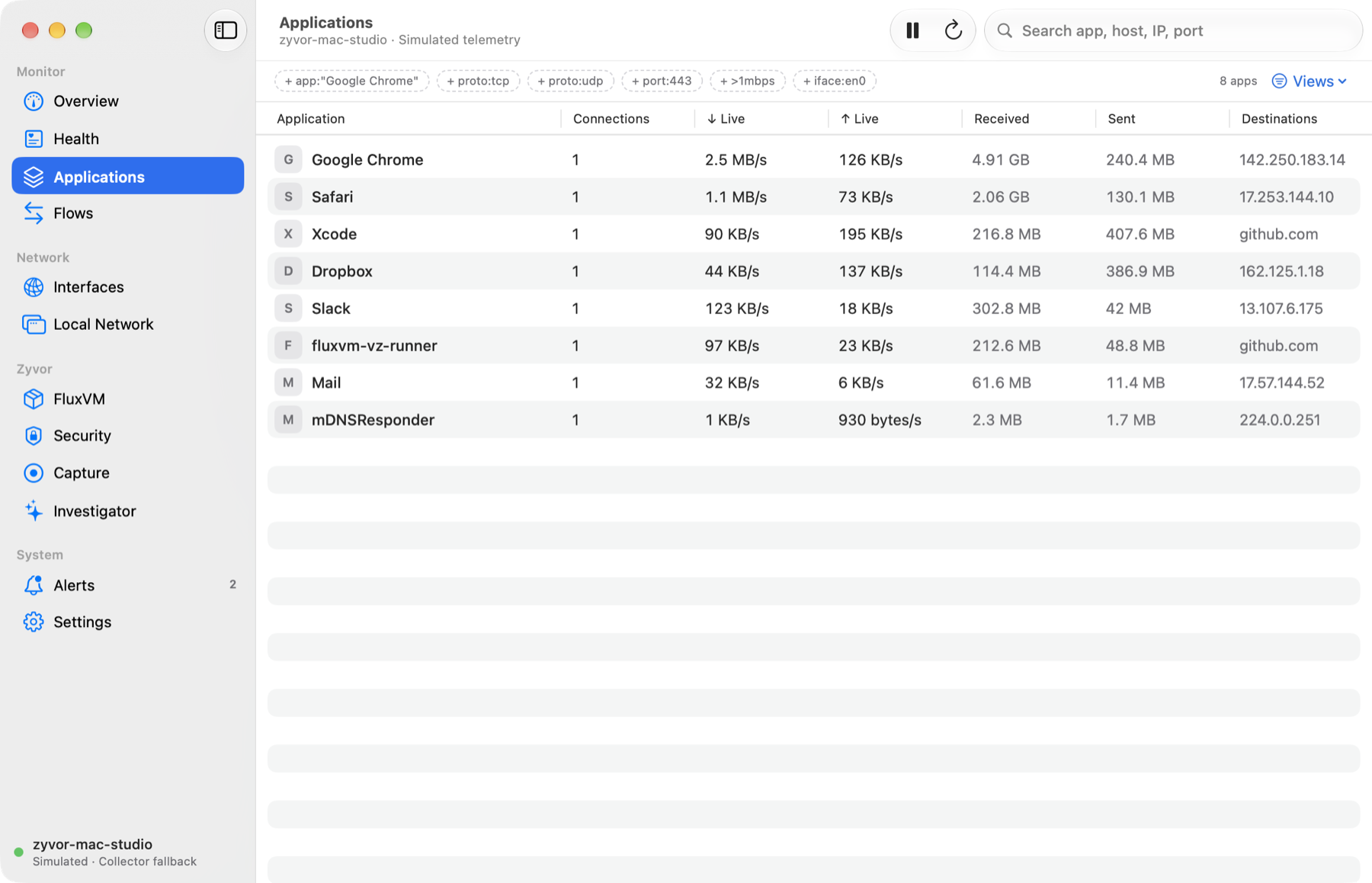
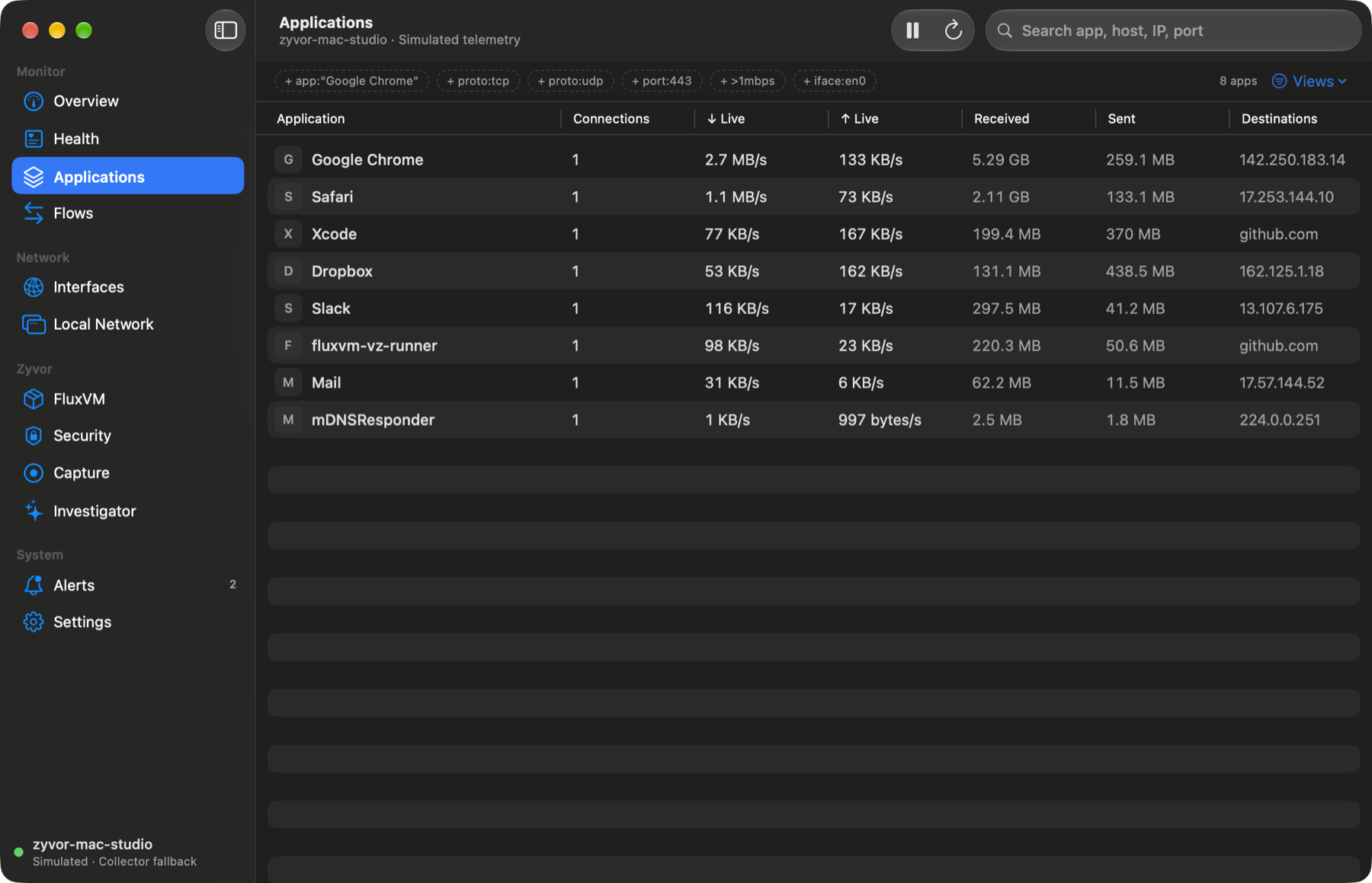
Traffic grouped the way you think about it: by app, with live rates and destinations.
 Nivora
Zyvor · network intelligence
Which app is talking to what, over which interface. Per-app flows, DNS, routes, VPNs, listeners and FluxVM workloads in a native SwiftUI app with a dependency-free collector. Local-first and observe-first: no payloads, no uploads, nothing blocked unless you say so.
Try the live demoDownload 0.5.2View source
2026-10-16 · full changelog · feed
/v1/vms with {"items": [...]} and status; the collector forwarded that object, the native app expects an array, so decoding the whole snapshot failed and the app showed an error for a collector that was running fine. The collector now normalises vms and sandboxes to lists with state (fluxvm_workloads), the egress code accepts the envelope too, and the native decoder is tolerant: an unexpected shape in this optional section can no longer blank the app. Regression tests cover the collector, egress and the Swift decoder with real-shaped data.scripts/package-signed.sh builds a Developer ID signed, hardened-runtime, notarized and stapled DMG. It omits the content-filter extension and the capture helper (a plain Developer ID signature cannot carry their restricted NetworkExtension entitlements) and refuses to sign if restricted entitlements are present. package-dmg.sh gains SUFFIX/OUT_DIR and writes a relative checksum file. The GitHub release DMG from CI is unchanged: ad-hoc signed, not notarized.Six panes of the native app, scrolled through. Every image is a demo capture on simulated telemetry.
Traffic grouped by application with live download and upload rates, totals and destinations.
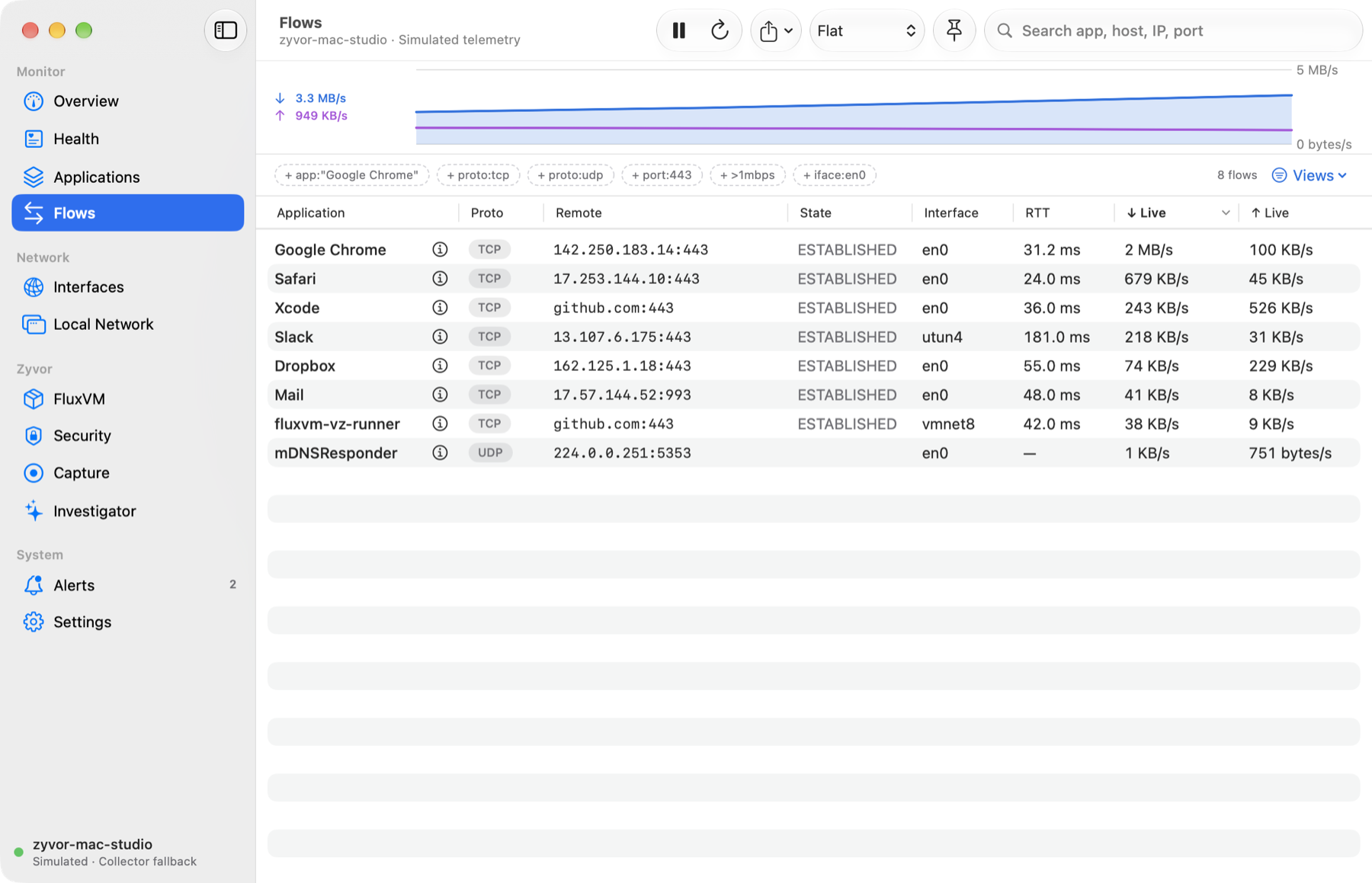
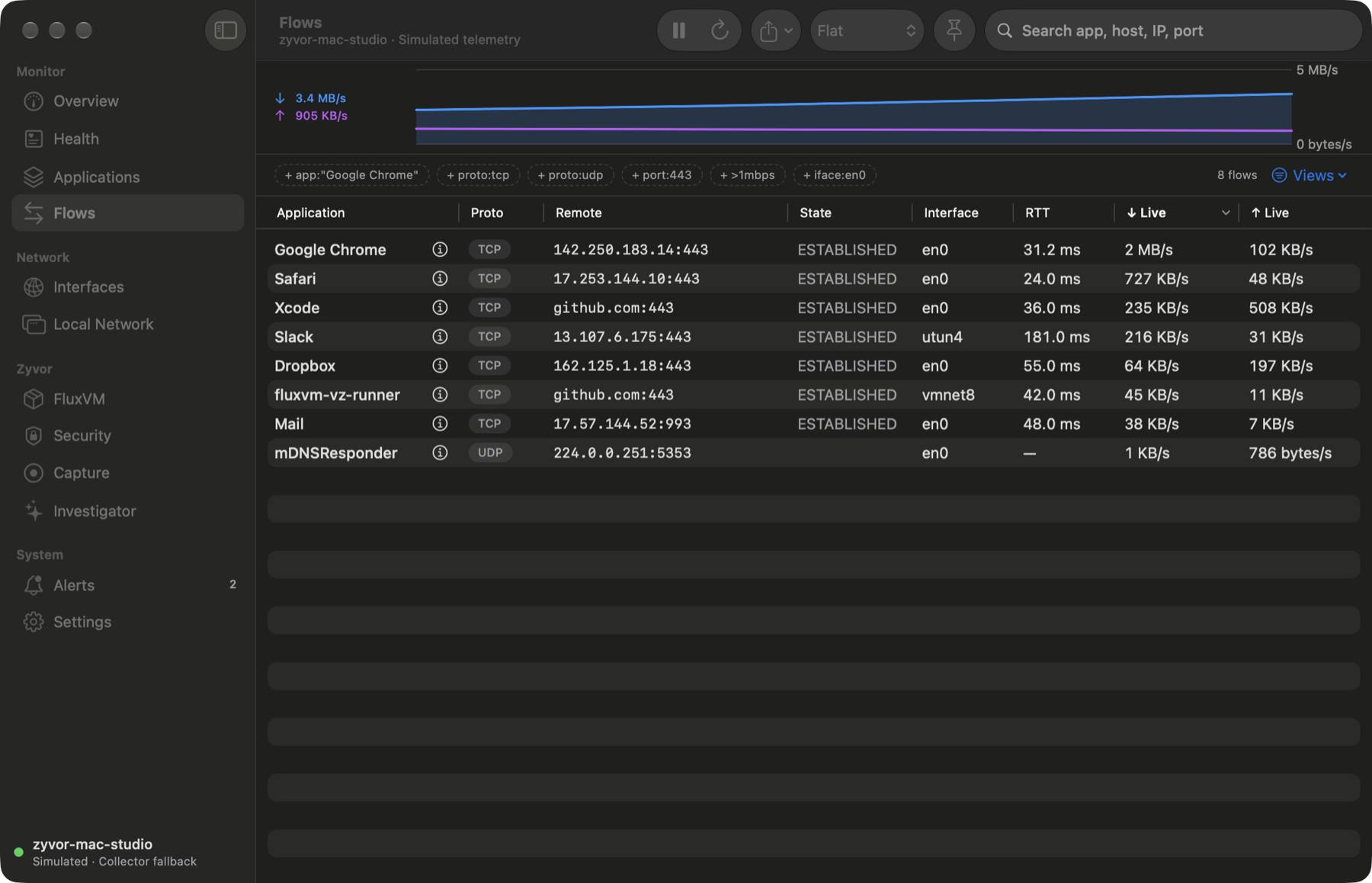
Per-flow protocol, remote endpoint, state, interface and round-trip time, filtered with one grammar.
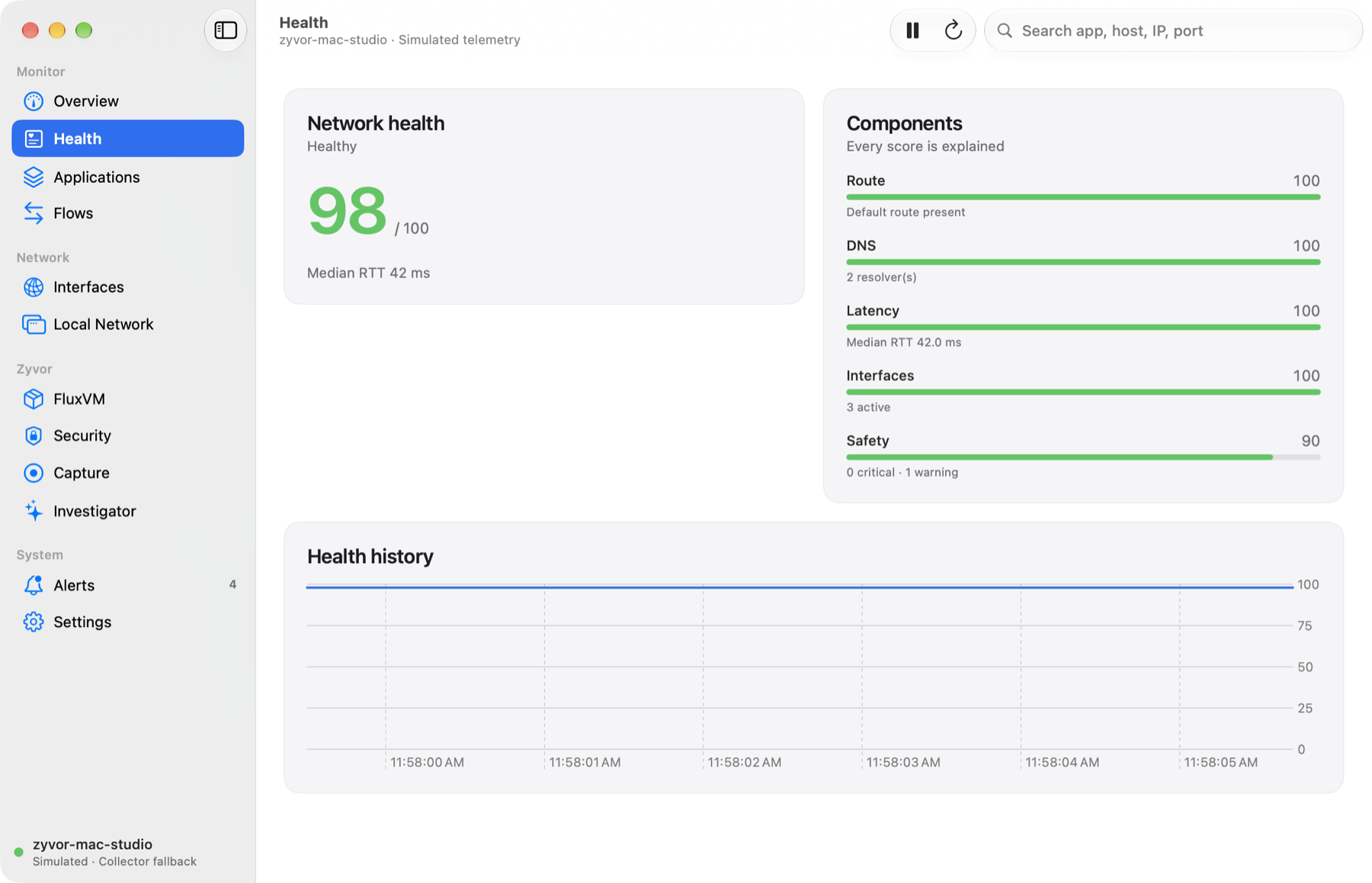
0 to 100 across route, DNS, latency, interfaces and safety, each component explained.
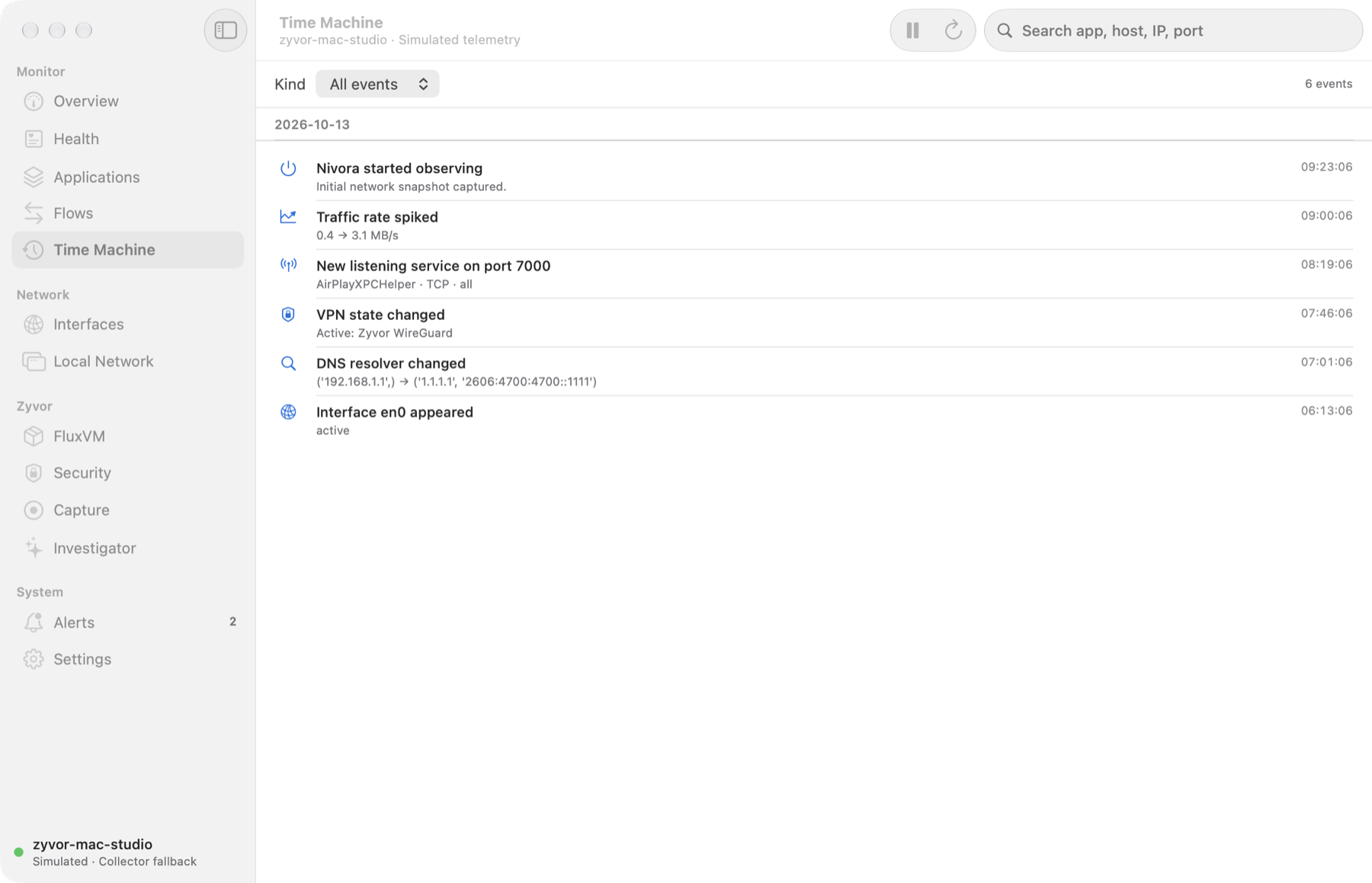
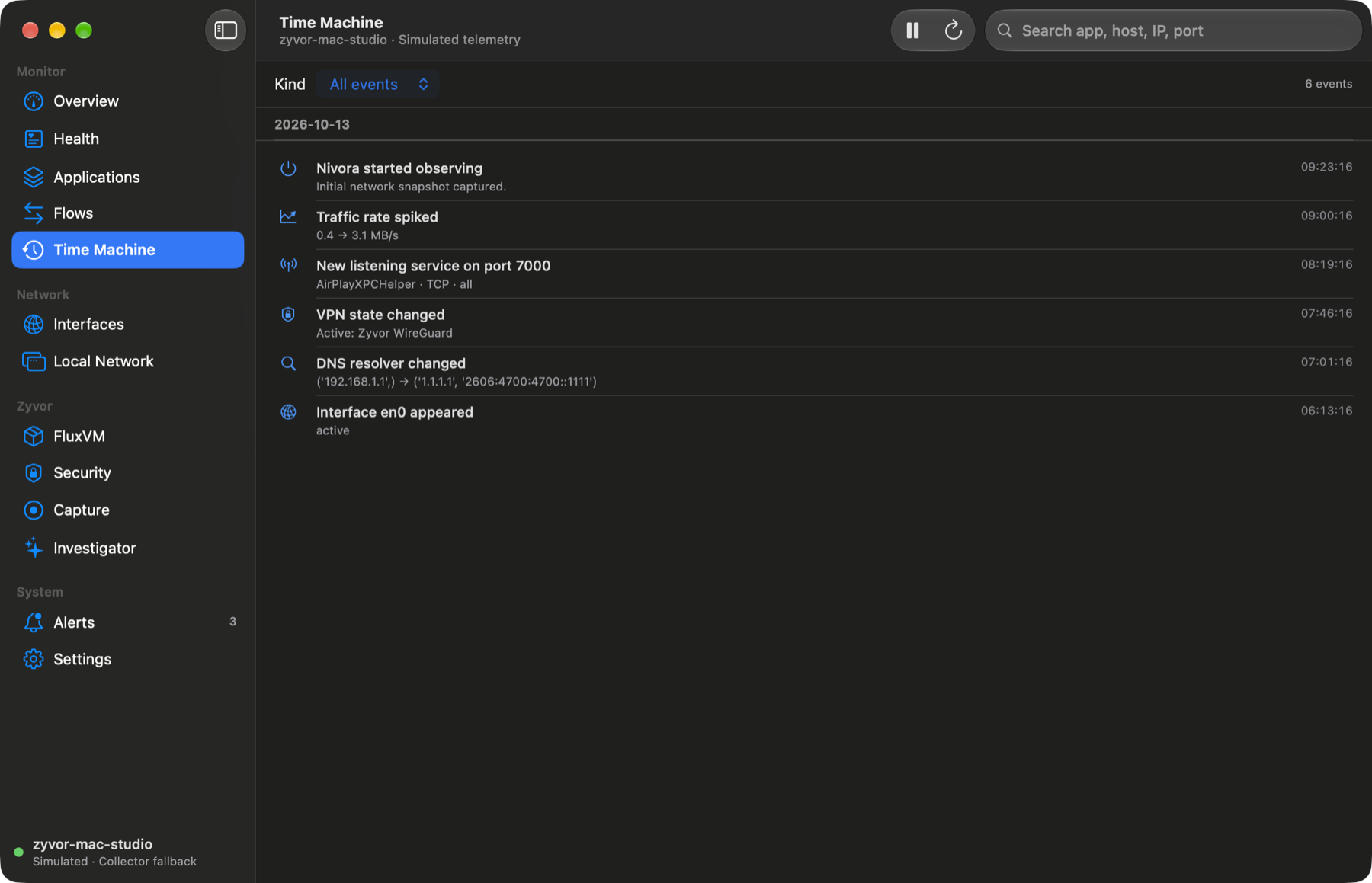
A local history of DNS, VPN, listener, interface and traffic-spike events.
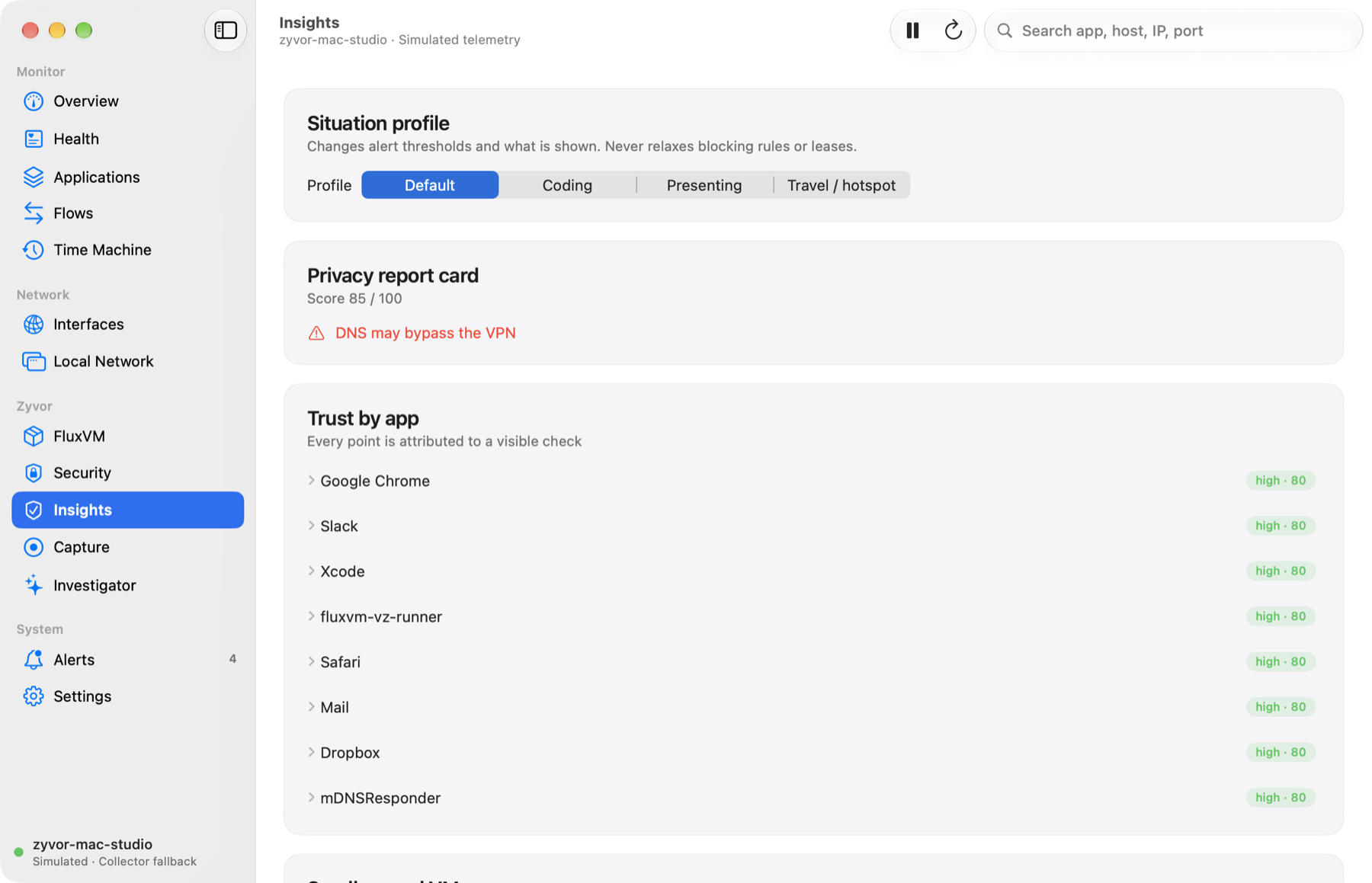
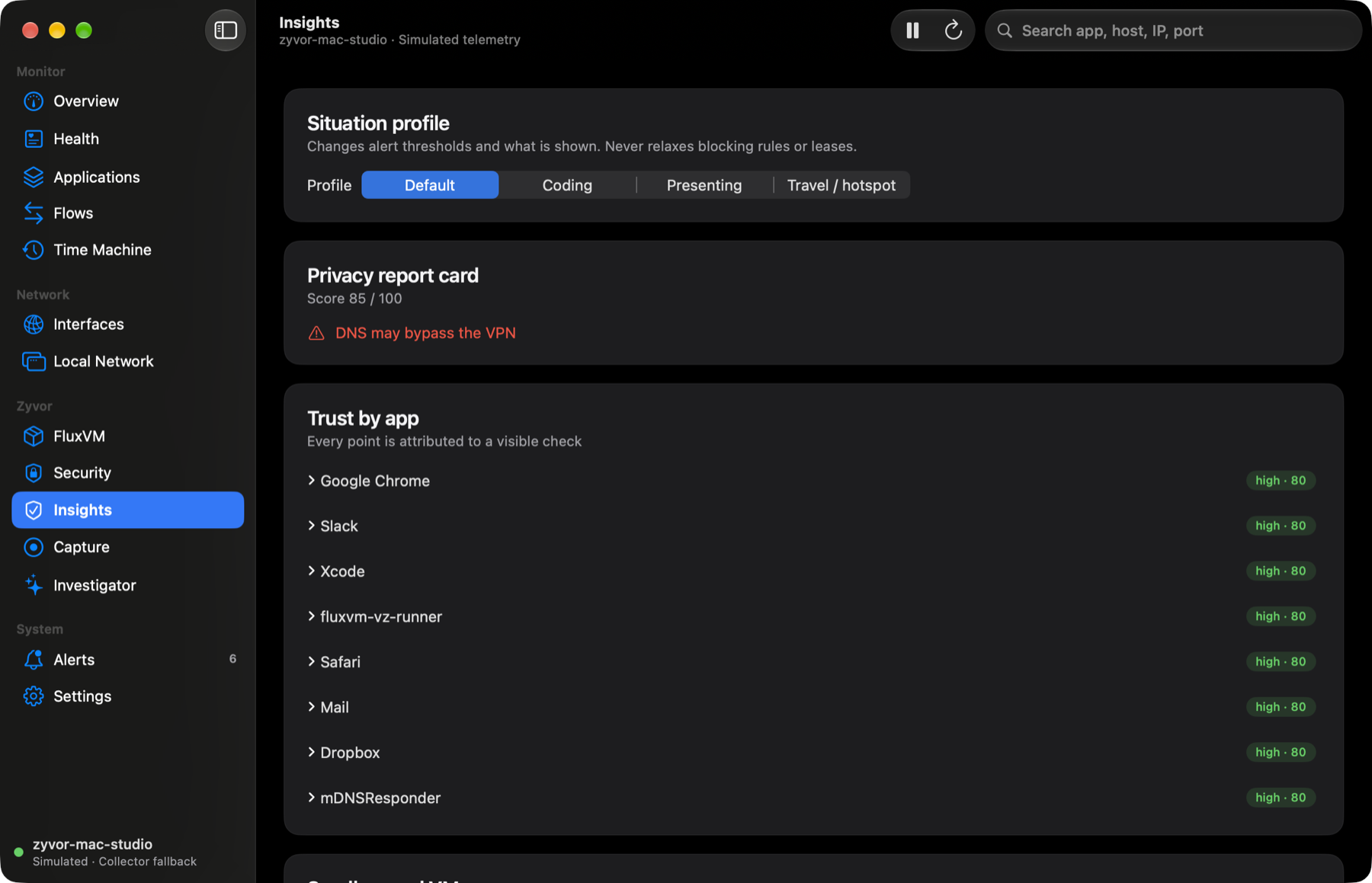
A per-app trust score where every point maps to a visible check.
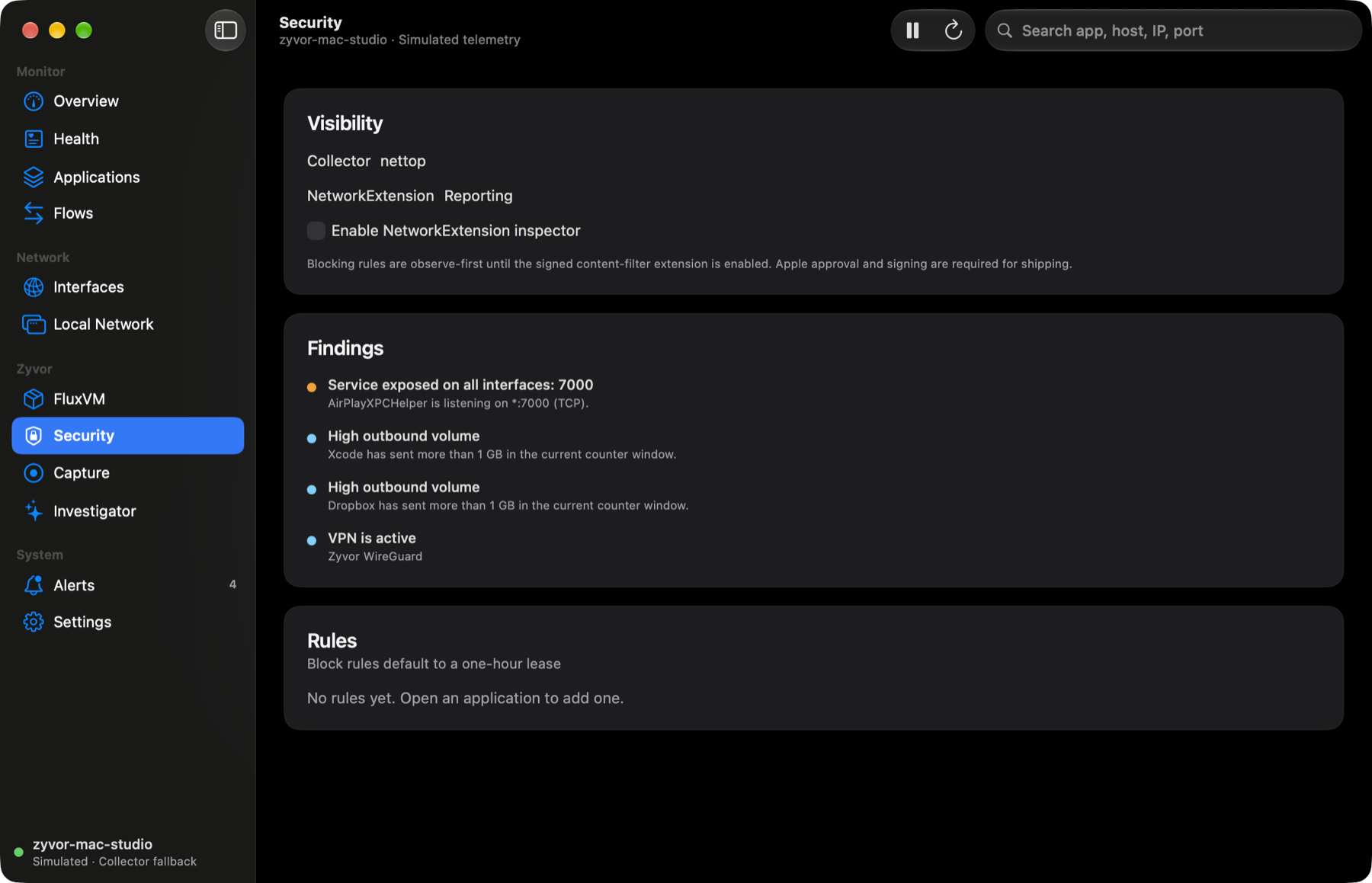
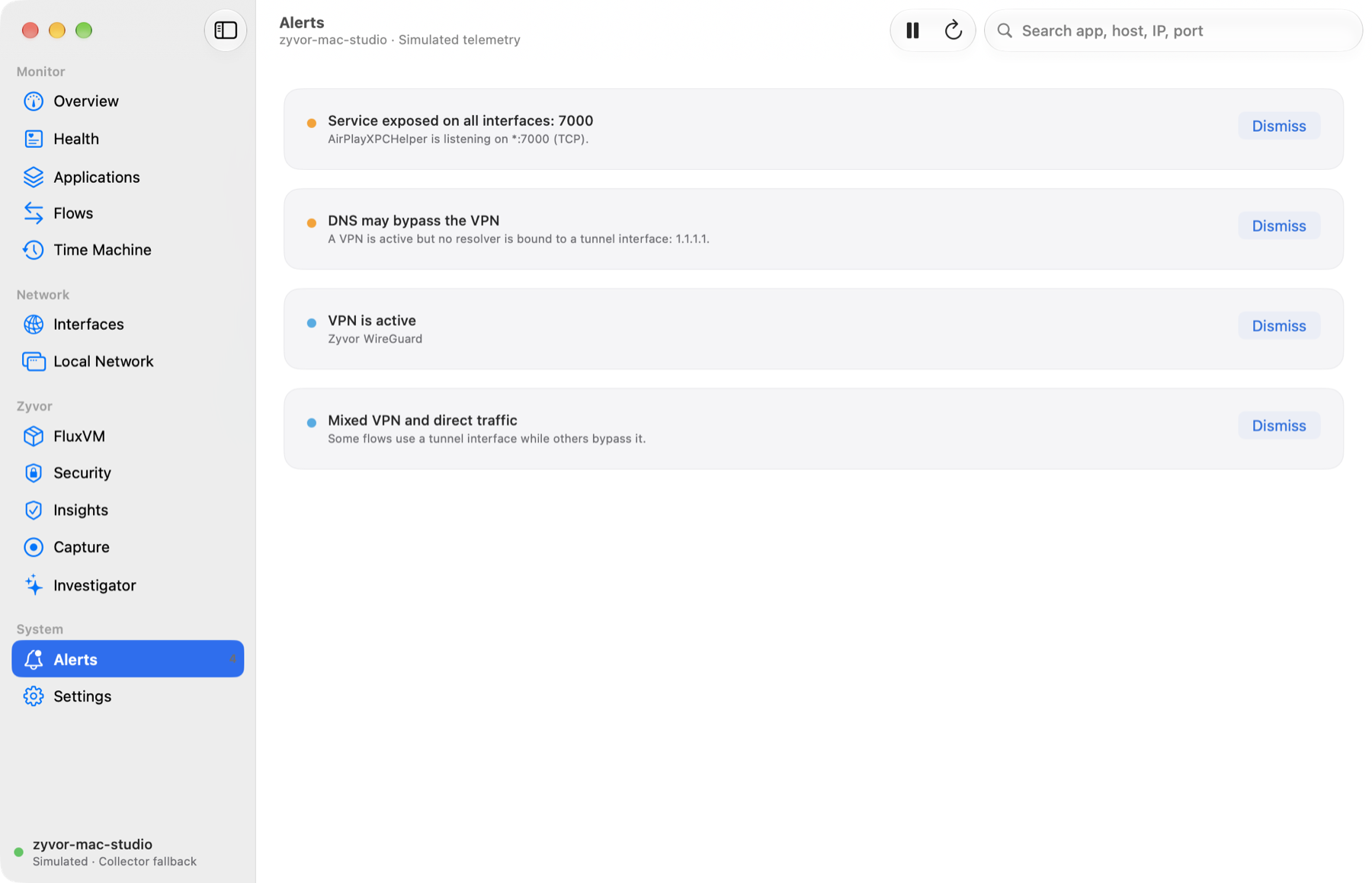
Exposed services, DNS that may bypass the VPN, mixed tunnel traffic. Alerts never block.
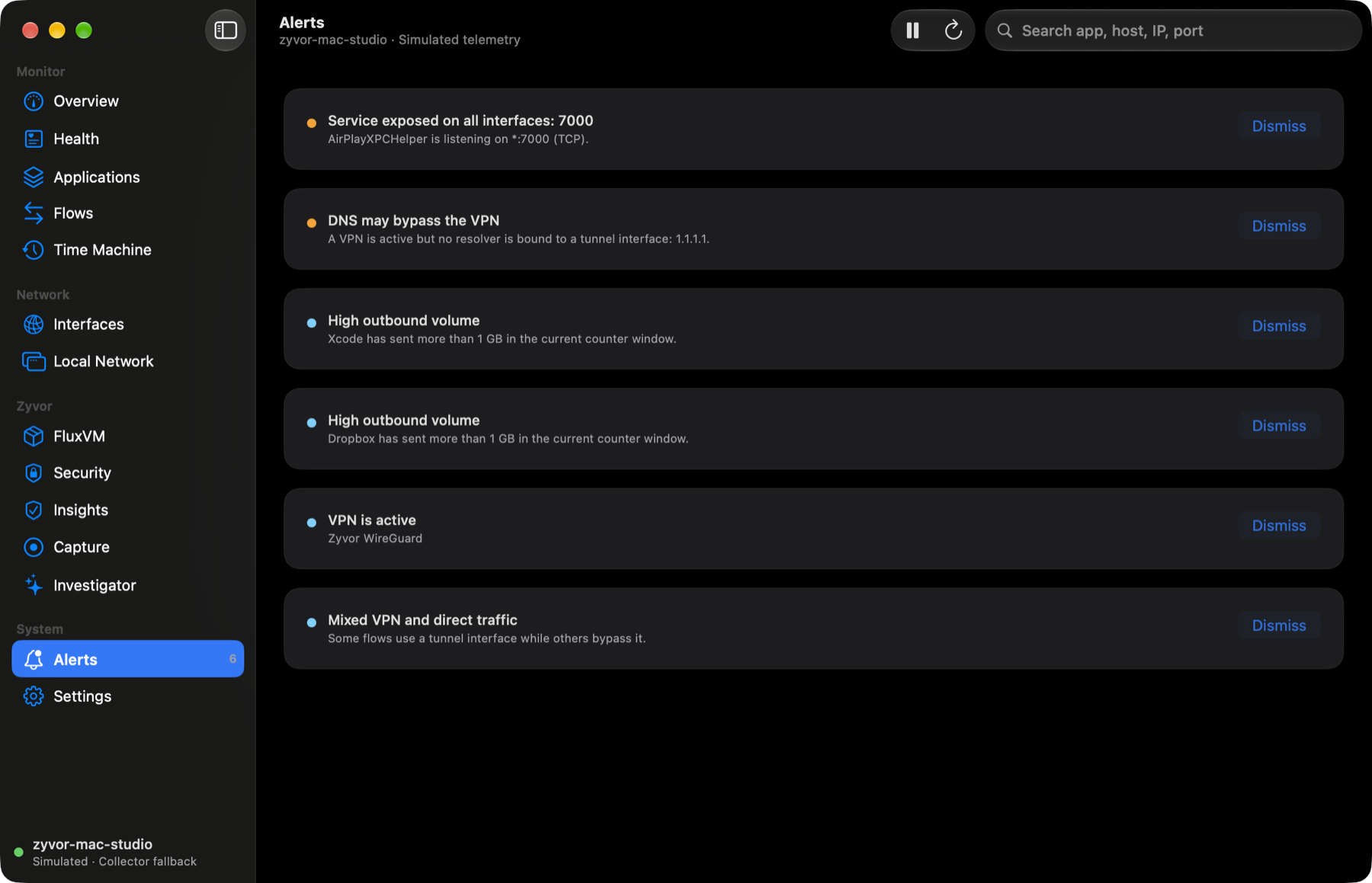
The Security and Capture panes (content filter, headers-only packet capture) are in the developer build only. They are compile-verified, not tested end to end, and are not part of this tour or of the signed build.
Applications
Traffic grouped the way you think about it: by app, with live rates and destinations.
Flows
Protocol, remote, state, interface and RTT per flow, plus a share menu and grouping.
Health
A score built from route, DNS, latency, interfaces and safety. Nothing is a black box.
Time Machine
Events stored locally in SQLite: DNS resolver changes, VPN state, new listeners, spikes.
Exports
CSV, JSON or NDJSON, optionally redacted of private IPs, MACs, SSID and hostname. Never packet payloads.
FluxVM
When FluxVM is running, Nivora reads its local API on 127.0.0.1:7788 and shows its VMs and sandboxes. The demo shows the runner process and its vmnet8 interface.
Every screenshot is the real native app on simulated telemetry. Or open the dashboard and click around.
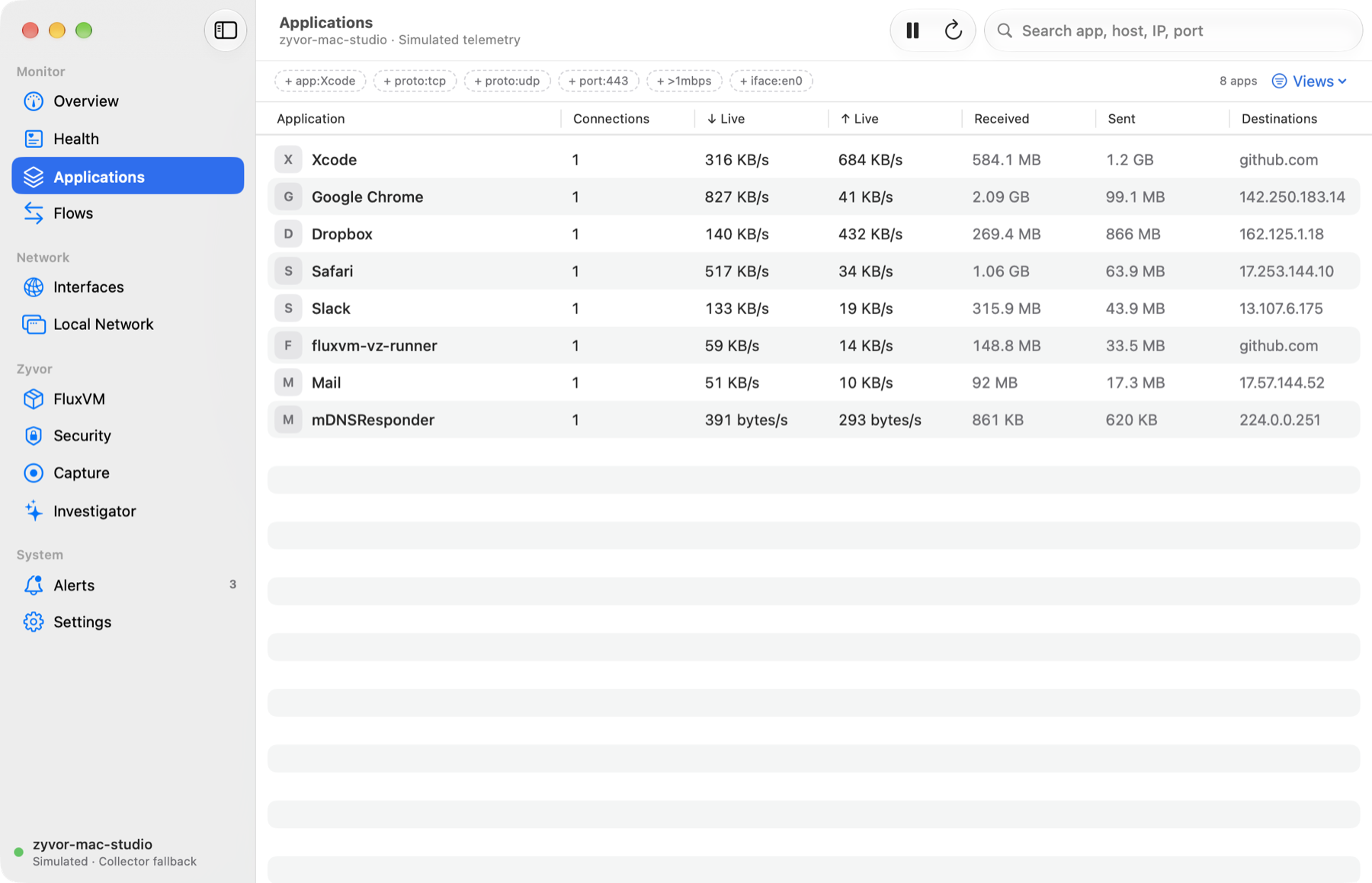
Applications grouped the way you think about them, with live ↓/↑ rates, destinations and an inspector per app and per flow.
One filter grammar (app:Safari port:443 >1mbps !iface:lo0) with chips, saved views, grouping by app, host or interface, and baseline compare.
A 0–100 score with explained components: route, DNS, latency, interfaces and safety, plus a local, offline investigator.
Export flows, apps and the timeline as CSV, JSON or NDJSON, optionally redacted of private IPs, MACs, SSID and hostname.
Opt-in, headers-only packet capture through a separately approved helper: capped in time and size, downloadable as .pcap.
Sees your VMs and sandboxes beside host traffic, via FluxVM's local REST API on 127.0.0.1:7788.
A 0–100 trust score per app where every point is attributed to a visible check: code signing, new destinations, trackers, cleartext, exposure.
Evidence and plain-language reasons for one connection, plus shadow rules that count what a block would match without enforcing anything.
Diff any two points in the Time Machine and get an incident narrative: health delta, new destinations, DNS, routes and devices.
Keep rules in a file, plan them against the live rule store, apply only when you say so. Dry-run by default; blocks stay leased.
A read-only MCP server and a CLI expose summary, flows, explain, diff and path checks. Nothing that changes rules. MCP setup.
A small and medium widget and “How is my network?” in Shortcuts and Siri. Compile-verified; not yet seen in the widget gallery. Details.
This output was captured when the site was built, from nivoractl against --demo. Nothing here is hand-written.
$ nivoractl health
{
  "score": 97,
  "status": "healthy",
  "median_rtt_ms": 42.0,
  "components": [
    {
      "name": "Route",
      "score": 100,
      "detail": "Default route present"
    },
    {
      "name": "DNS",
      "score": 100,
      "detail": "2 resolver(s)"
    },
    {
… 16 more line(s)
$ nivoractl trust
[
{
"app": "Google Chrome",
"score": 80,
"level": "high",
"flows": 1,
"components": [
{
"name": "Code signing",
"points": 20,
"max": 40,
"detail": "Signing identity not verified (collector could not read it)."
},
{
"name": "Destination novelty",
"points": 25,
… 290 more line(s)$ nivoractl explain f1
{
"flow": {
"id": "f1",
"process": "Google Chrome",
"pid": 510,
"bundle_id": "com.google.Chrome",
"protocol": "tcp",
"local": "192.168.1.42:53001",
"remote": "142.250.183.14:443",
"state": "ESTABLISHED",
"bytes_in": 2629906002,
"bytes_out": 126252420,
"rx_bps": 1487045.59,
"tx_bps": 74352.28,
"total_bps": 1561397.87,
"interface": "en0",
… 27 more line(s)$ nivoractl policy-plan work.json
{
"dry_run": true,
"name": "work",
"add": [
{
"domain": "example.com",
"action": "shadow",
"note": "policy:work"
}
],
"remove": [],
"unchanged": []
}A native app and a browser dashboard speak the same local JSON API. The collector is a single stdlib-only Python file.
            Nivora.app (SwiftUI)  /  browser dashboard
                          │  HTTP JSON · 127.0.0.1 · bearer token
                      nivora.py   (Python stdlib only)
          ┌───────────────┼────────────────┐
   NetworkExtension    nettop · lsof     FluxVM :7788
   content filter      ifconfig · netstat  VMs · sandboxes
   (signed, opt-in)    scutil · arp · ndp
          └───────────────┴──────→ SQLite time machine
| Visibility tier | Needs | Gives you |
|---|---|---|
| Collector fallback | Nothing: works today | Per-app flows and byte counters from nettop/lsof, interfaces, routes, DNS, VPNs, neighbours, listeners |
| Content filter | Signed build and Apple's entitlement | Per-flow app attribution and byte reports straight from the system |
| Capture helper | Signed build and your approval | Headers-only .pcap of one flow, host or app, for a few minutes |
Copied from the repository README at build time, so the site never claims more than the repo does.
| Area | Status |
|---|---|
| Collector, API, dashboard, CLI, exports, filters | Built and tested in CI (Python, Node) |
| Native app (SwiftUI) and unit tests | Builds and runs unsigned with Xcode; XCTest suite passes |
| Content filter (system extension) and capture helper | Compile-verified only. Signing, entitlement approval, activation and root capture are untested; they need a provisioned, signed Mac |
| Insights pane, Shortcuts/Siri actions, widget | Build and unit tests pass; the widget in the macOS widget gallery and the Shortcuts/Siri phrases are not exercised |
| Release DMG from GitHub (free) | Ad-hoc sealed, unsigned by a Developer ID, not notarised (Gatekeeper asks for Open Anyway) |
| Signed and notarized build (`scripts/package-signed.sh`) | Verified on macOS 27.2, Apple silicon: Apple notarization accepted, stapled, Gatekeeper accepts the DMG and the app (also with a download quarantine flag), the app launches and its bundled collector serves data the app decodes (checked against a real FluxVM). It deliberately leaves out the content filter and capture helper. Not exercised: other macOS versions, Intel (the app is arm64 only) |
No account, no cloud, no telemetry upload. The API listens on loopback with a random bearer token.
Rules default to observe. Block rules are one-hour leases and need the signed content filter to take effect.
Flow metadata only. The one exception, packet capture, is off until you start it, headers-only, capped and deleted after 24 hours.
Nivora is early. Free for personal, non-business use. If you use it in a business, buy a licence: ₹299 including GST (about US$2.99), one-time, for the build you choose. Foreign cards pay the same rupee amount, converted by your bank.
Signed with our Apple Developer ID and notarized, so it opens without a Gatekeeper warning. It uses the built-in collector; it does not include the content filter or the capture helper, which need Apple entitlements we do not have.
₹299 incl. GST · business-use licence
Includes the content-filter and capture-helper code. It is not signed or notarized: Apple restricts the entitlements those need, so it cannot be notarized here, and macOS will not activate them unless you sign it yourself with your own Developer ID and provisioning profile. Those parts are compile-verified only, not tested end to end.
₹299 incl. GST · business-use licence
A purchase licenses business and commercial use of that version and later ones on machines you own or operate. It does not cover redistribution or resale. Several companies or a larger rollout: sales@zyvor.dev. Licence terms. After payment you get a GST invoice and a download link by email.
The downloadable app is not signed or notarised, so macOS Gatekeeper blocks the first launch with “Nivora” cannot be opened because the developer cannot be verified. This is expected. You have three options:
xattr -dr com.apple.quarantine /Applications/Nivora.app, only after checking the download against SHA256SUMS.txt.Details and uninstall steps: the install guide.
Apple silicon · macOS 14 or later · unsigned, not notarised (see the notice above).
SHA-256
9ee24b4386c78d97e6f34fb878341e7e9dca3e775d7c2df2895bd6de0eeba99dVerify: echo "9ee24b4386c78d97e6f34fb878341e7e9dca3e775d7c2df2895bd6de0eeba99d Nivora-0.5.2.dmg" | shasum -a 256 -c
Or with Homebrew (Apple silicon, same unsigned build):
brew install --cask zyvorai/tap/nivora# try it with simulated data, no install
python3 agent/nivora.py --demo
# monitor this Mac (dashboard + API on 127.0.0.1:9857)
python3 agent/nivora.py
# build the native app (needs Xcode and xcodegen)
brew install xcodegen
./scripts/build-native.sh
open native/build/Build/Products/Release/Nivora.appReleasesFull quickstartInstall guideSigning and entitlements
No. It records which app talks to which endpoint, how much, and over which interface. Packet capture is a separate, opt-in feature that keeps only packet headers by default.
Not by default. Rules start in observe mode. Blocking needs the signed content-filter extension and your explicit rule, and expires after an hour unless made permanent.
The hosted demo runs the real dashboard on simulated telemetry. A web page cannot read your processes, so the banner says so on screen.
The collector, API, dashboard and native app are built and tested with Python, Node and Xcode (unsigned). Signing, extension activation and the privileged capture helper have not been tested on a provisioned Mac; the docs say so.
No. Release builds are unsigned and not notarised, so Gatekeeper blocks the first launch. Use System Settings → Privacy & Security → Open Anyway, or build the app yourself. See the install guide.
macOS 14 or later. The app is SwiftUI with the Netra design language, shared with the browser dashboard.