Debian 13 and Ubuntu 26.04 LTS
ARM64 cloud images with a cloud-init seed: user velora, your SSH keys installed, sudo without a prompt.
 VELORA
Zyvor · a platform for your Mac
New in 0.4 Console & Command, FluxVM clones, Kairon, fleet cards, a .pkg installer →
One native Mac app: boot Debian, Ubuntu or macOS in one click, serve MLX models on your GPU, run Kubernetes, drive FluxVM and make the Mac a Kairon node. One memory ledger keeps it all honest.
Download 0.4.0 (.pkg).dmgSee it running
Pre-release · Apple silicon, macOS 26 or newer · 3 MB
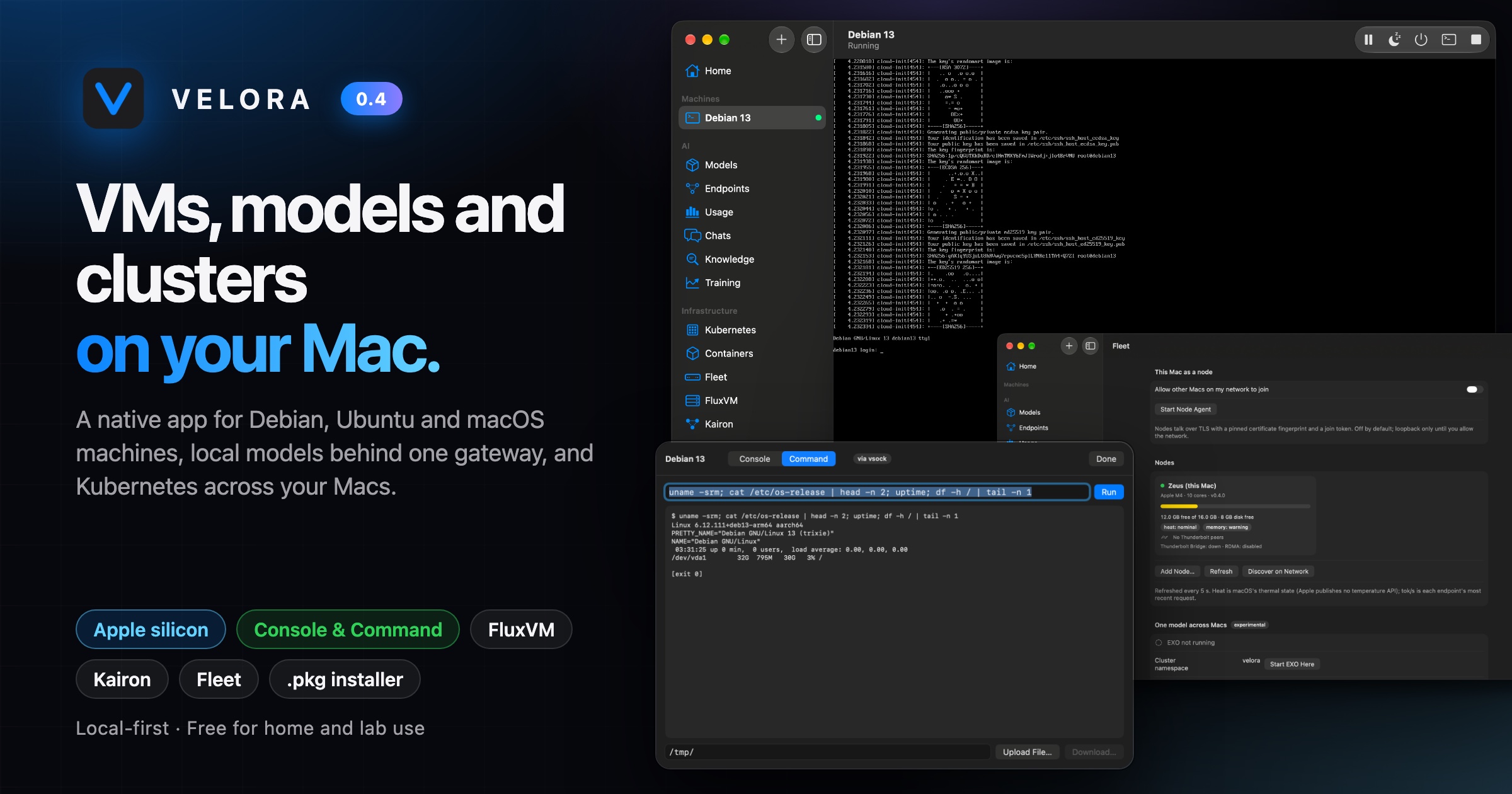
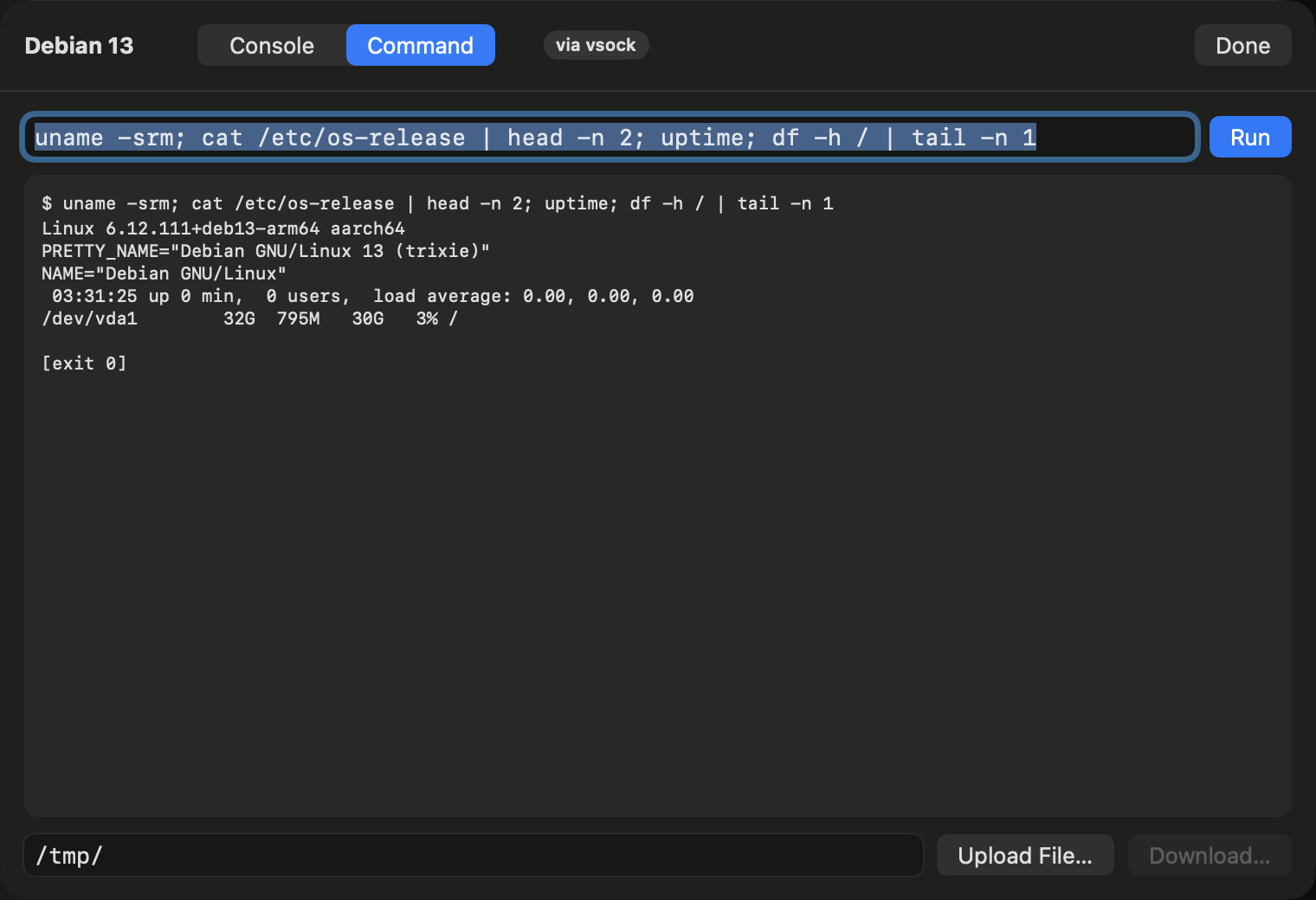
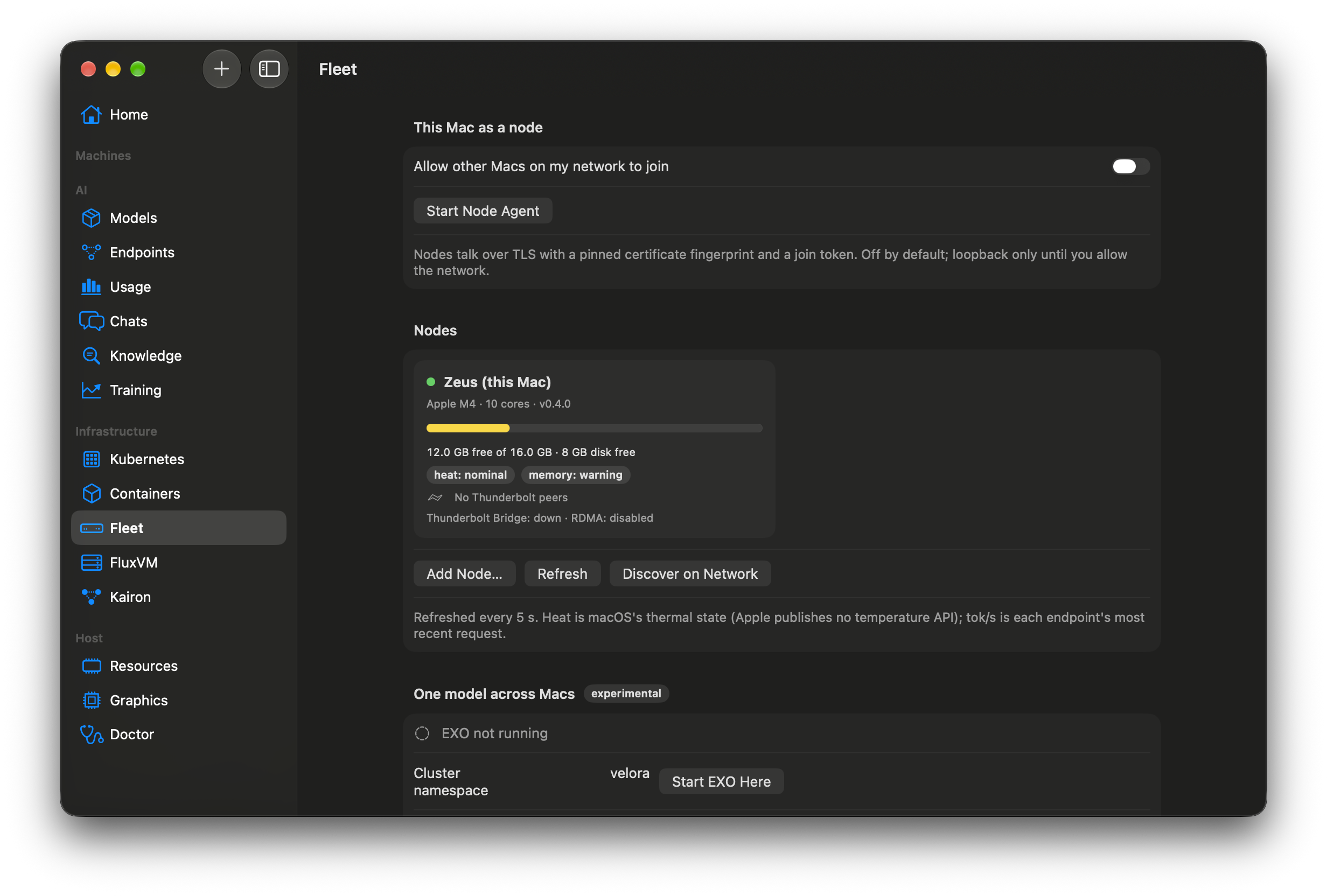
A way into every guest, deeper FluxVM wiring, Kubernetes Nodes on your Mac, a live card for each Mac in the fleet and a standard installer.
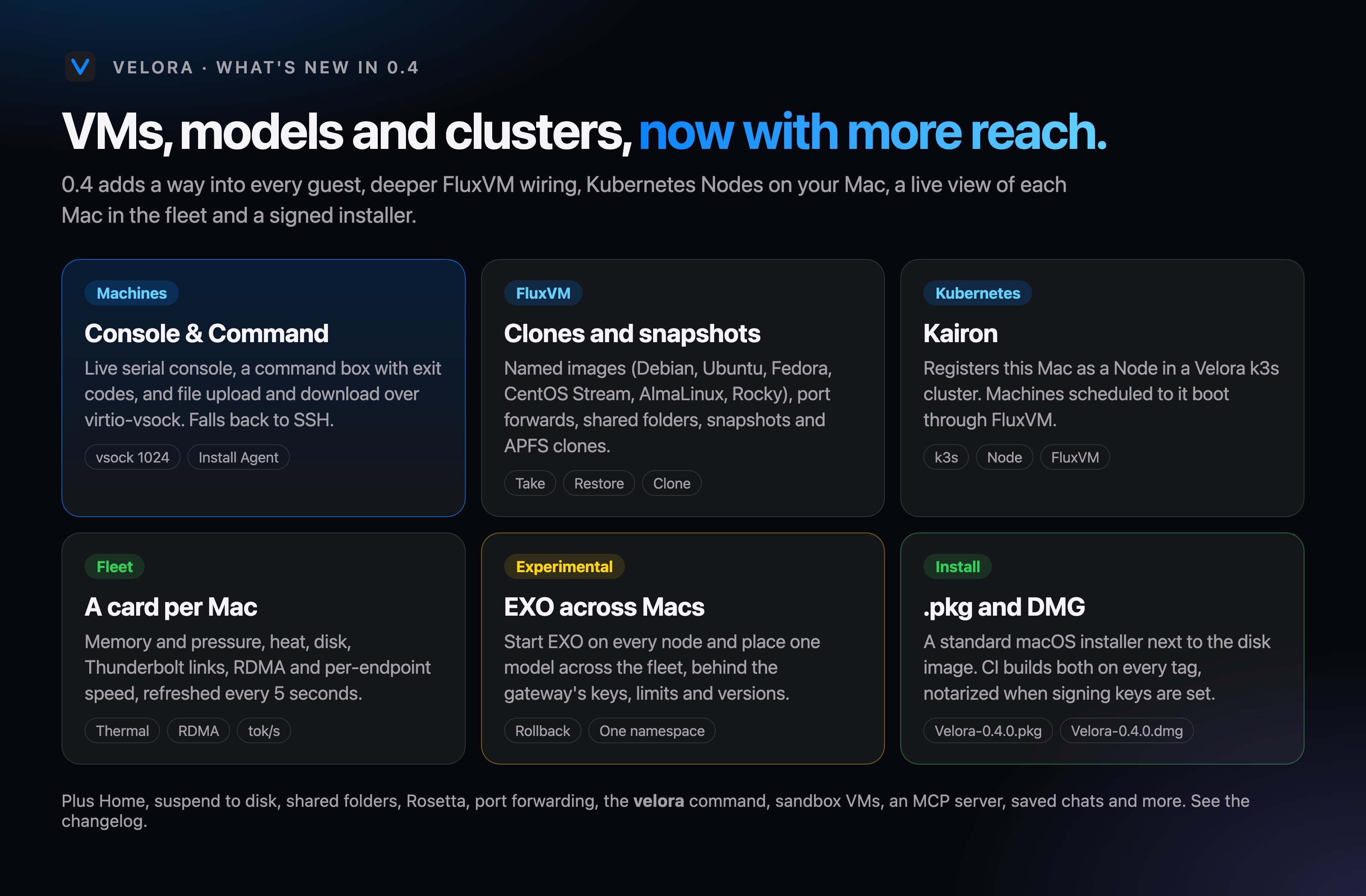
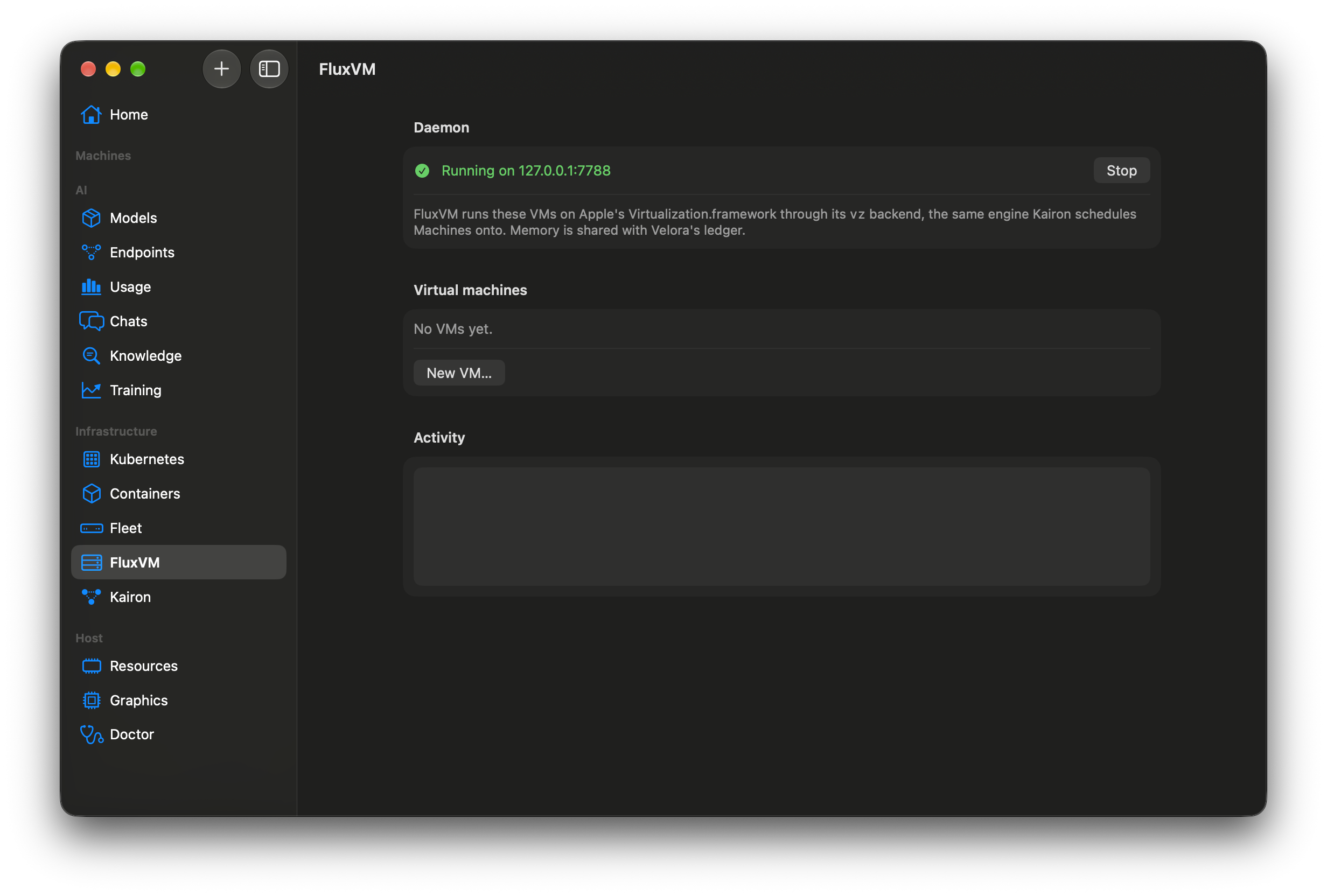
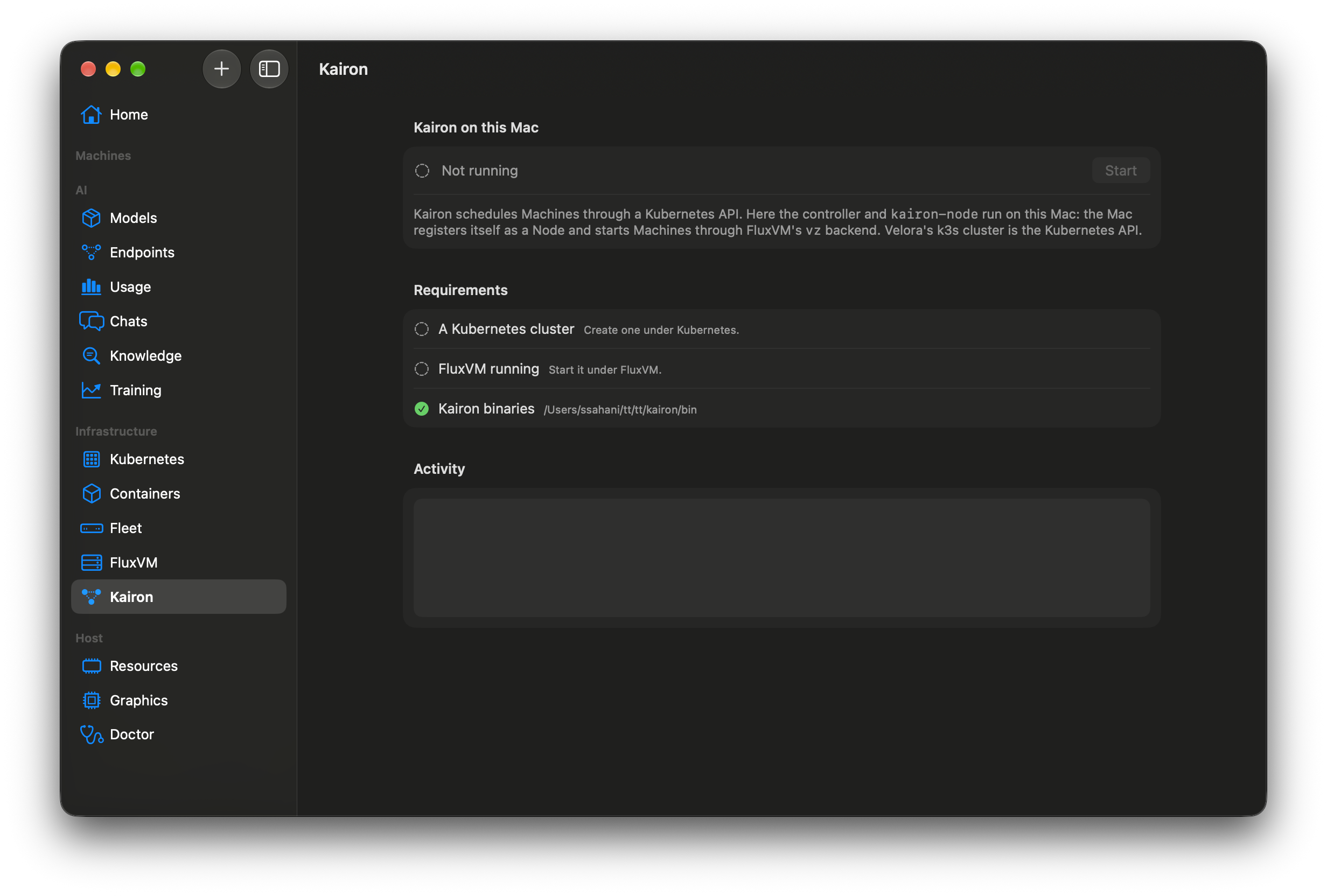
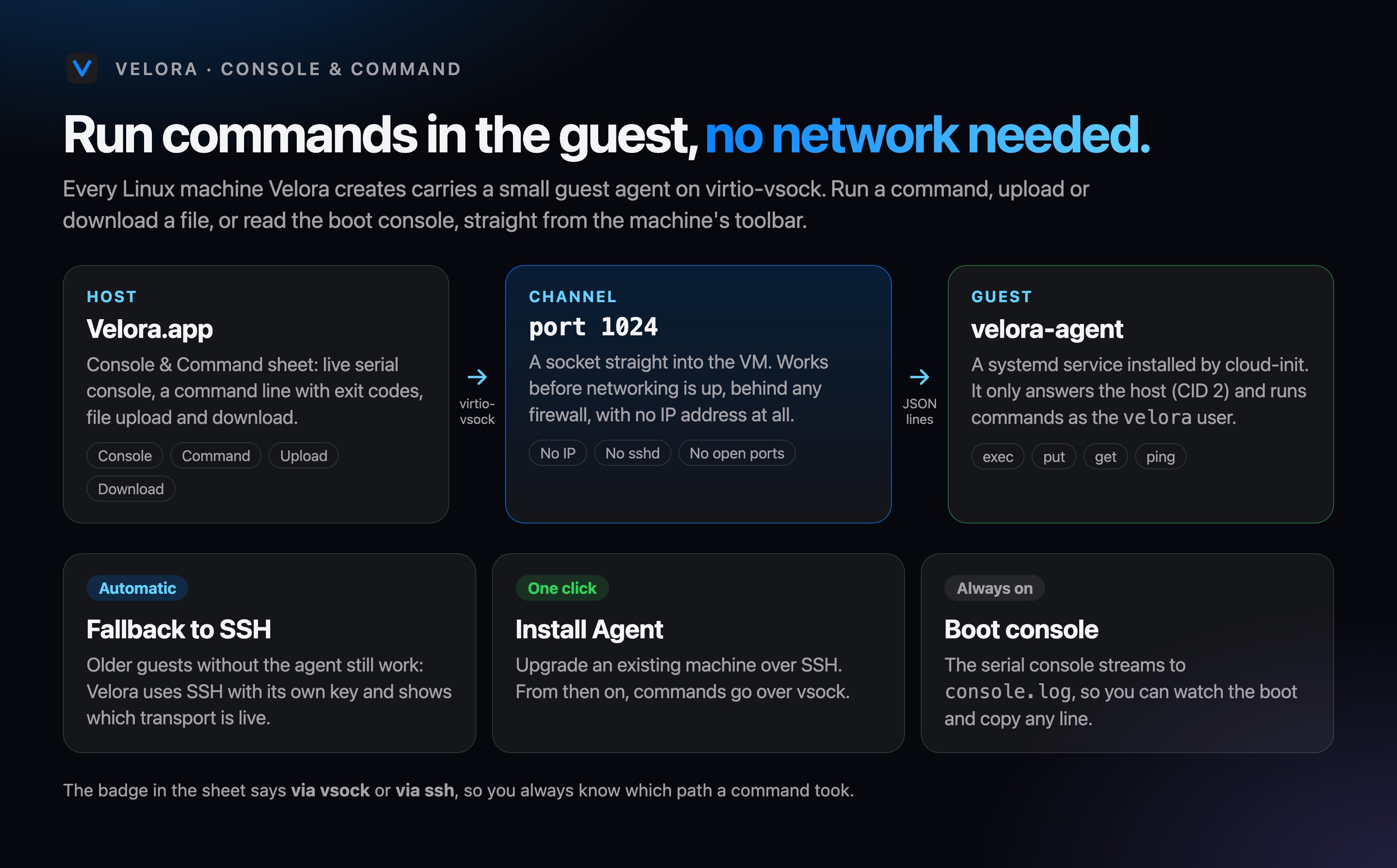
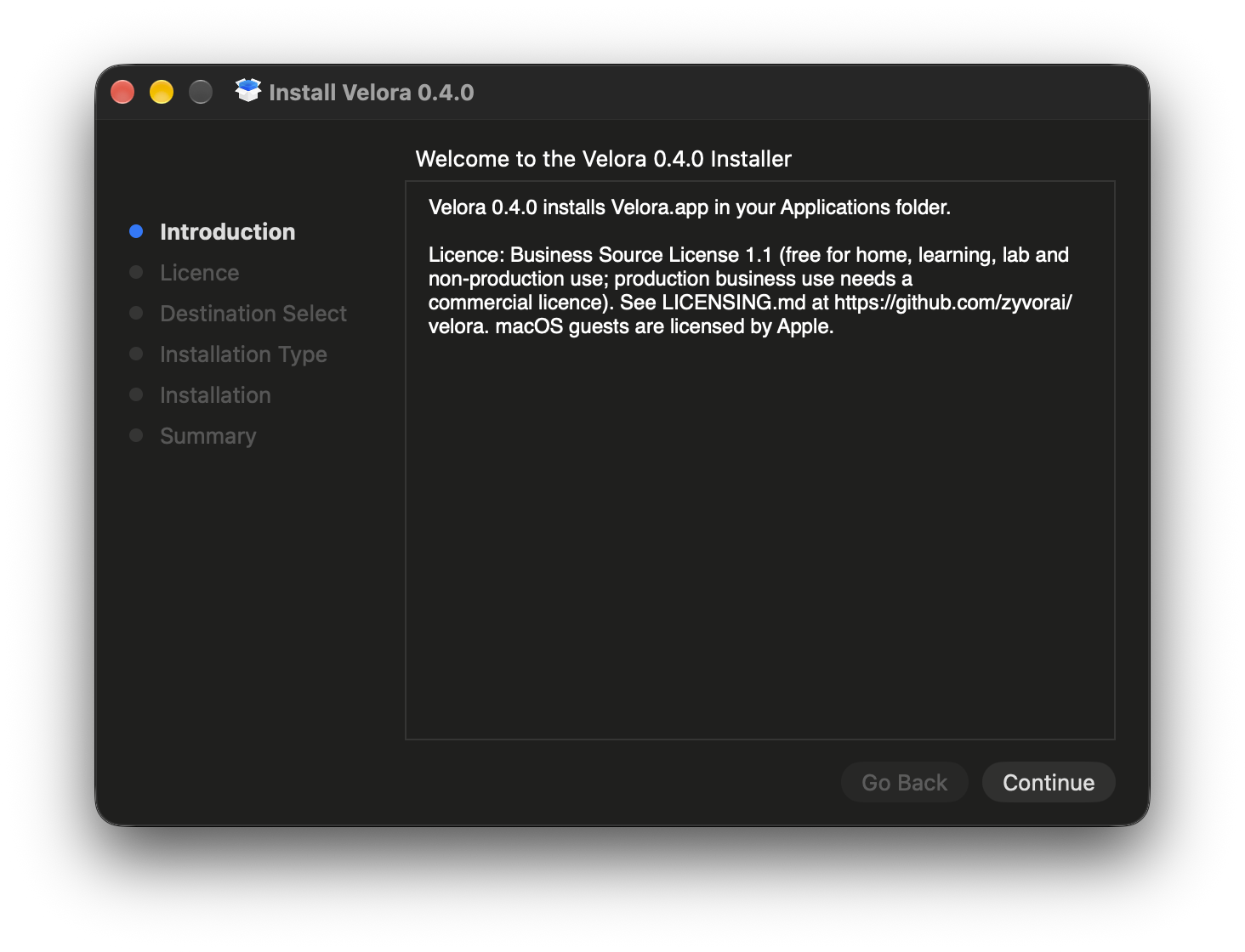
Releases now ship Velora-0.4.0.pkg next to the DMG: open it, click through, and Velora is in Applications. Both are built by CI on every tag, with a .sha256 beside each.
Every image is the app on an Apple M4 running macOS 27. The guests are real Debian and Ubuntu VMs, the models, training job, k3s cluster and FluxVM VM are real runs.
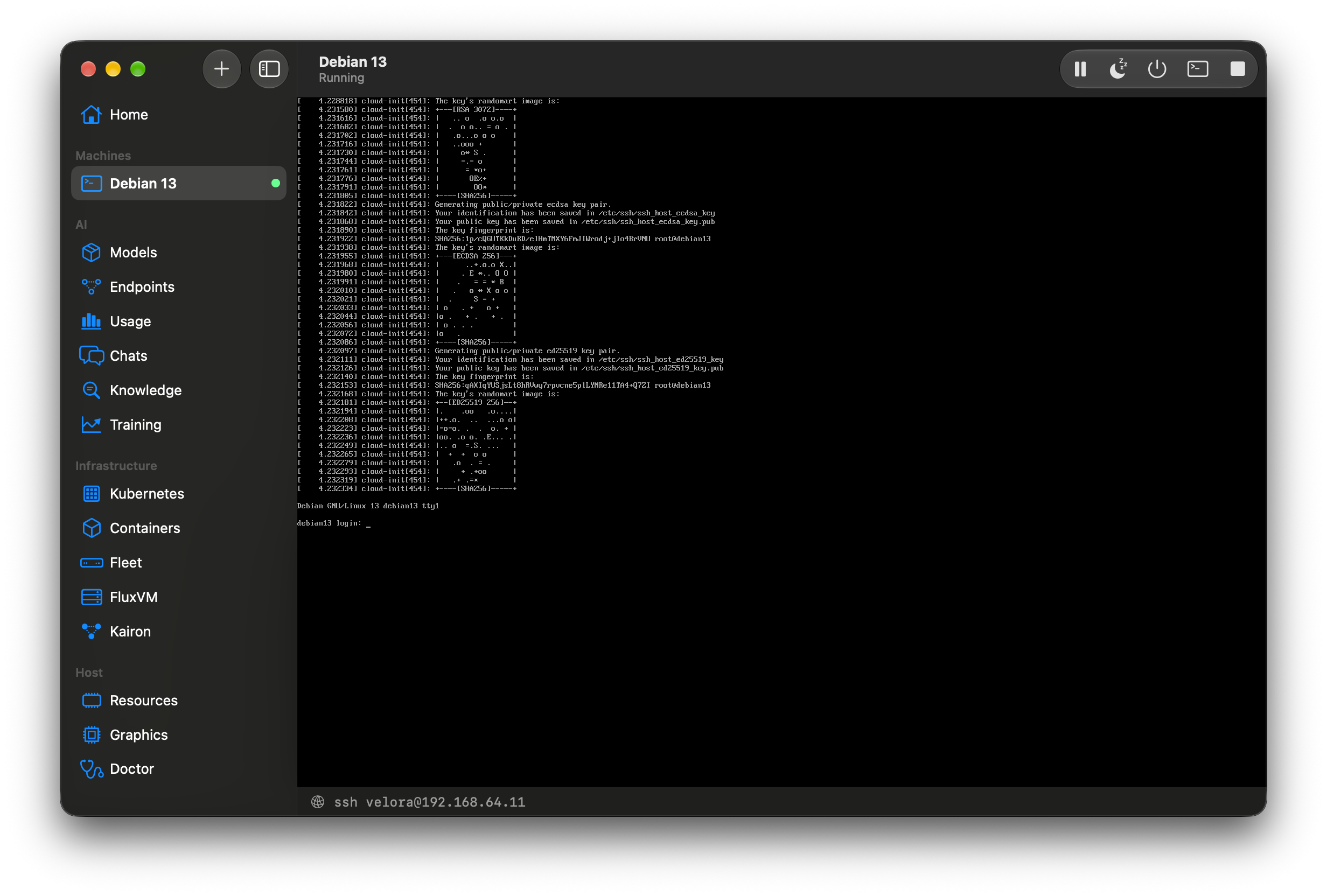
After the image is downloaded, a Debian guest answered on SSH 23 seconds after launch on an M4 (measured, image cached).
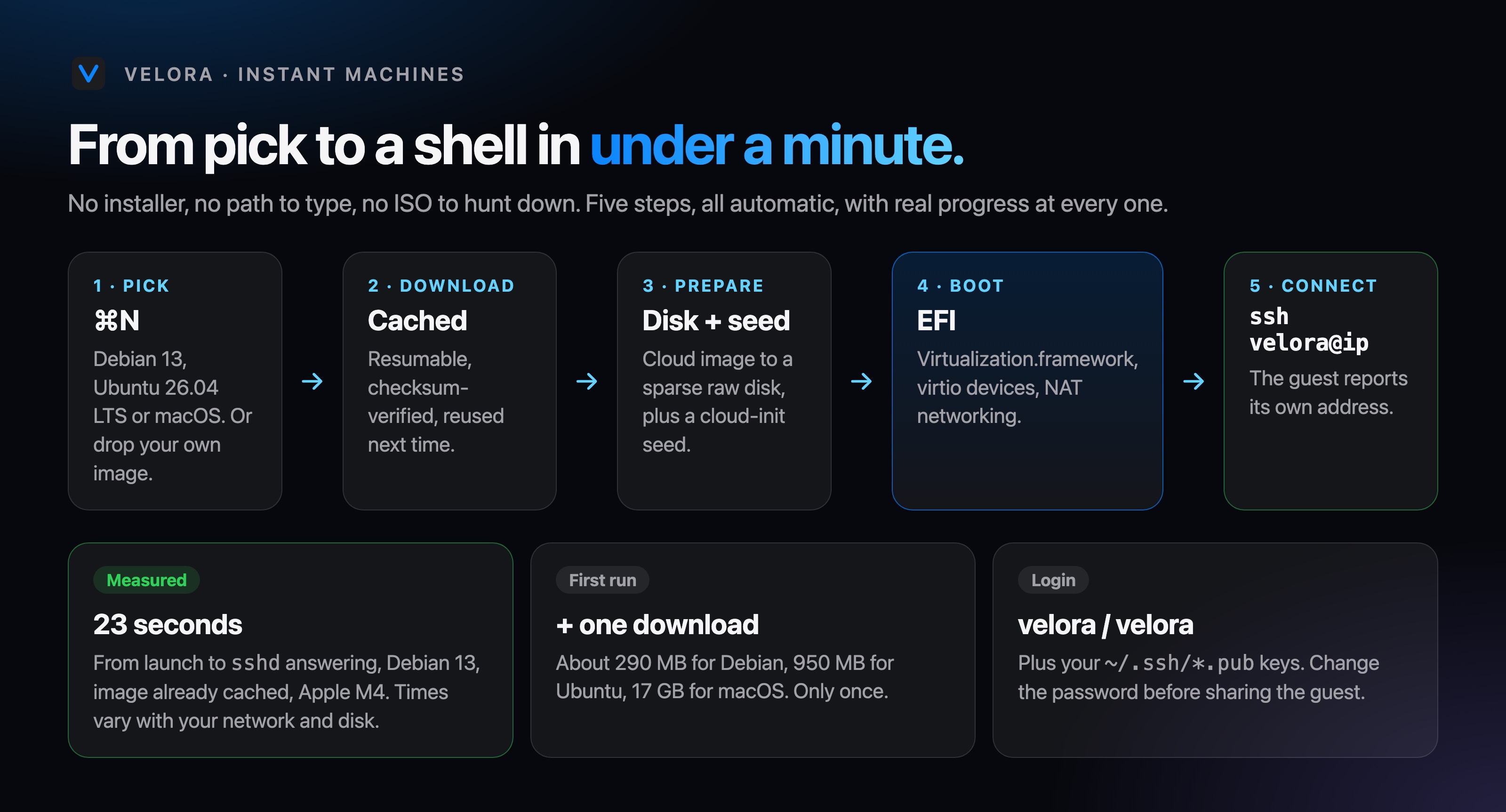
ARM64 cloud images with a cloud-init seed: user velora, your SSH keys installed, sudo without a prompt.
Asks Apple for the newest restore image your Mac supports, downloads it (about 17 GB), installs and boots it.
Drop an .ipsw or .iso on the window to create and start a machine from your own file.
Images are cached, resumable and checksum-verified, so a retry never starts over.
The guest reports its own address, so Velora shows ssh velora@… right under the display.
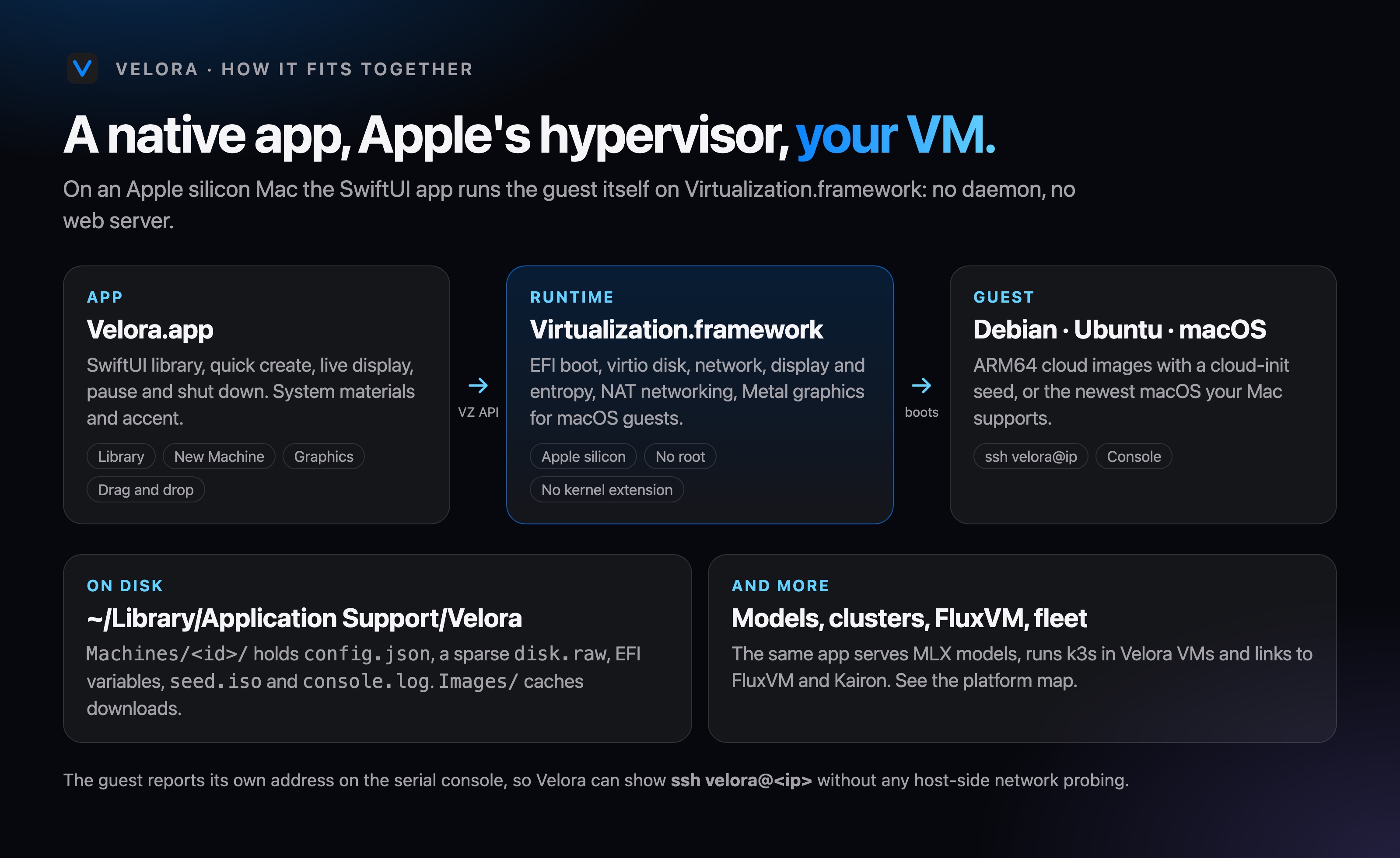
Runs as your user on Virtualization.framework with NAT networking.
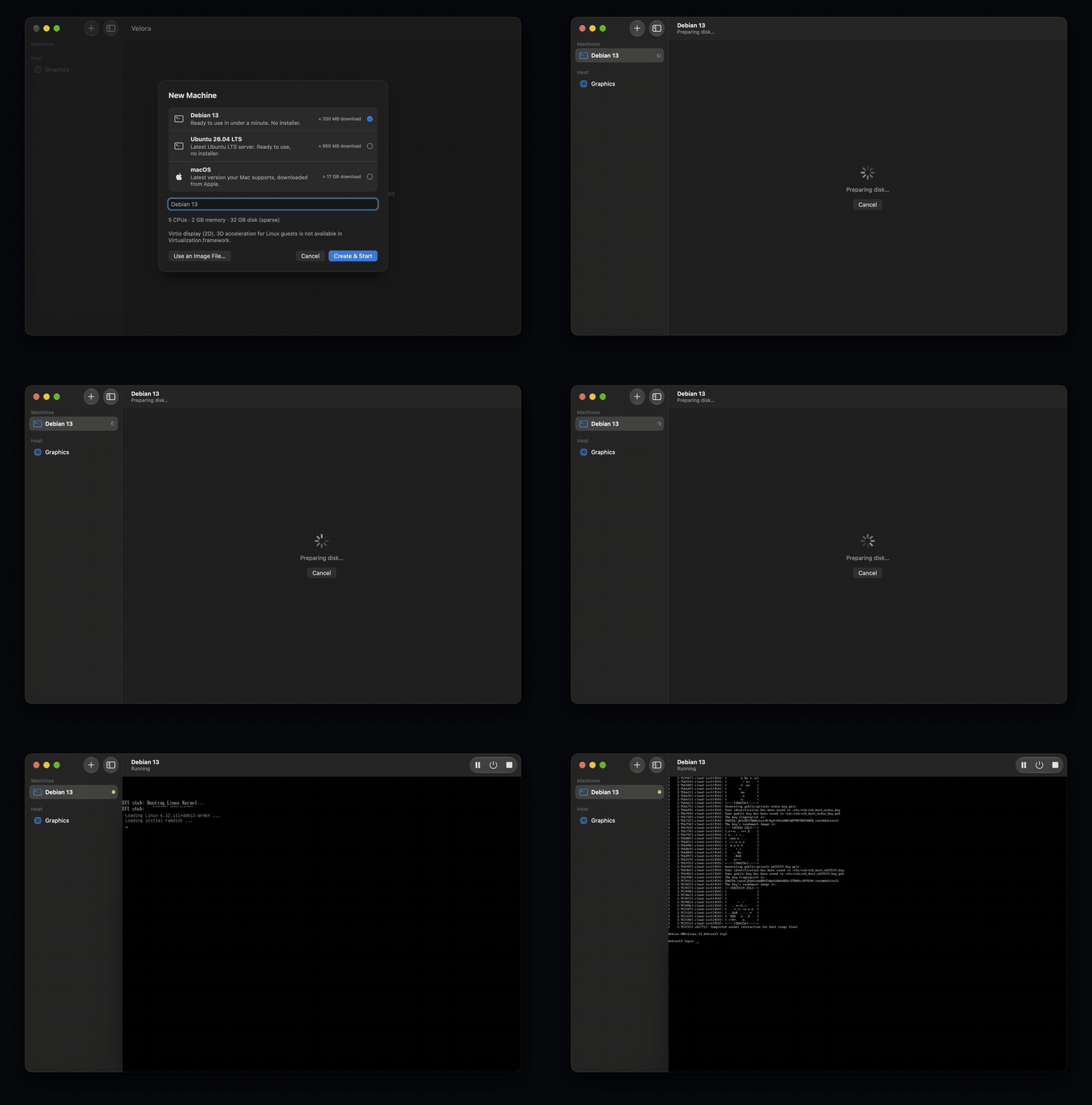
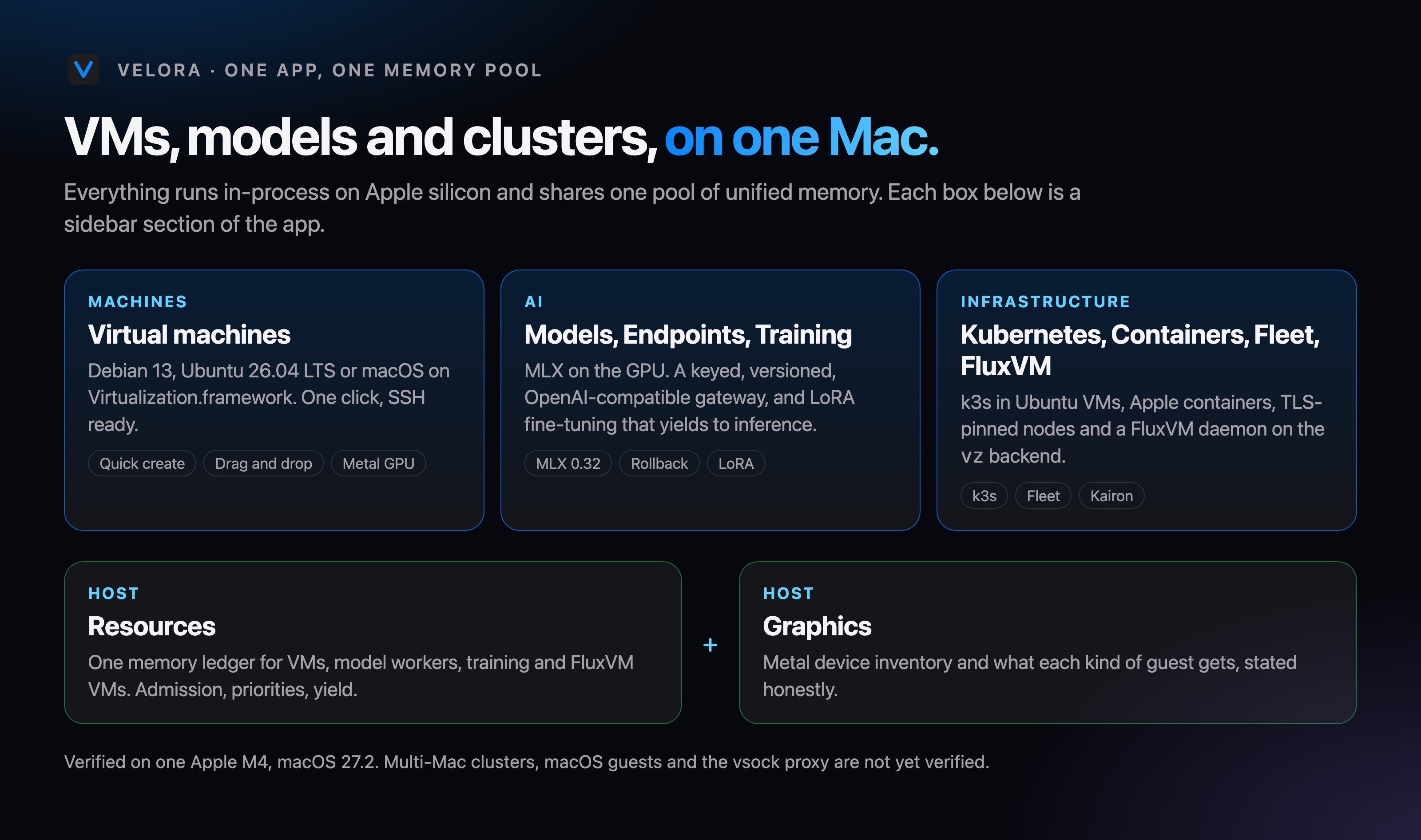
The same app serves MLX models on your GPU, runs k3s in Velora VMs and links to FluxVM and Kairon, all against one memory ledger.
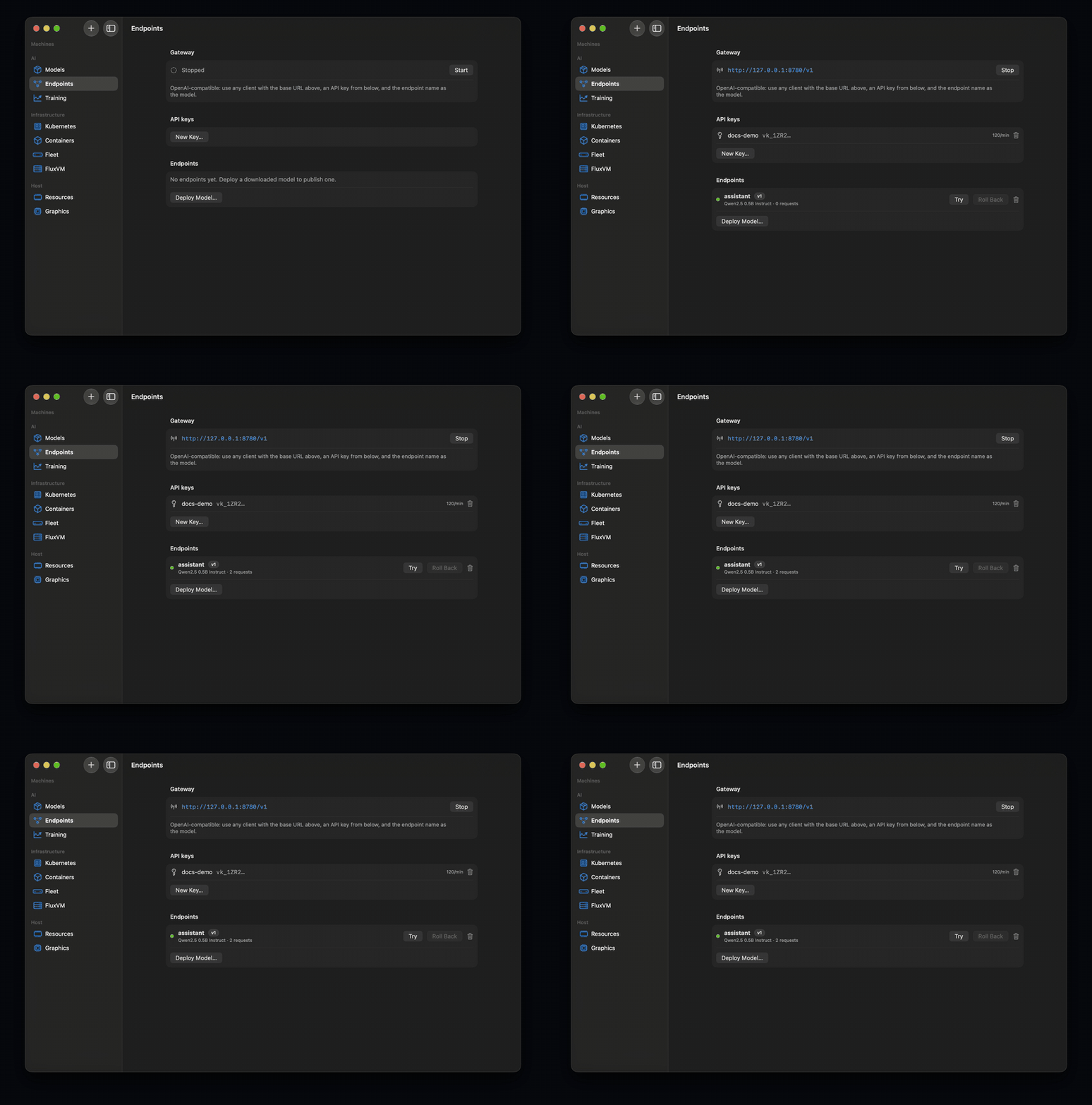
Versioned, keyed, rate-limited, streaming, with health restarts and one-press rollback. Nothing leaves your Mac.
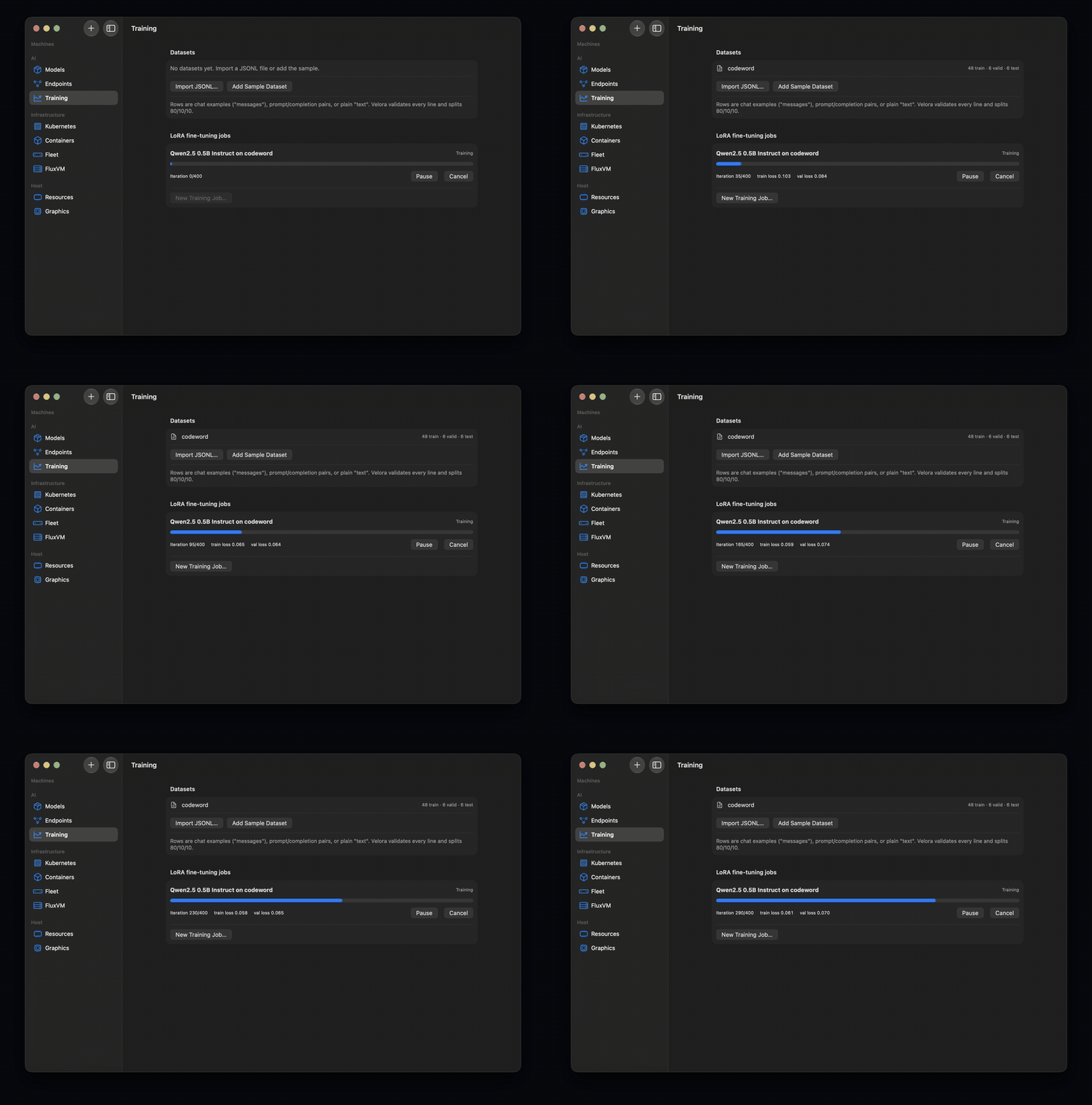
Checkpoint, pause, resume and yield to inference, then serve the adapter as a new version.
VMs, models, training and FluxVM VMs reserve memory first. Admission and concurrency, not GPU cores.
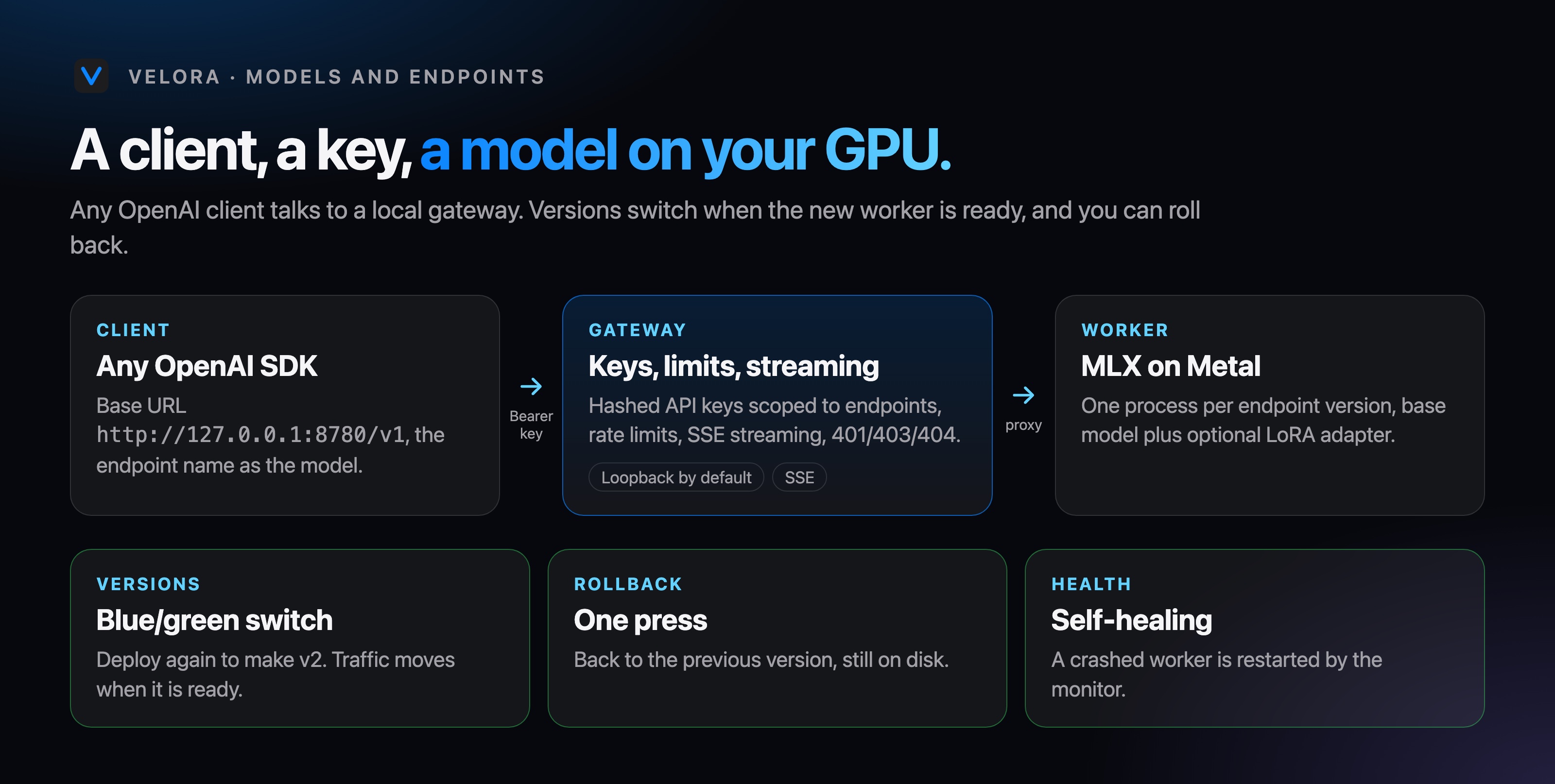
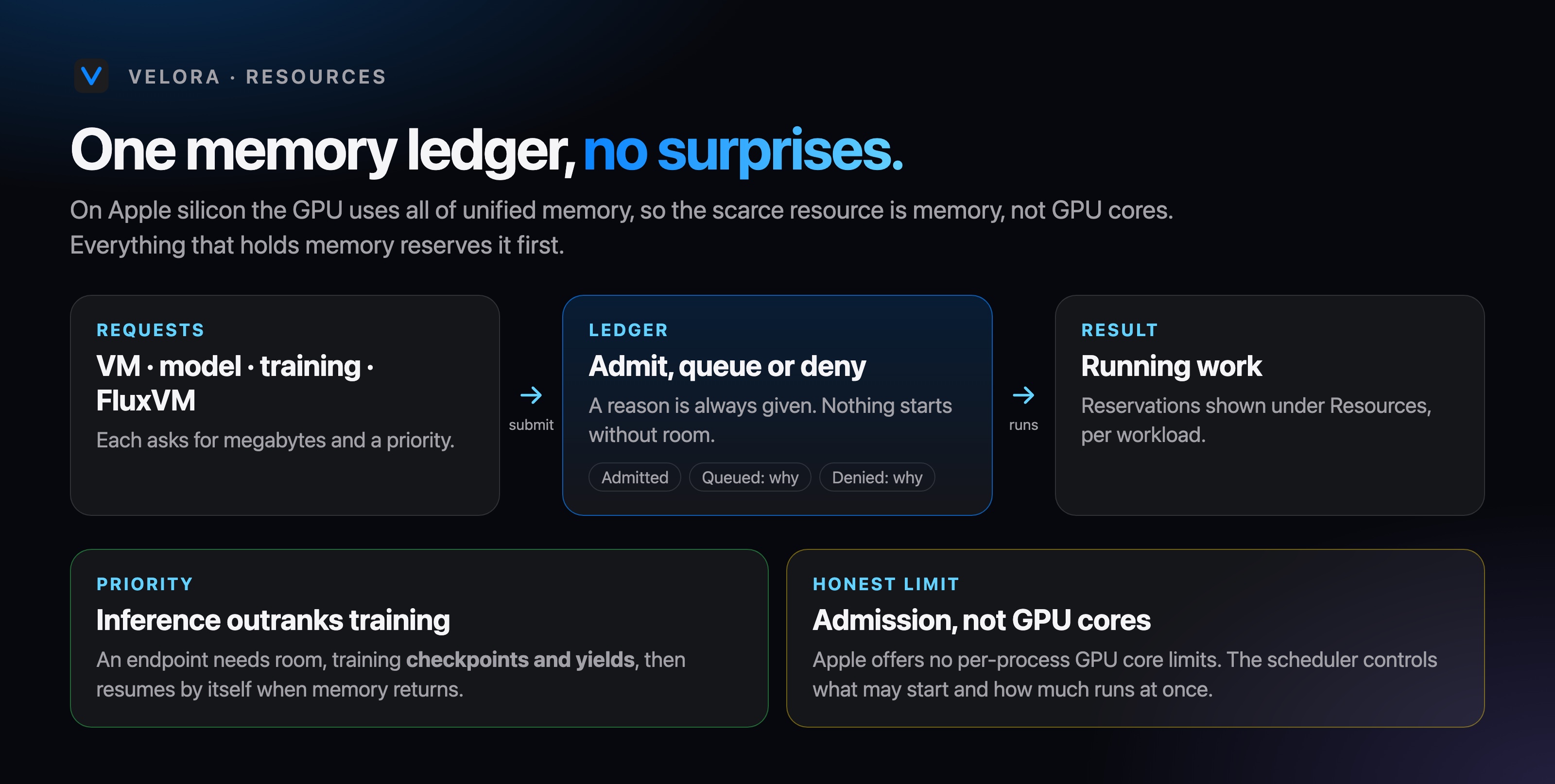
Each clip is the app doing the work on an Apple M4: nothing is mocked.
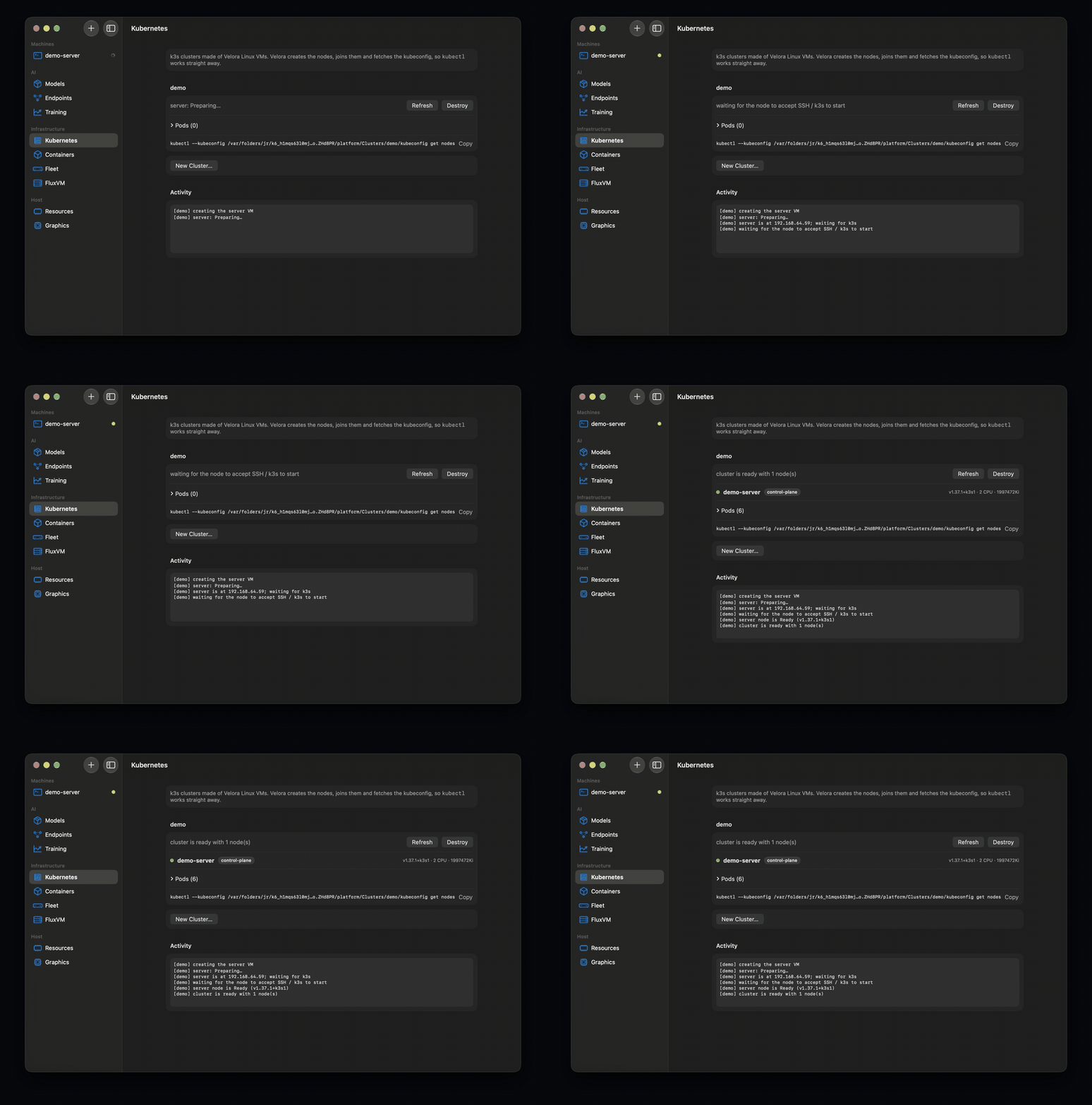
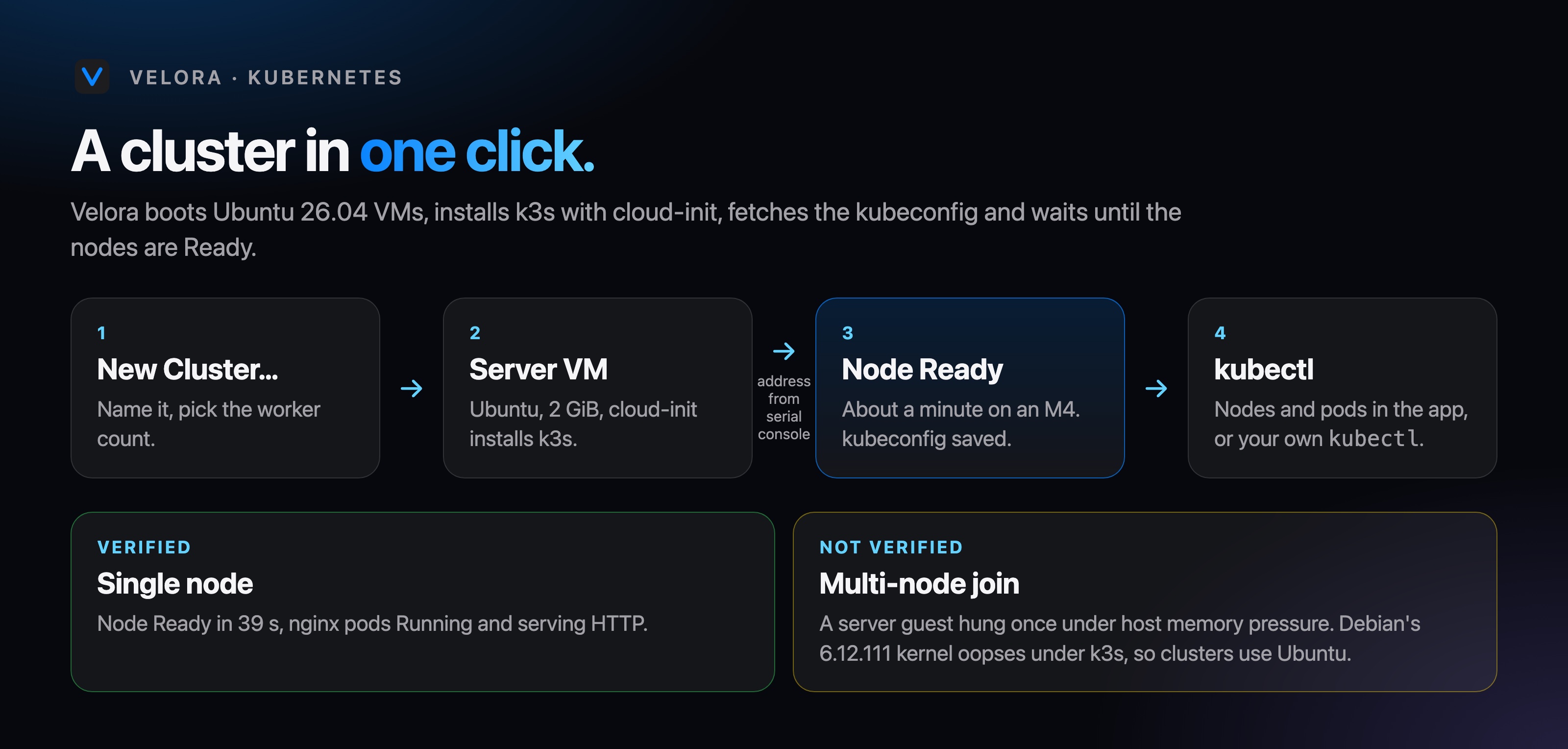
Velora boots Ubuntu 26.04 VMs, installs k3s, fetches the kubeconfig and waits for Ready. Verified for a single node on an M4; multi-node join is not verified.
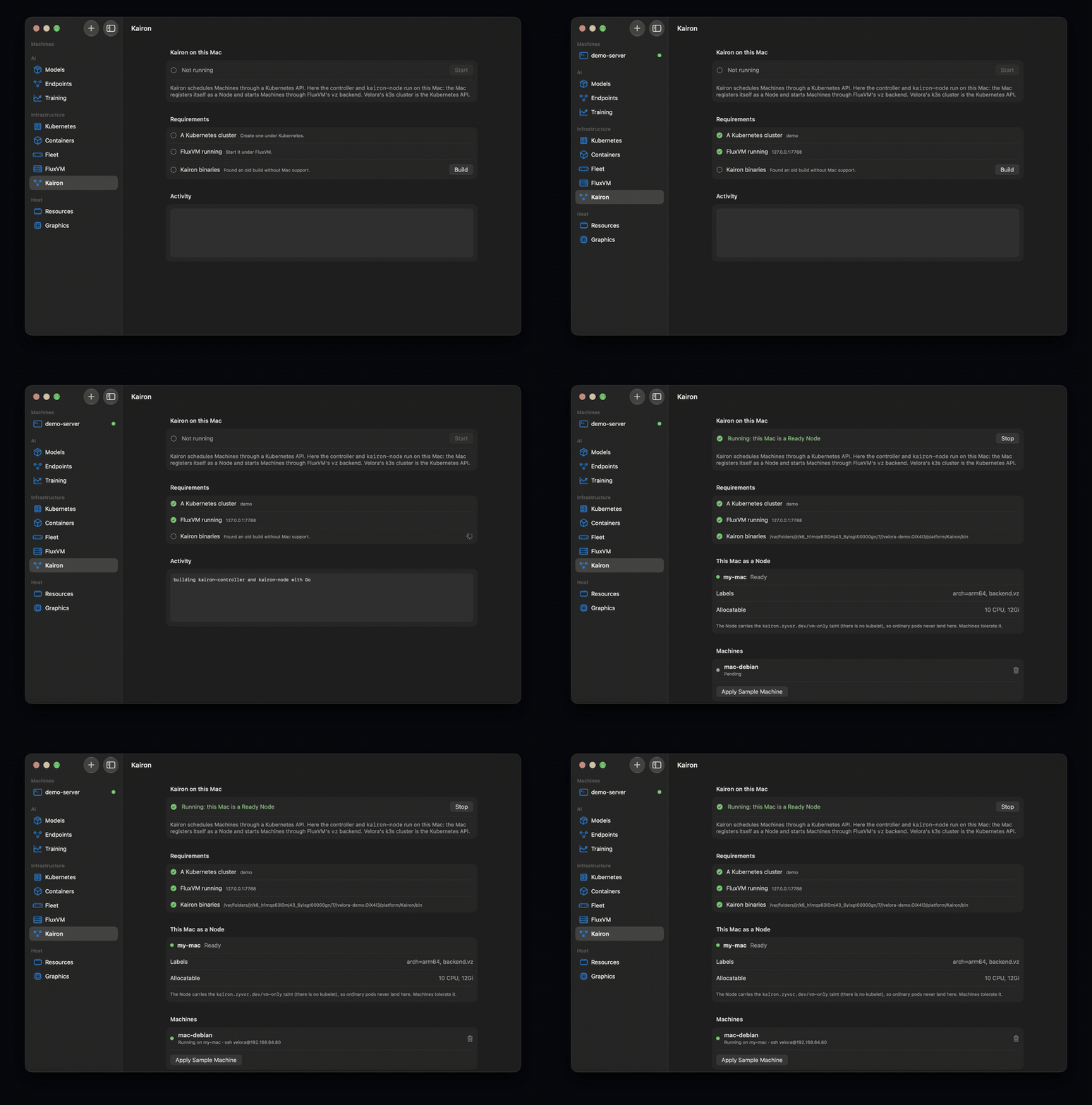
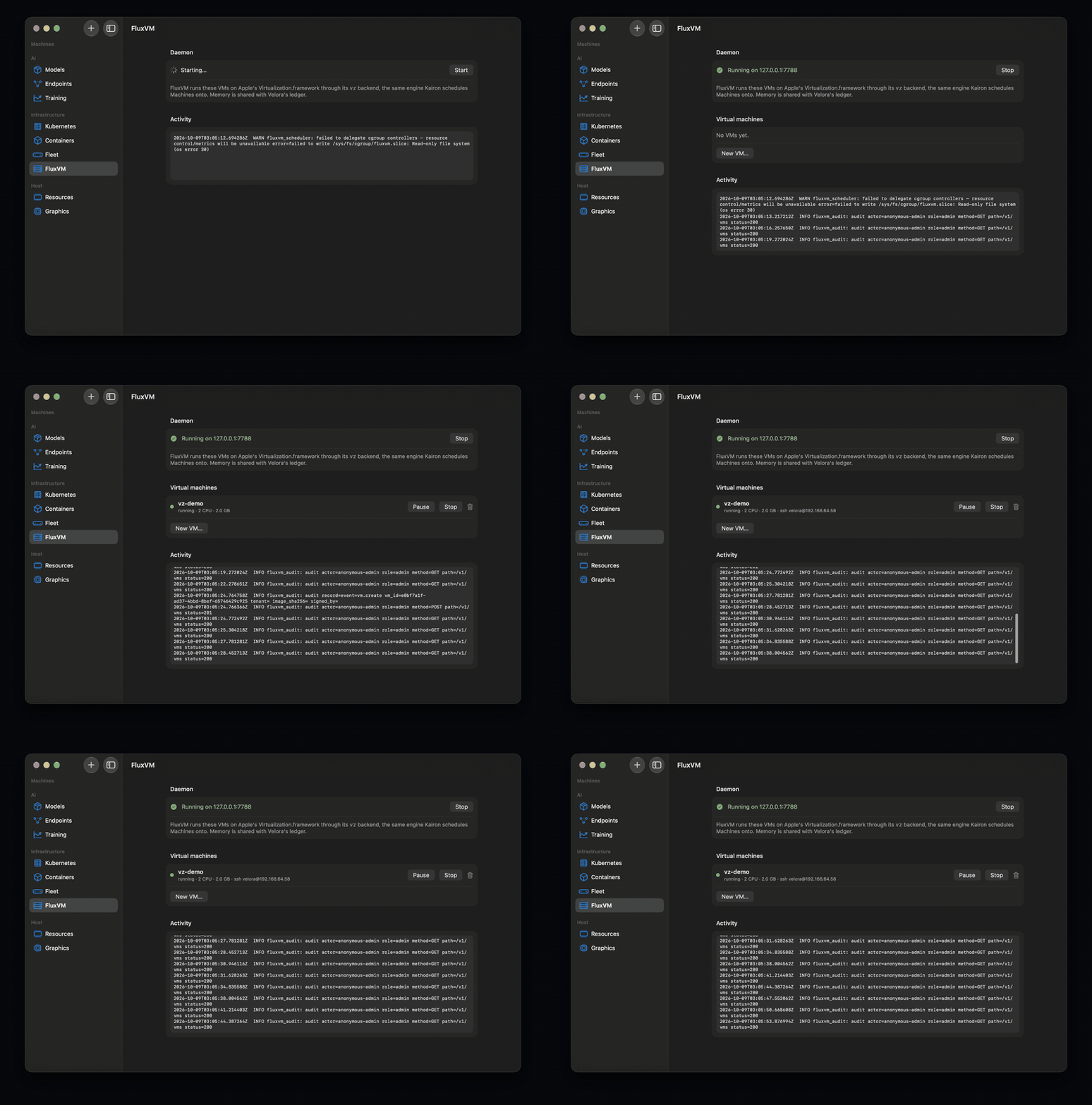
FluxVM's new vz backend and Kairon's Mac node run natively. Velora hosts the cluster, supervises FluxVM and counts its VMs.
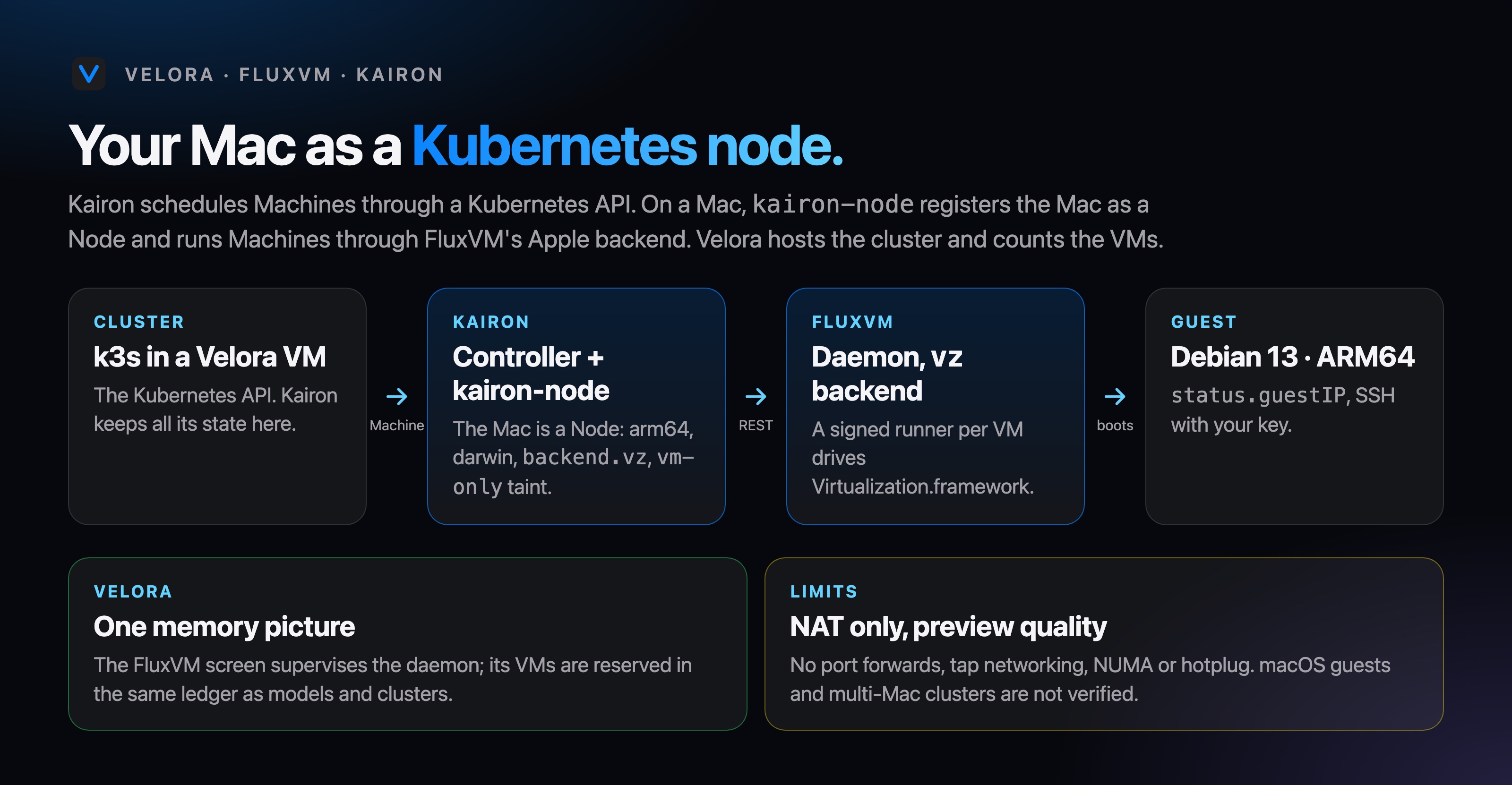
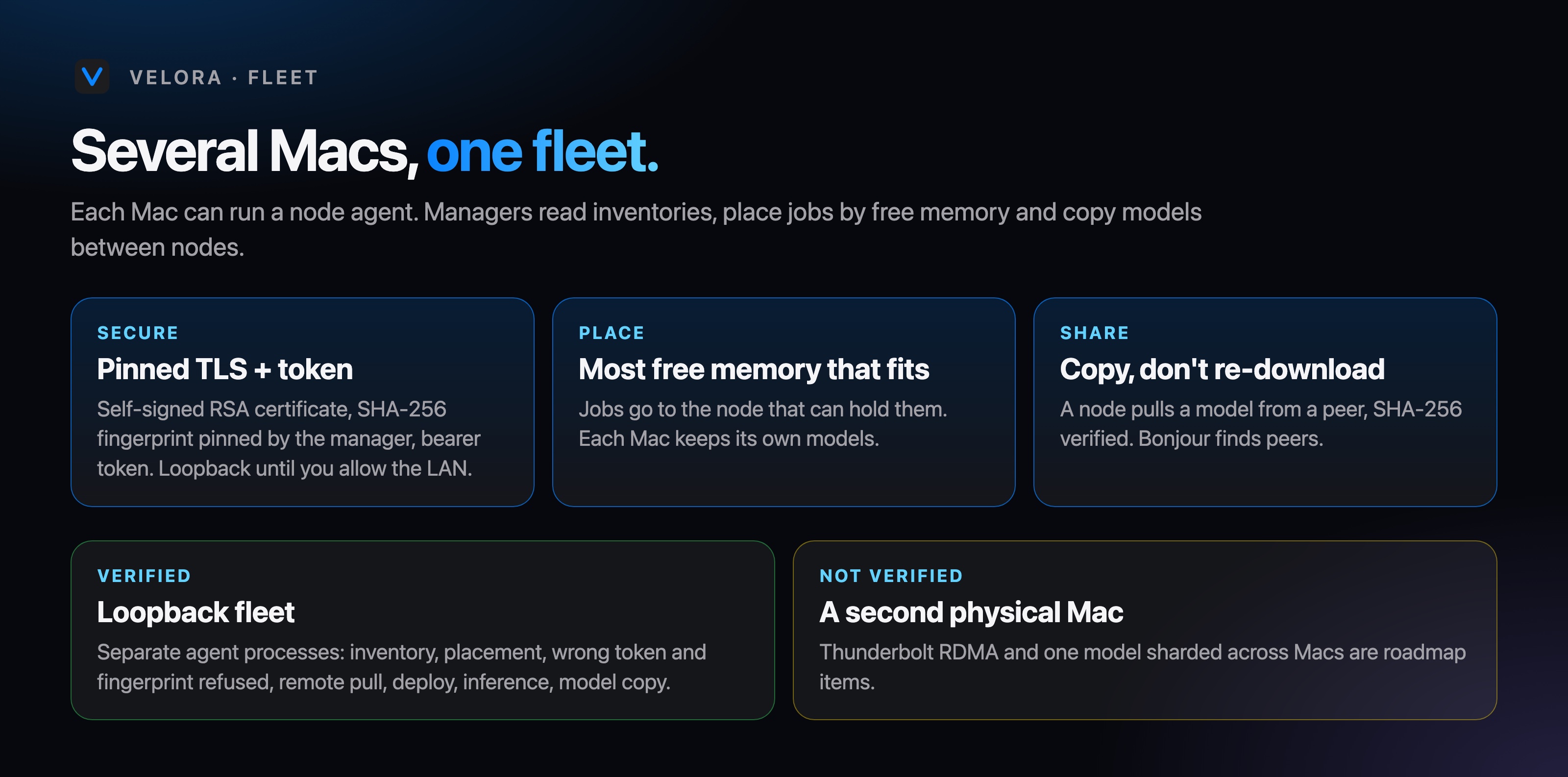
Step by step, each ending with exactly what was verified and where.
Debian or Ubuntu, one click, SSH.
MLX, keys, versions, rollback.
Train, pause, publish an adapter.
Nodes and pods from the app.
Register the Mac as a node.
Place jobs, share models.
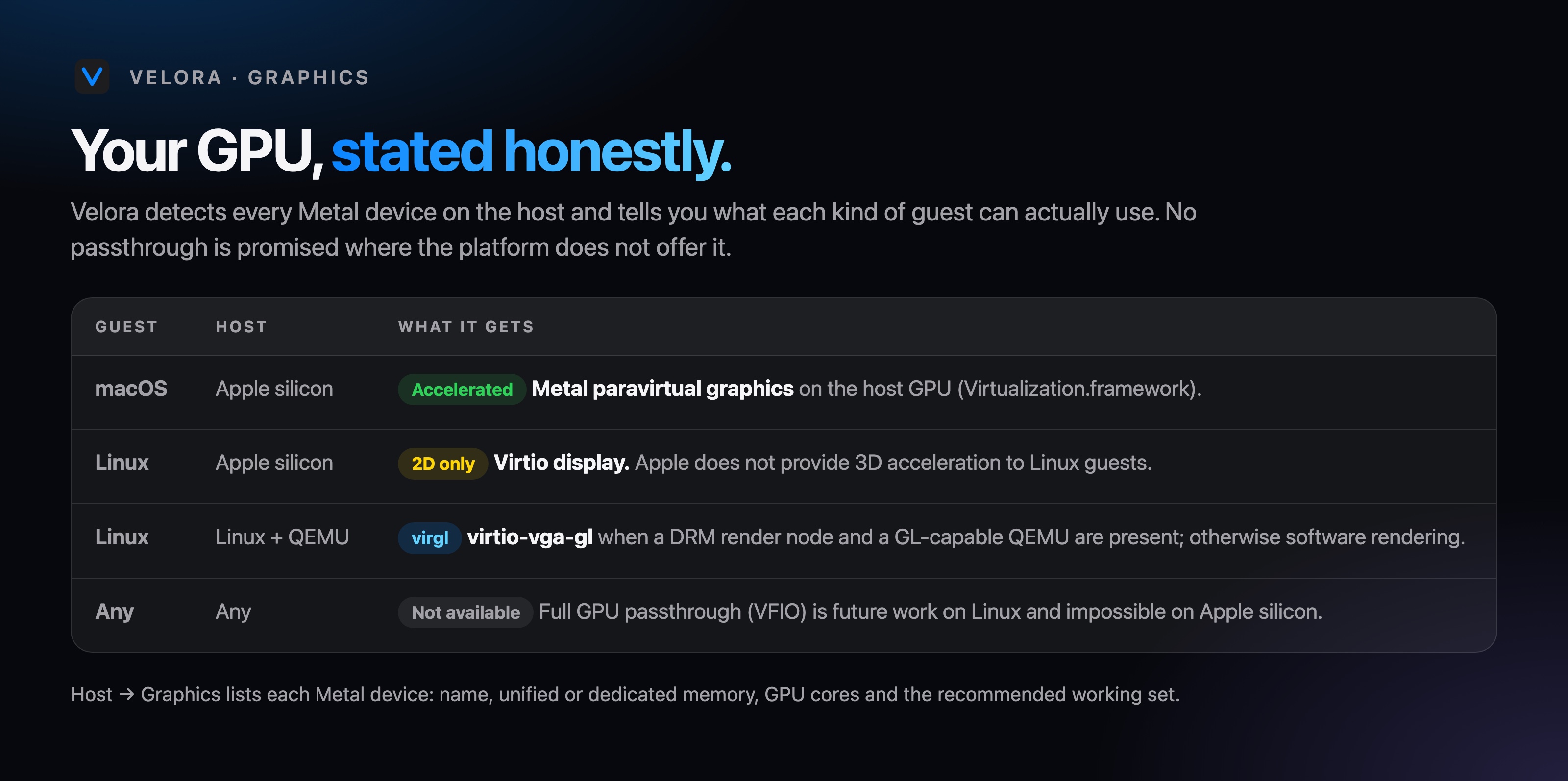
| Guest | Host | What it gets |
|---|---|---|
| macOS | Apple silicon | Accelerated Metal paravirtual graphics on the host GPU. |
| Linux | Apple silicon | 2D only Virtio display. Apple offers no 3D acceleration to Linux guests. |
| Any | Any | Not available GPU passthrough: impossible on Apple silicon, future work on Linux. |
Unified memory is GPU memory. A Mac mini becomes a private assistant for the house; a few Mac Studios become an on-premise LLM endpoint that stays OpenAI-compatible and never sends data out.
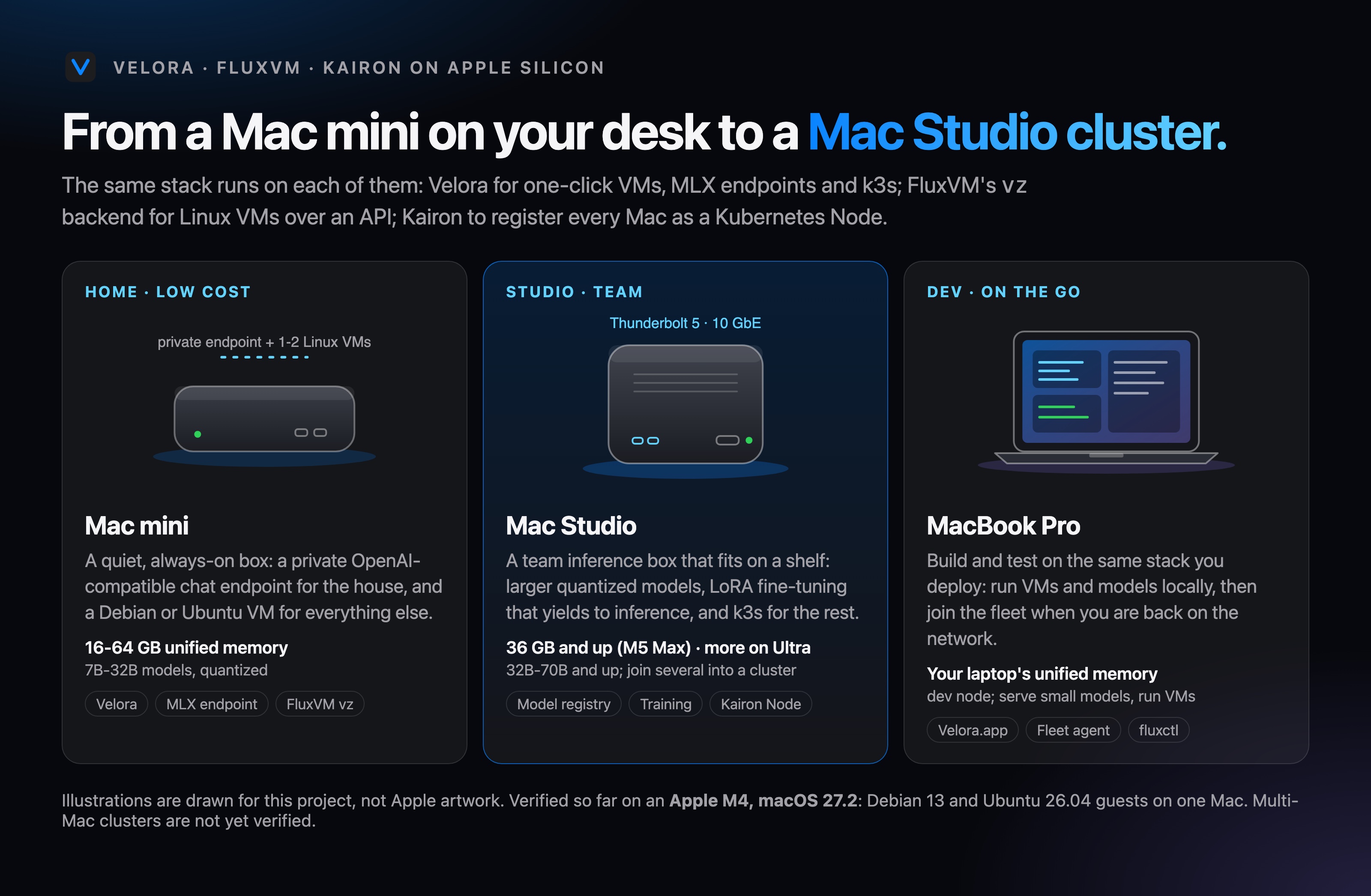
One Mac mini: a private chat endpoint with API keys, plus a Debian or Ubuntu VM. Silent, always on.
One Mac Studio: larger models, LoRA fine-tuning that yields to inference, k3s for the rest.
Two to four Mac Studios on a Thunderbolt 5 mesh for finance, legal, healthcare and air-gapped sites.
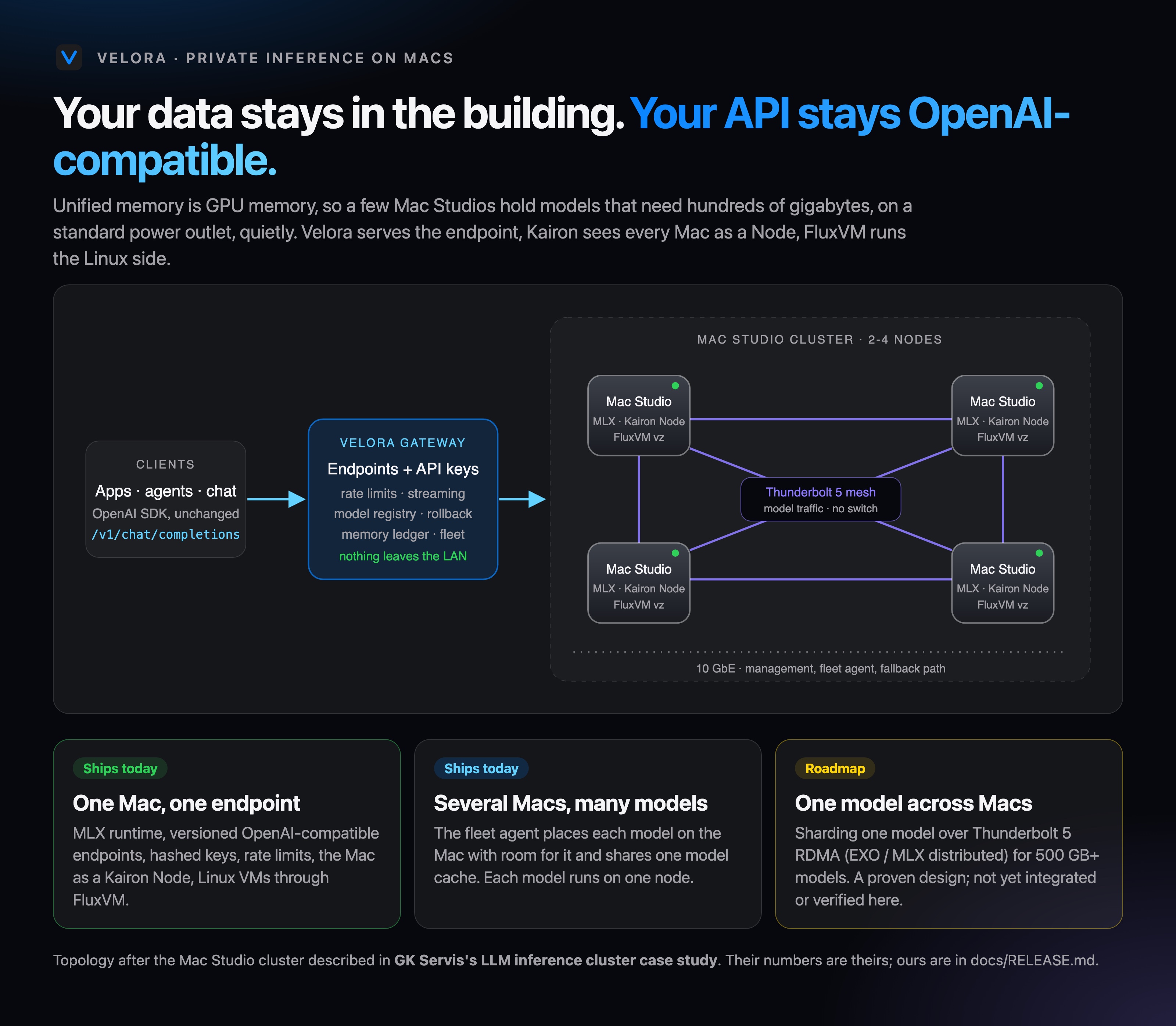
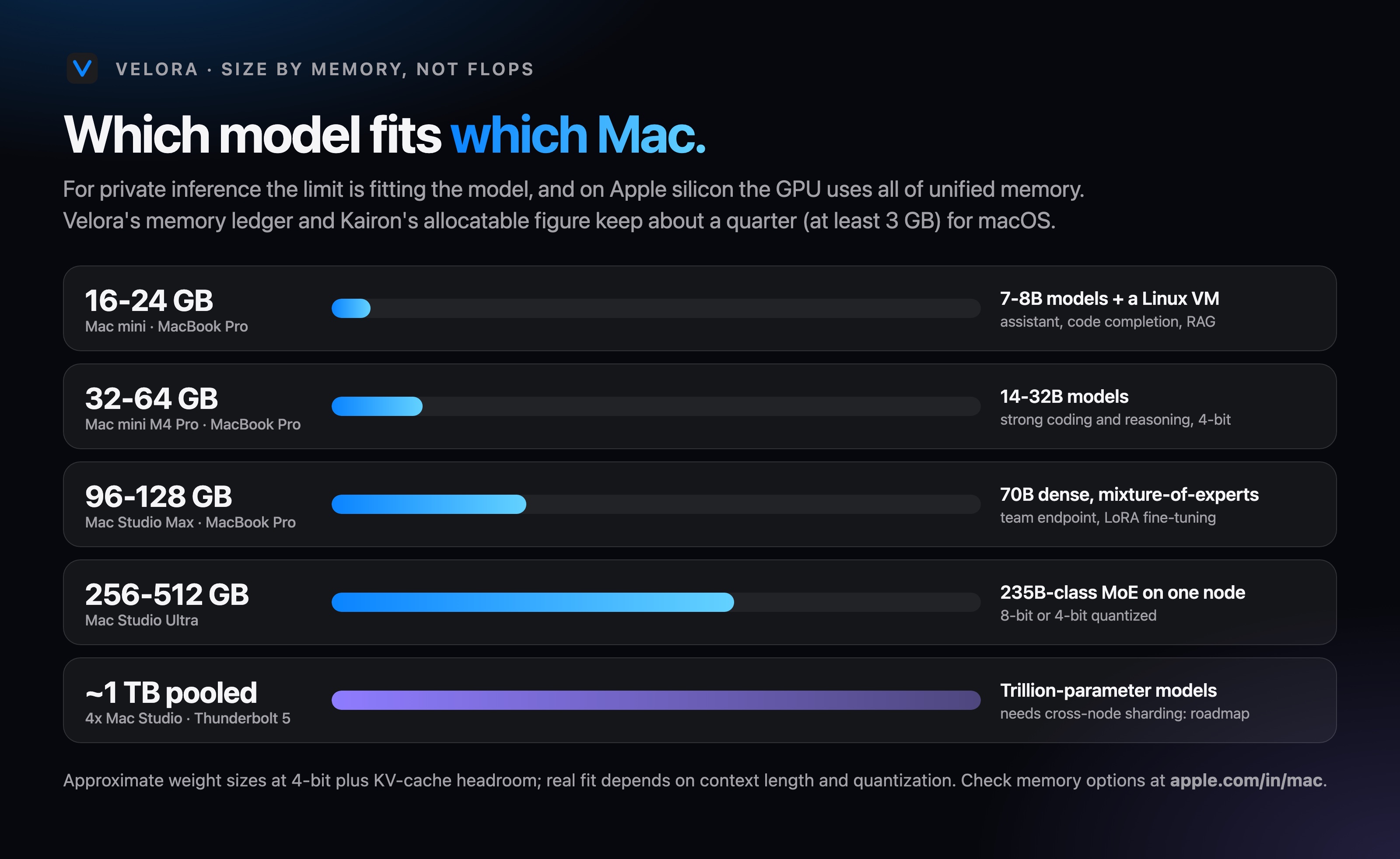
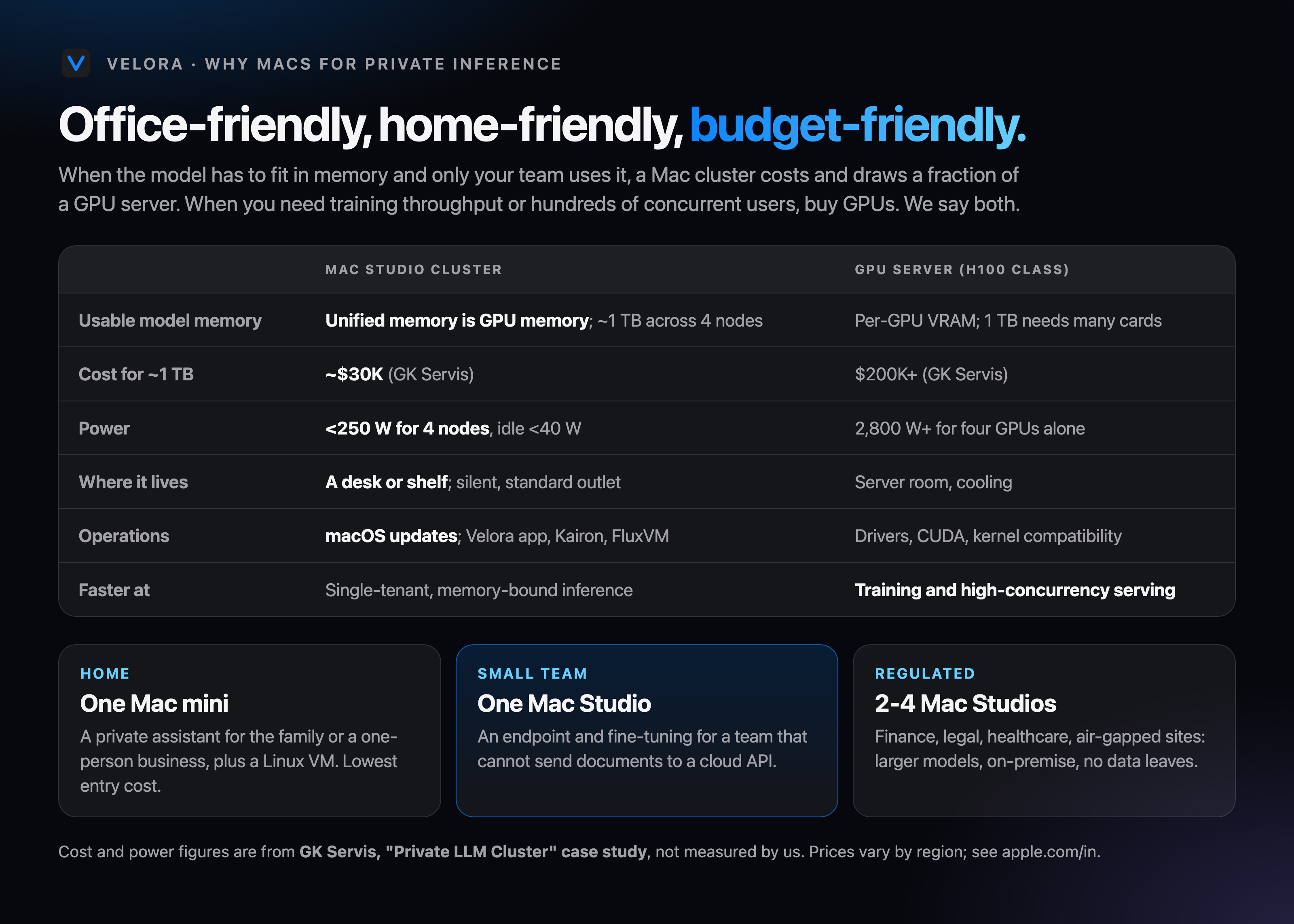
Verified on one Apple M4 with macOS 27.2. Multi-Mac clusters and cross-node model sharding are on the roadmap; cost and power figures are from GK Servis's Mac Studio inference cluster case study. See Mac Studio, Mac mini and MacBook Pro on apple.com.
The SwiftUI app runs the guest itself on Virtualization.framework, in-process, with no helper service.
Velora 0.4.0 (pre-release) for Apple silicon, macOS 26 or newer. Pick the installer or the disk image.
Velora-0.4.0.pkgVelora-0.4.0.dmgAll releases
| File | Size | SHA-256 |
|---|---|---|
| Velora-0.4.0.pkg | 2.9 MB | 773bb434ec8bcfa1ccd1a104fa0fd5c5dd748195748ea6d52e874951051a05d7 |
| Velora-0.4.0.dmg | 3.5 MB | 7a558bcf1dfe89e63475dbe3e89b28d11c74083b0c4eb03b662f667076e4572f |
Not notarized yet, so the first launch needs one override: right-click Velora (or the .pkg), choose Open, then Open. Or run:
xattr -dr com.apple.quarantine /Applications/Velora.appFull guide: INSTALL.md.
An Apple silicon Mac on macOS 26 or newer. Open the .pkg (or drag Velora from the DMG to Applications), then right-click Velora and choose Open the first time (the app is ad-hoc signed, not notarized).
Download the .pkgDownload the DMG
Press ⌘N, choose Debian, Ubuntu or macOS, then Create & Start. Then connect:
ssh velora@192.168.64.x # the address is shown under the display; password: veloraChange the default password or rely on your SSH key before exposing a guest beyond your own Mac. See the install guide.